LogoLogo

Our Products

Metadata Browser

Edge Add-on

HTML To PDF Converter

Power Automate Connector

Data Mask for Dataverse

Dataverse App

Commission 365

Dynamics 365 App

AI Autocloser

Dataverse App

Flow Monitor

Power Automate App

ServicesAboutCareersBlogContact
Chat on Teams
Metadata BrowserHTML To PDF ConverterData Mask for DataverseCommission 365AI AutocloserFlow Monitor
ServicesAboutCareersBlogContactChat on Teams
HomeBlogExploring API Testing with Microsoft Dataverse's API Playground
Exploring API Testing with Microsoft Dataverse's API Playground

August 05, 2024
#Dataverse
Mahith Reddy
Exploring API Testing with Microsoft Dataverse's API Playground

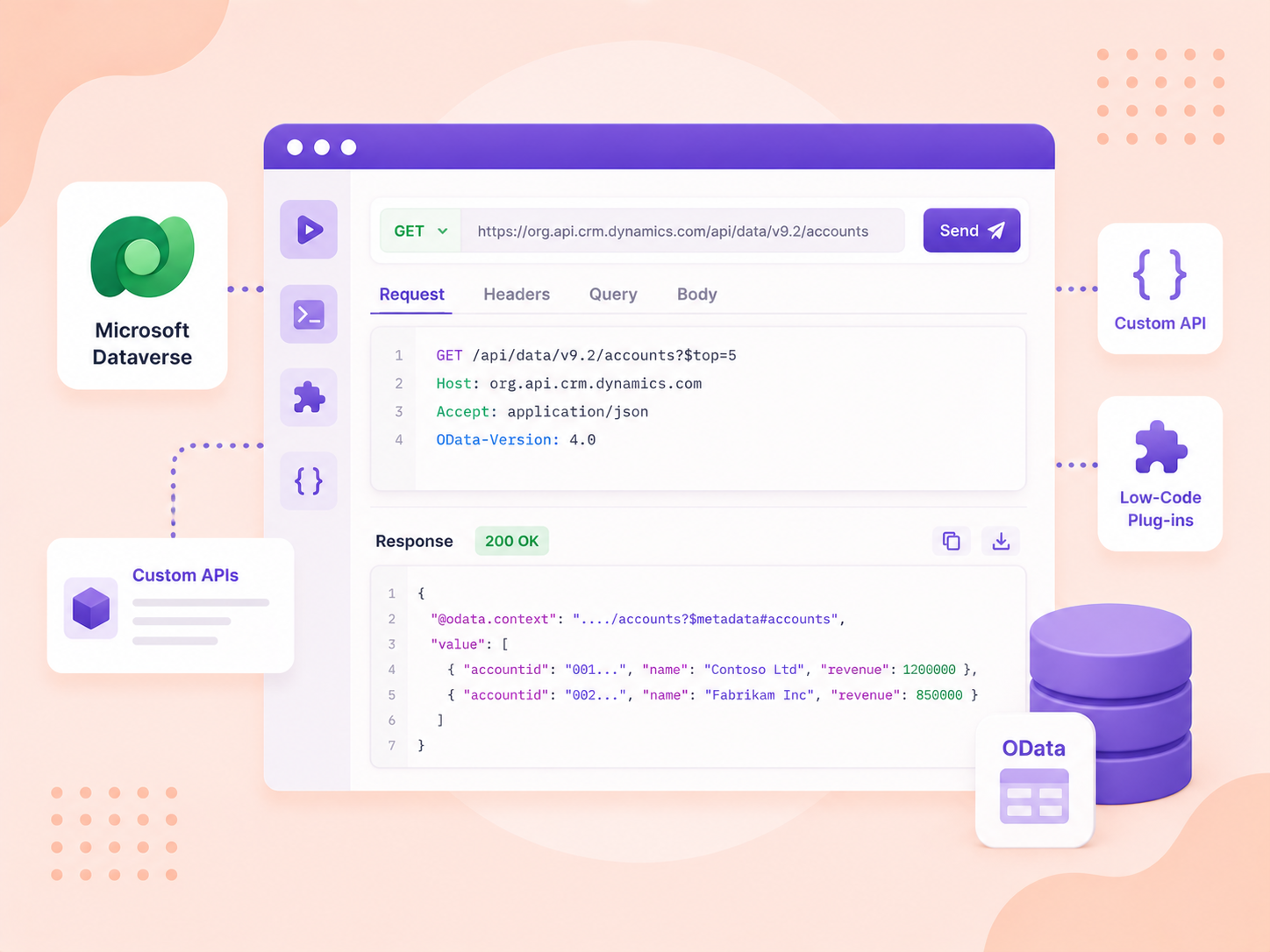
The API Playground is a pre-authenticated software testing tool designed for developers working with the Microsoft Dataverse Web API. This web-based application facilitates quick and easy interaction with API endpoints, eliminating the need for extensive setup or authentication processes. 

This tool is accessible through the Dataverse accelerator, which is available in all new Dataverse environments and can be installed in any environment. 

Note: The API Playground is a preview feature. It is not intended for production use and may have limited functionality. Preview features are released early to gather user feedback and make improvements before the official release. 

Let's see how it works... 

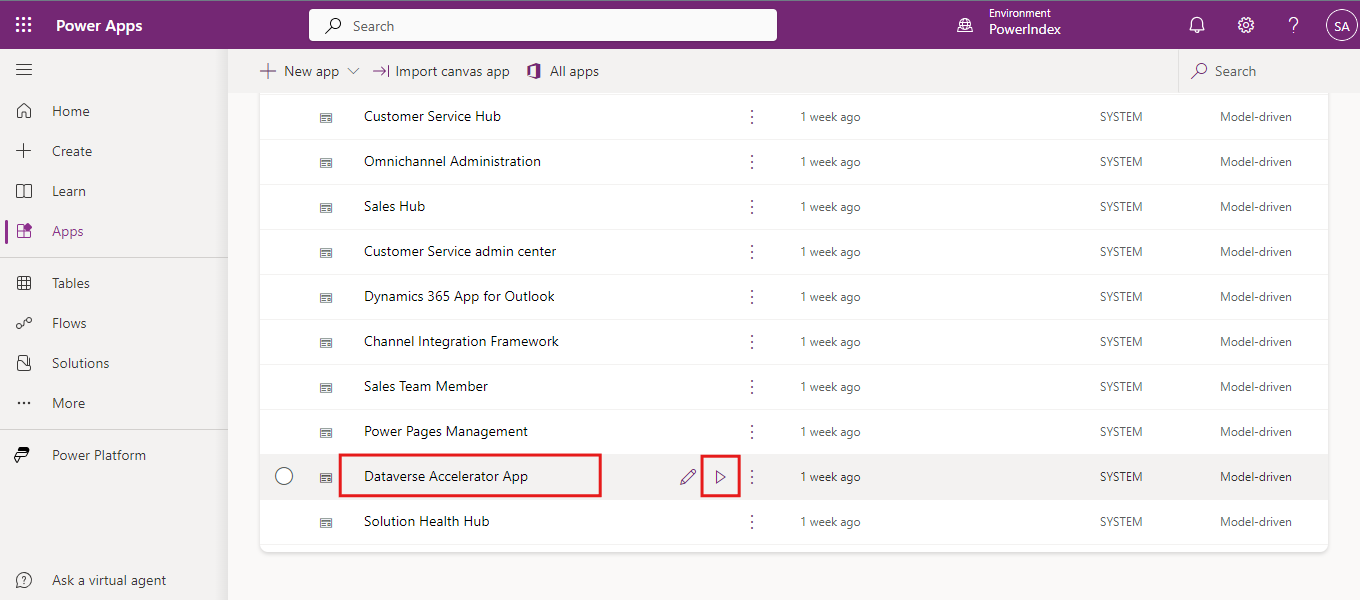
Firstly, log in to Power Apps. 

Open the Dataverse Accelerator App from the Apps section by clicking on the play button.  
1.png

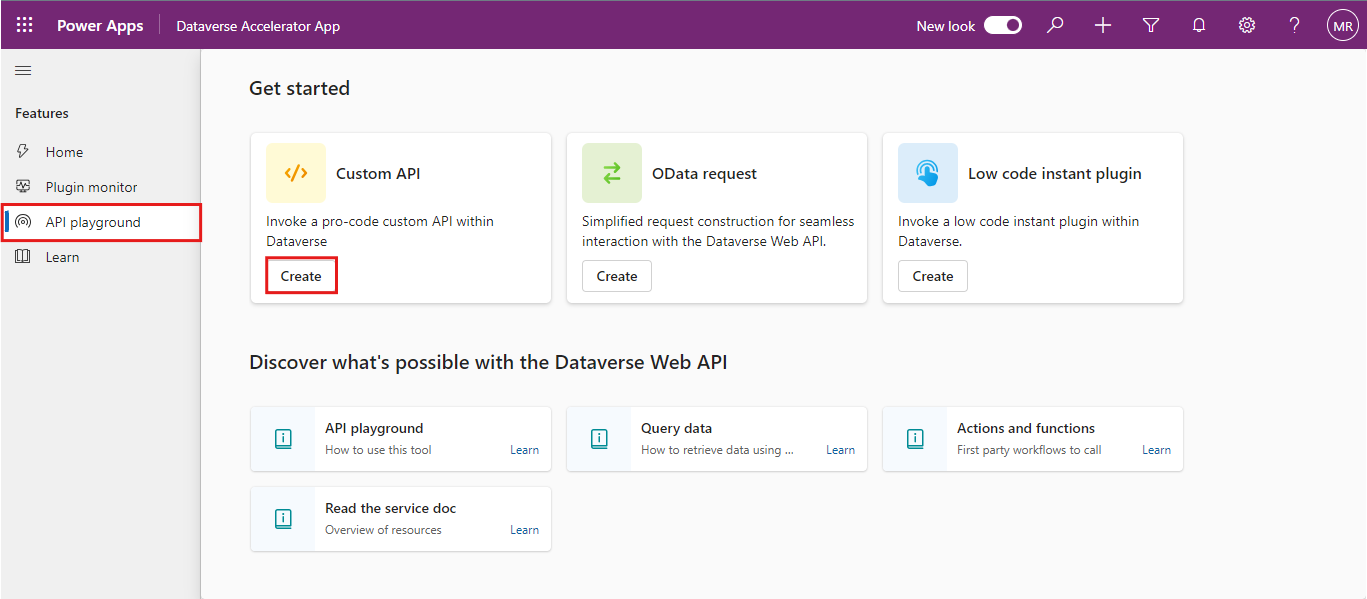
Click on API playground. On the landing screen, select the type of request you want to make by choosing from the top cards. 

There are 3 request types available: 

Custom API: Test any Dataverse Web API actions, Microsoft functions, or user-defined custom APIs registered in the environment. 

Low Code Instant Plug-In: Call user-defined workflows registered as a custom API with a related Fx Expression. 

OData Request: Gain granular control over request inputs for sending OData requests. 

In this example, we will test the custom API by selecting one of the available plug-ins and sending the request.  

To get started, click on the Create button under the Custom API tab. 
2.png

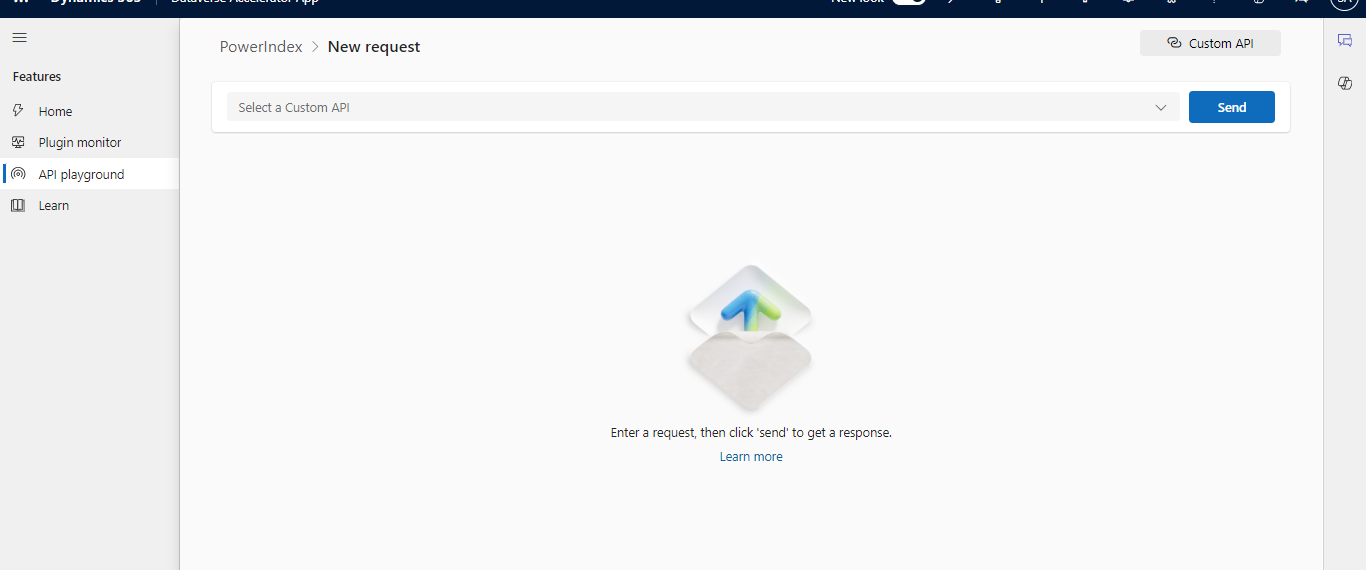
This is how the landing page of the Custom API looks like.
Back to all articles

More from the blog

Generate Temporary Download URLs in Dynamics 365 Using GetFileSasUrl

How to Generate Early Bound Classes in Dataverse with XrmToolBox

How to Populate Choice Fields Using Power Apps Dataflows

How to Populate Dataverse Lookup Fields Using Power Apps Dataflows

Embed Model-Driven App Charts in Power Pages with Liquid

Automating Document Signing with Docusign Using Power Automate

Automating Dataverse Record Creation with Custom Forms in Power Pages

Automate Creation of Dataverse Tables using Web API

Need help with your business solution?

Our team can help you implement the right solution for your organization.

Get in touch
LogoLogo

Ex-Microsoft experts helping businesses get more from their Dynamics 365 and Power Platform investments.

Products

3.png

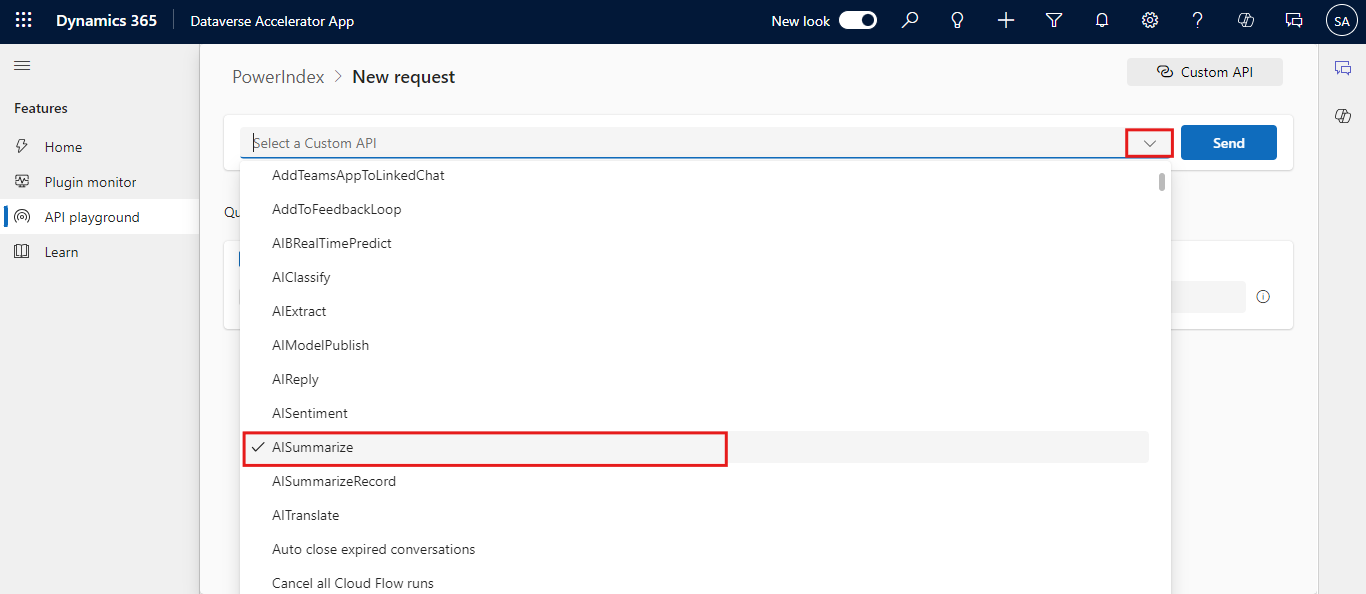
Click on the dropdown (highlight the dropdown icon) list to see the available plug-ins in the current environment. 

Let’s select a simple plugin to send the request. Here I am selecting AISummarize plugin which summarizes the long content of the text into short and understandable way. 

4.png

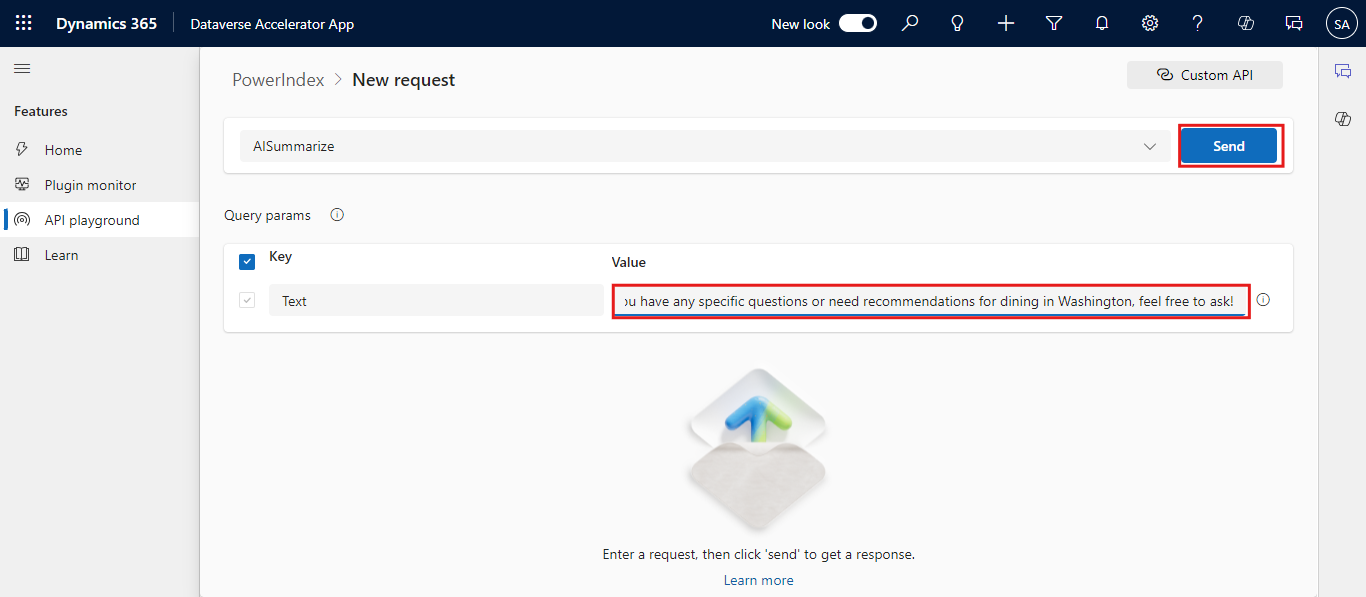
Enter sample text in the value field in the Query Params table. Click Send to execute the request. 

5.png

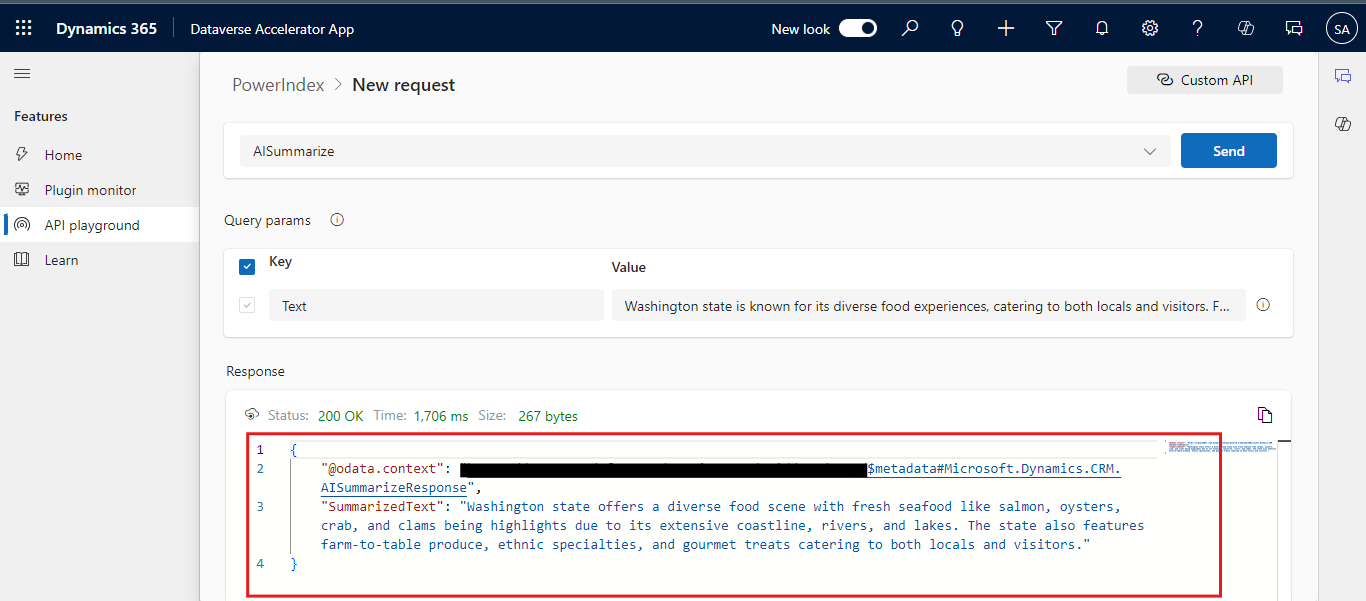
You can view the response in the lower section of the screen. 

6.png

For OData Request: 

OData, short for Open Data Protocol, is a standardized protocol for creating and consuming data APIs. It was developed by Microsoft to provide a uniform way to query and update data.  

OData is built on top of standard HTTP protocols, using RESTful principles. This means it leverages common HTTP methods like GET, POST, PUT, and DELETE to perform CRUD (Create, Read, Update, Delete) operations. 

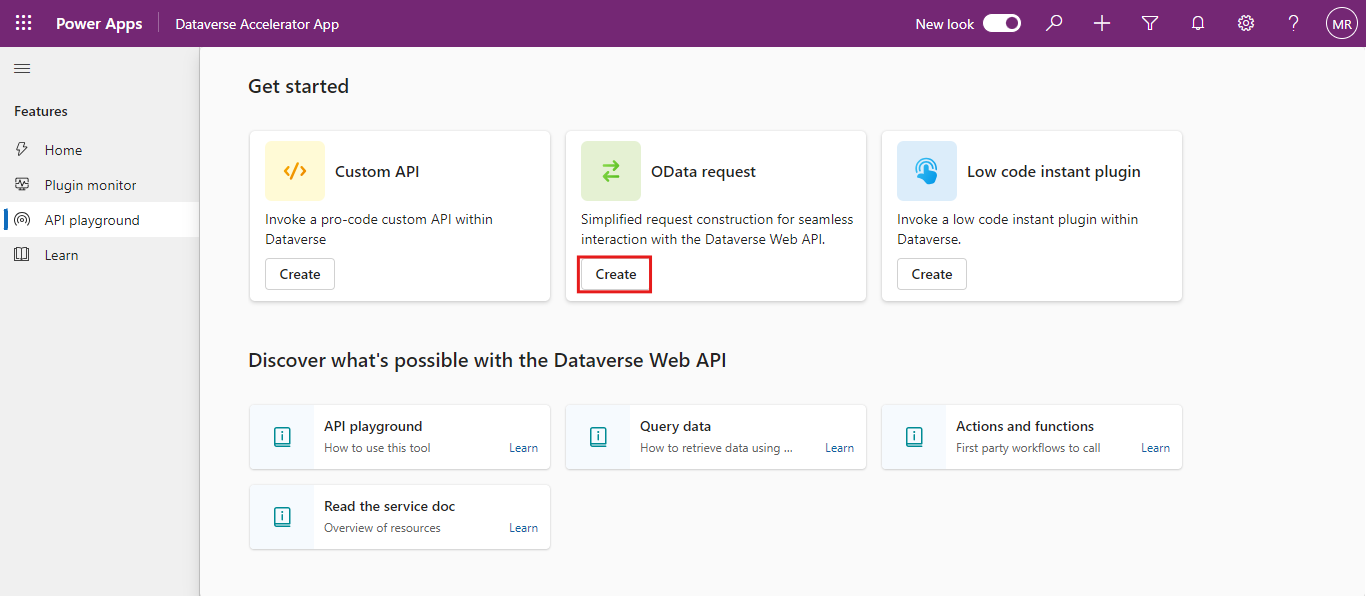
To use this method, Click Create on the OData Request tab.  


7.png

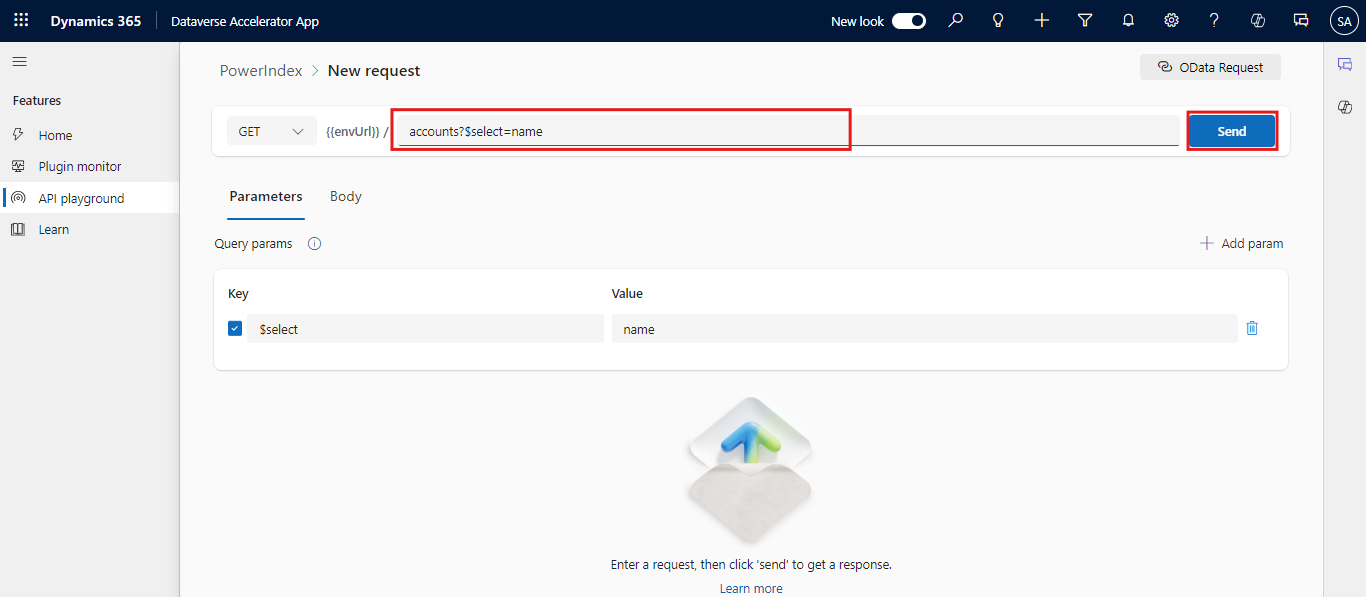
Choose the HTTP request GET method and add the following query in the URL section. 

accounts?$select=name 

This request will fetch the details of available account names in the environment. 

Click Send to execute the request. 

8.png

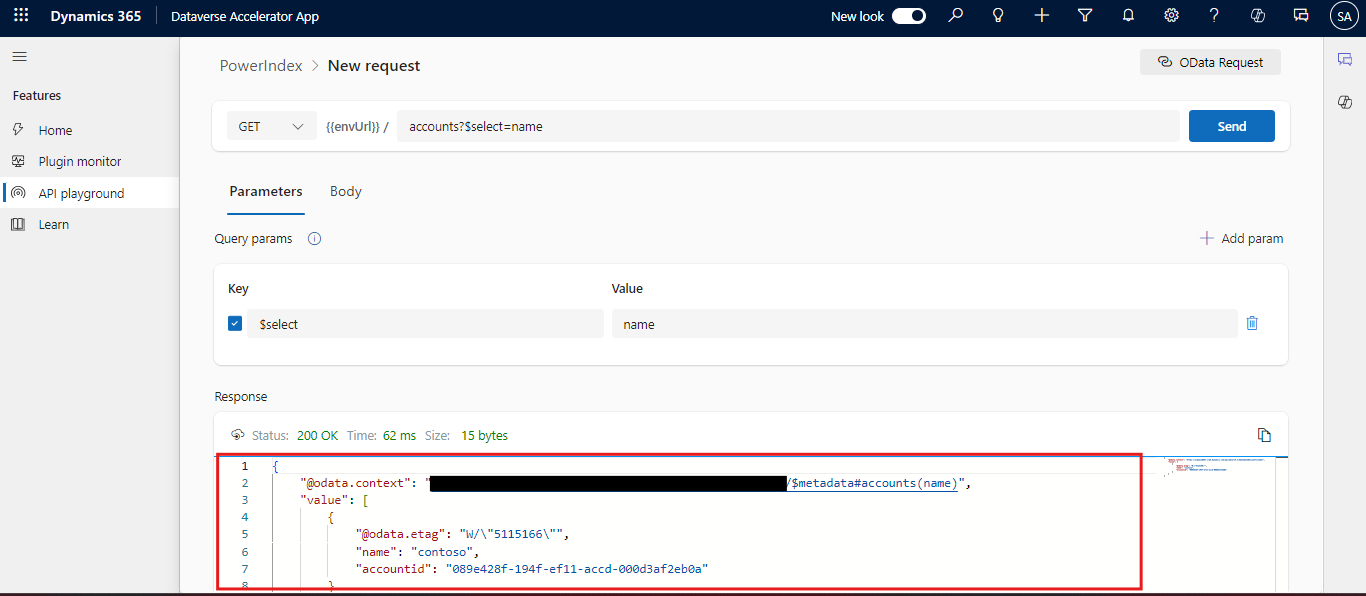
View the response in the lower section of the screen. 

9.png
10.png

The API Playground simplifies the process of testing and experimenting with the Dataverse Web API, making it easier for developers to explore its capabilities and implement solutions efficiently.  

We will explore the low code plugin with an example in the next blog. 

Frequently Asked Questions (FAQs):
1. What are the prerequisites for using the API Playground? 

You need access to Dataverse, the Dataverse accelerator app, and membership in the system customizer security role to use the API Playground. 

2. Can I test custom APIs in the API Playground? 

Yes, you can test any user-defined custom APIs registered in your Dataverse environment. The API Playground provides options to call these custom APIs and view the responses. 

3. Is the API Playground feature available in all environments?  

Yes, the API Playground feature is delivered through the Dataverse accelerator and is available in all environments where the app is installed. The app is automatically installed in all new environments. 

Metadata Browser
  • HTML To PDF Converter
  • Data Mask for Dataverse
  • Commission 365
  • AI Autocloser
  • Flow Monitor
  • Services

    • D365 Marketing
    • D365 Sales
    • D365 Customer Service
    • D365 Field Service

    Company

    • About Us
    • Blog
    • Contact
    • Careers

    Copyright ©2026 Pascalcase Software Private Limited. All rights reserved.

    Privacy PolicyTerms of Service