Restoring Deleted Records in Microsoft Dataverse

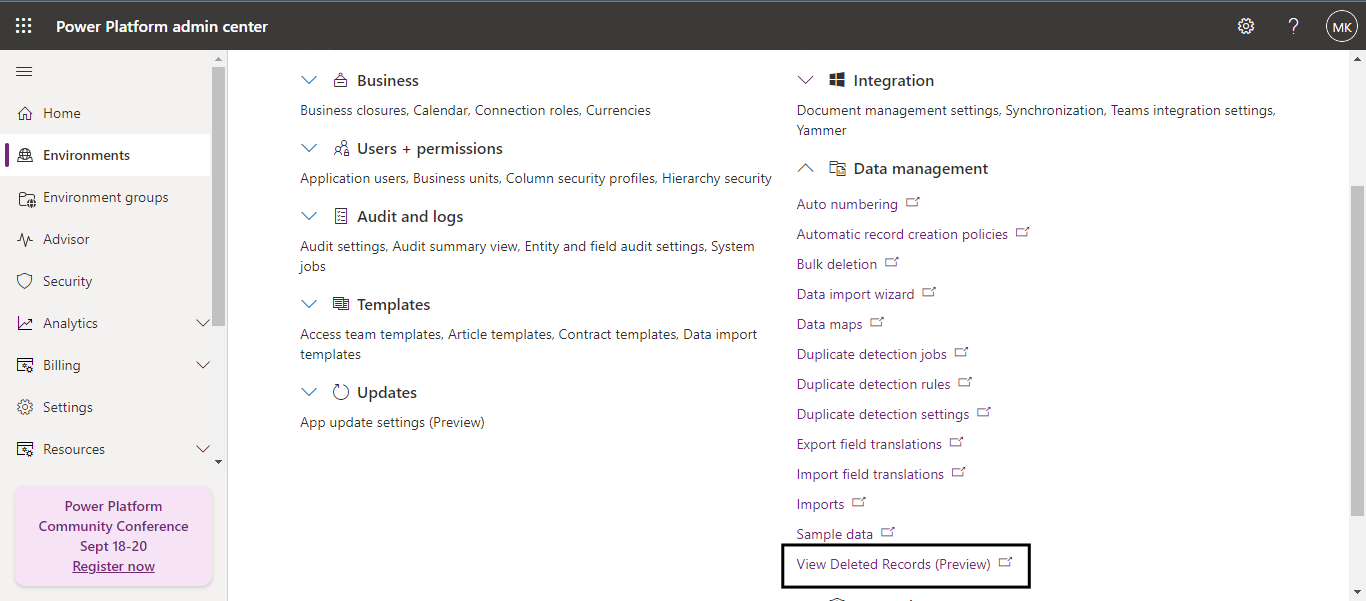
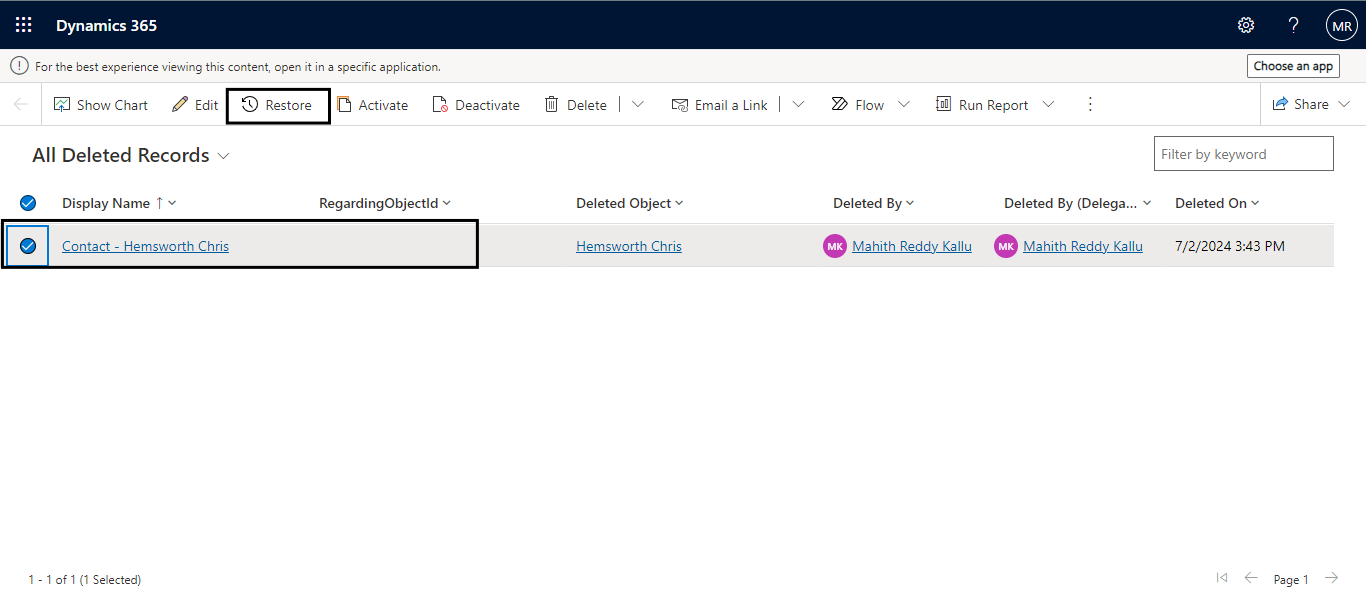
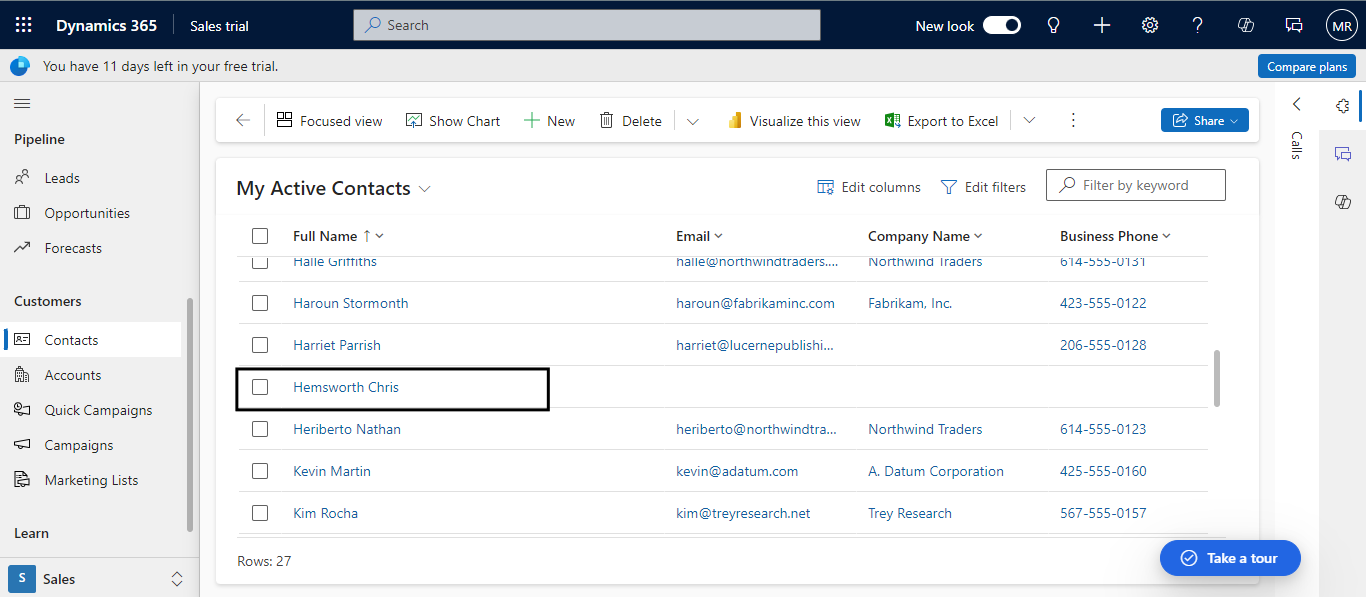
In Microsoft Dataverse, we manage a range of operations, and one of the most common is the deletion of records. These deletions can occur in multiple ways, whether manually, automatically, or accidentally, and can involve individual records or bulk deletions. Restoring these deleted records has traditionally been challenging and sometimes even impossible.
Now, Microsoft has introduced a new feature that simplifies this process: the Recycle Bin. With this feature, you can recover deleted records within a configurable time frame.
Log in to your Power Platform Admin center https://admin.powerplatform.microsoft.com/home
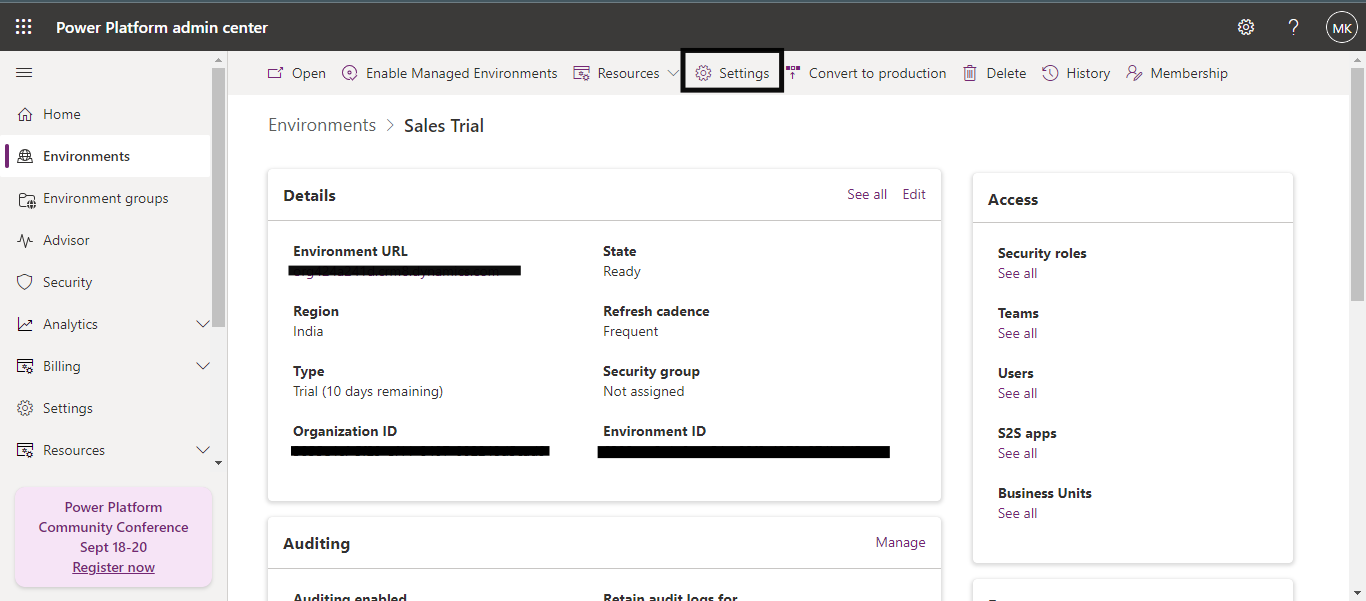
In the Environments section, select any environment that you have already created.
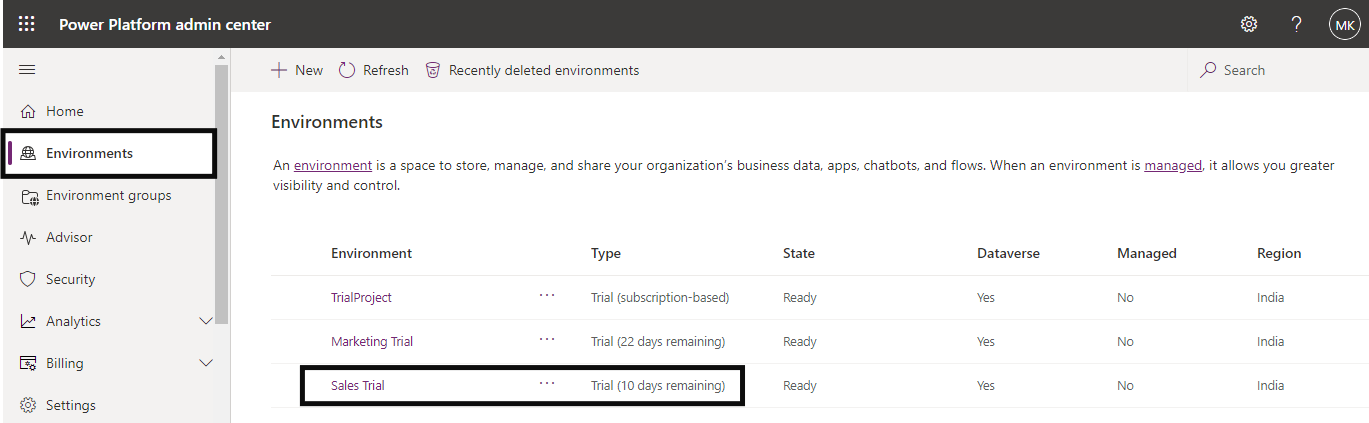
Go to Settings.
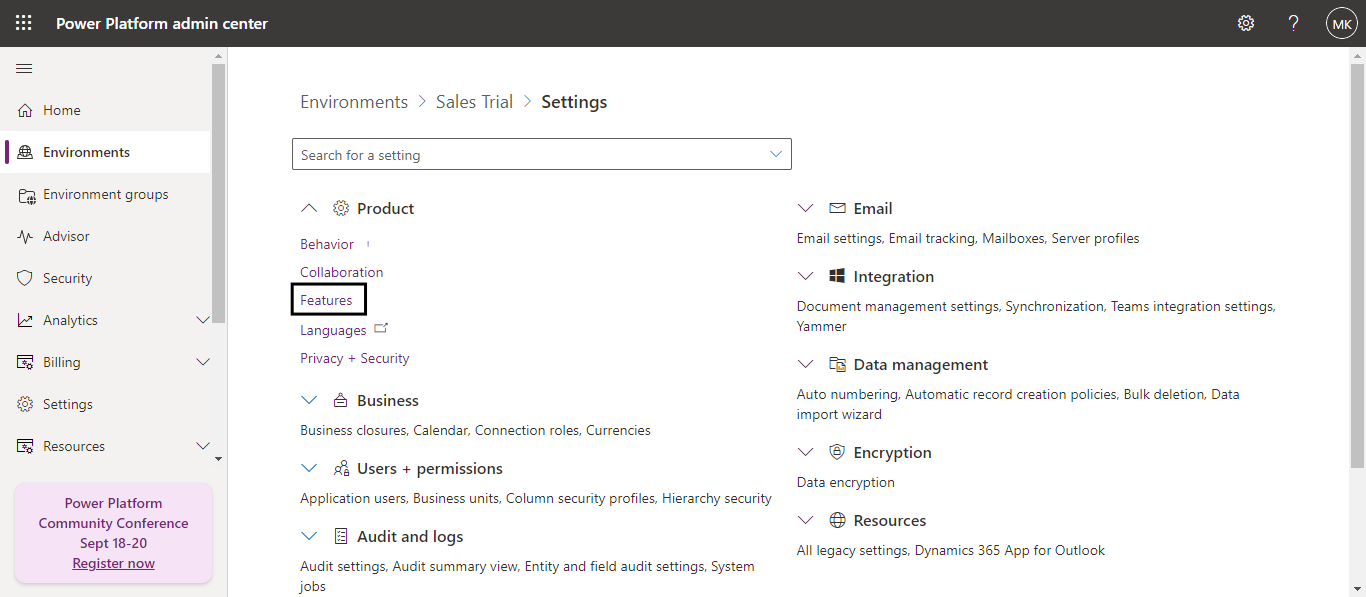
In the Product section, select Features.
Locate the Recycle Bin(preview) feature, enable it and enter the recovery time interval. I have configured it for 30 days.
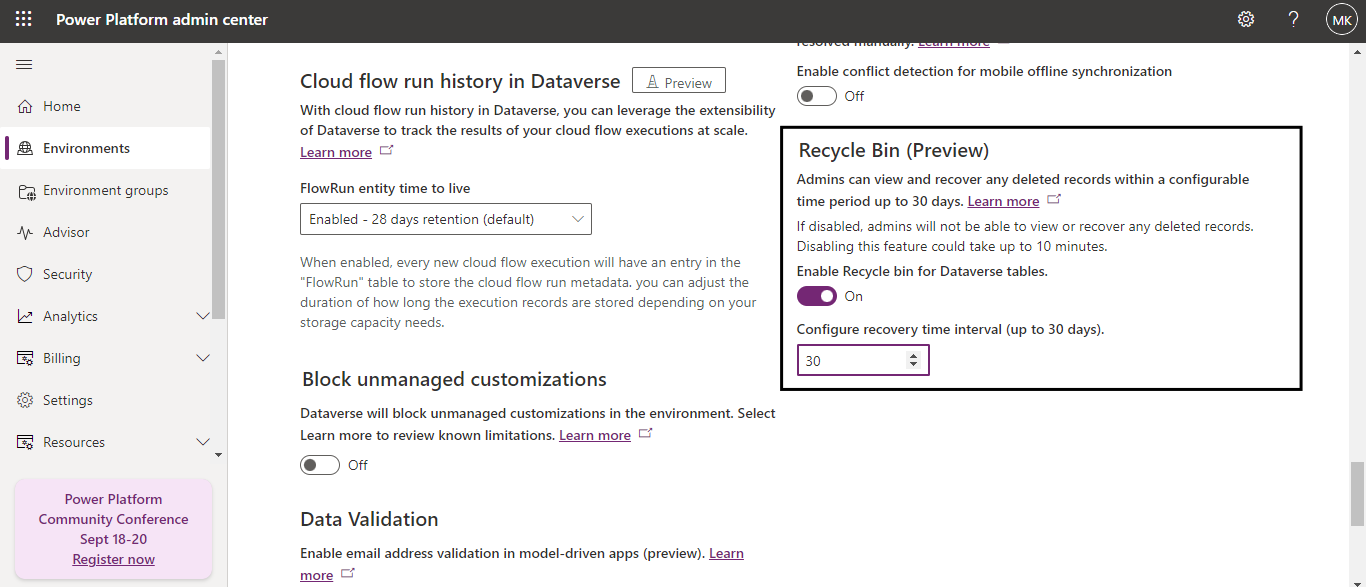
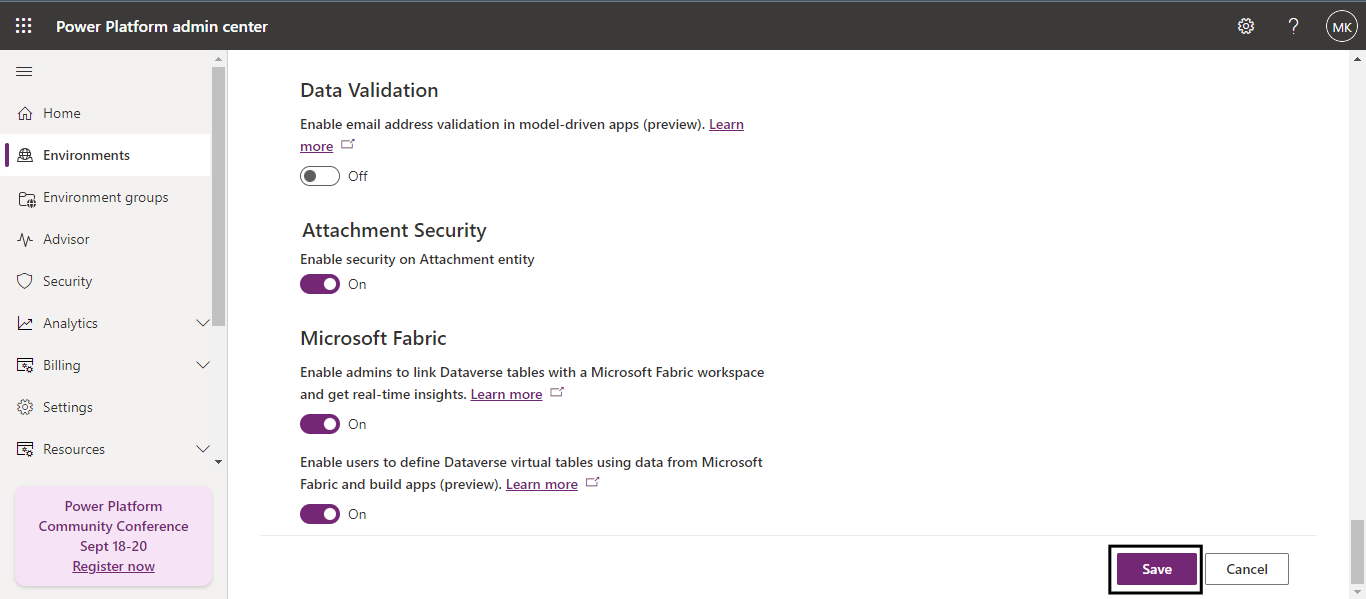
Scroll down to the bottom of the page and save this feature.