LogoLogo

Our Products

Metadata Browser

Edge Add-on

HTML To PDF Converter

Power Automate Connector

Data Mask for Dataverse

Dataverse App

Commission 365

Dynamics 365 App

AI Autocloser

Dataverse App

Flow Monitor

Power Automate App

ServicesAboutCareersBlogContact
Chat on Teams
Metadata BrowserHTML To PDF ConverterData Mask for DataverseCommission 365AI AutocloserFlow Monitor
ServicesAboutCareersBlogContactChat on Teams
HomeBlogDocuSign integration with Power Pages

DocuSign integration with Power Pages

November 10, 2024
#Power Pages
Ankit Saini
DocuSign integration with Power Pages

DocuSign Integration refers to the process of embedding DocuSign’s digital signing capabilities into applications or platforms, allowing users to sign, send, and manage documents securely and electronically within another system's environment. This integration uses APIs or connectors to streamline workflows, automate document signing, and enhance user experience by removing the need to switch between platforms.

Integrating DocuSign with Power Pages enables users to collect electronic signatures directly through Power Pages applications. This integration streamlines the document signing process for both customers and businesses, making it possible to initiate and manage digital signature workflows without needing to leave the Power Pages environment.

Integrating DocuSign with Power Pages is beneficial for scenarios like contract management, customer on boarding, compliance, and loan processing—where Power Pages is often used in sectors like finance, real estate, and healthcare.

Use Cases for DocuSign Integration:

Customer On boarding in Financial Services: Financial institutions use DocuSign integration to expedite the on boarding process in Power Pages applications. Customers can fill out, review, and sign documents, such as loan applications or account agreements, directly within the Power Pages portal.

Contract Management in Real Estate: Real estate companies integrate DocuSign within Power Pages to allow clients to review, edit, and sign real estate agreements. This streamlines contract management, ensuring all parties can complete transactions without delays caused by physical paperwork.

Compliance and Regulatory Documentation in Healthcare: Healthcare providers often require patient or provider signatures on compliance and consent forms. With DocuSign in Power Pages, healthcare facilities can digitize consent collection, making it easy for patients to review and sign required documents from anywhere.

Internal Approval Processes in Corporate Portals: Organizations use DocuSign integrated into internal Power Pages portals for approval workflows, such as expense reports, purchase orders, or HR documentation. This reduces paperwork and speeds up internal operations by automating and tracking approvals.

EGovernment Services for Citizen Applications: Government agencies that offer digital citizen services through Power Pages portals use DocuSign to allow users to submit signed forms, such as permits, applications, or licenses, securely online. This simplifies document handling and reduces in-person visits, enhancing accessibility.
Back to all articles

More from the blog

Embed Model-Driven App Charts in Power Pages with Liquid

Automating Dataverse Record Creation with Custom Forms in Power Pages

How to set up Web API in Power Pages?

Power Pages- Retrieve Data from Dataverse using Power FX

Use governance controls to disable anonymous access in Power Pages

Using Liquid Code in Power Pages for Dynamic Functionality

Building a Lakehouse for Data Ingestion and Integrating with Power Apps

Custom Filters and Search in Power Pages

Need help with your business solution?

Our team can help you implement the right solution for your organization.

Get in touch
LogoLogo

Ex-Microsoft experts helping businesses get more from their Dynamics 365 and Power Platform investments.

Products

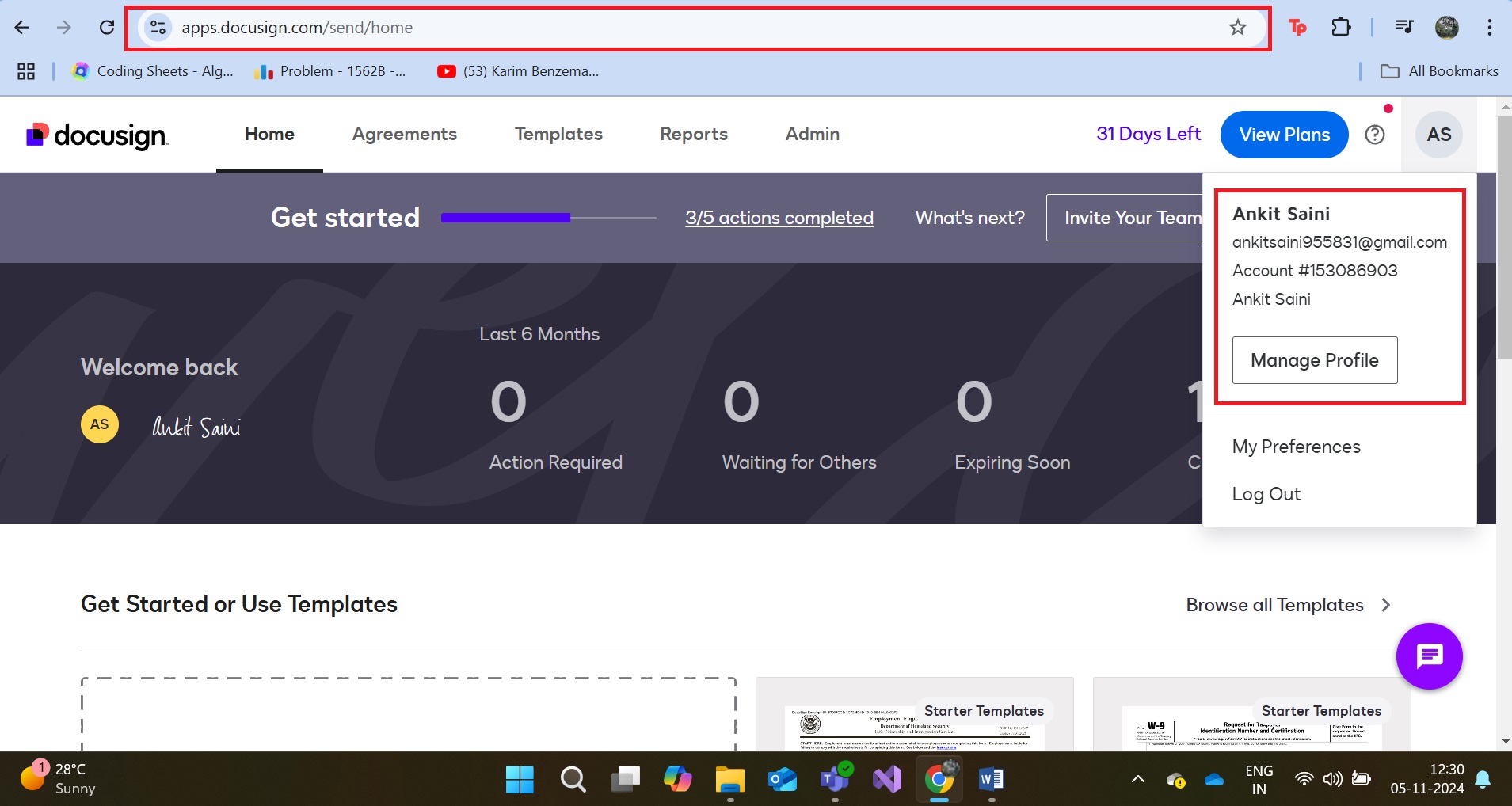
Let’s Configure DocuSign Integration with the Power Pages.

Create an account on the DocuSign website and get a 30-day free trial.

DocuSign integration with power pages 01

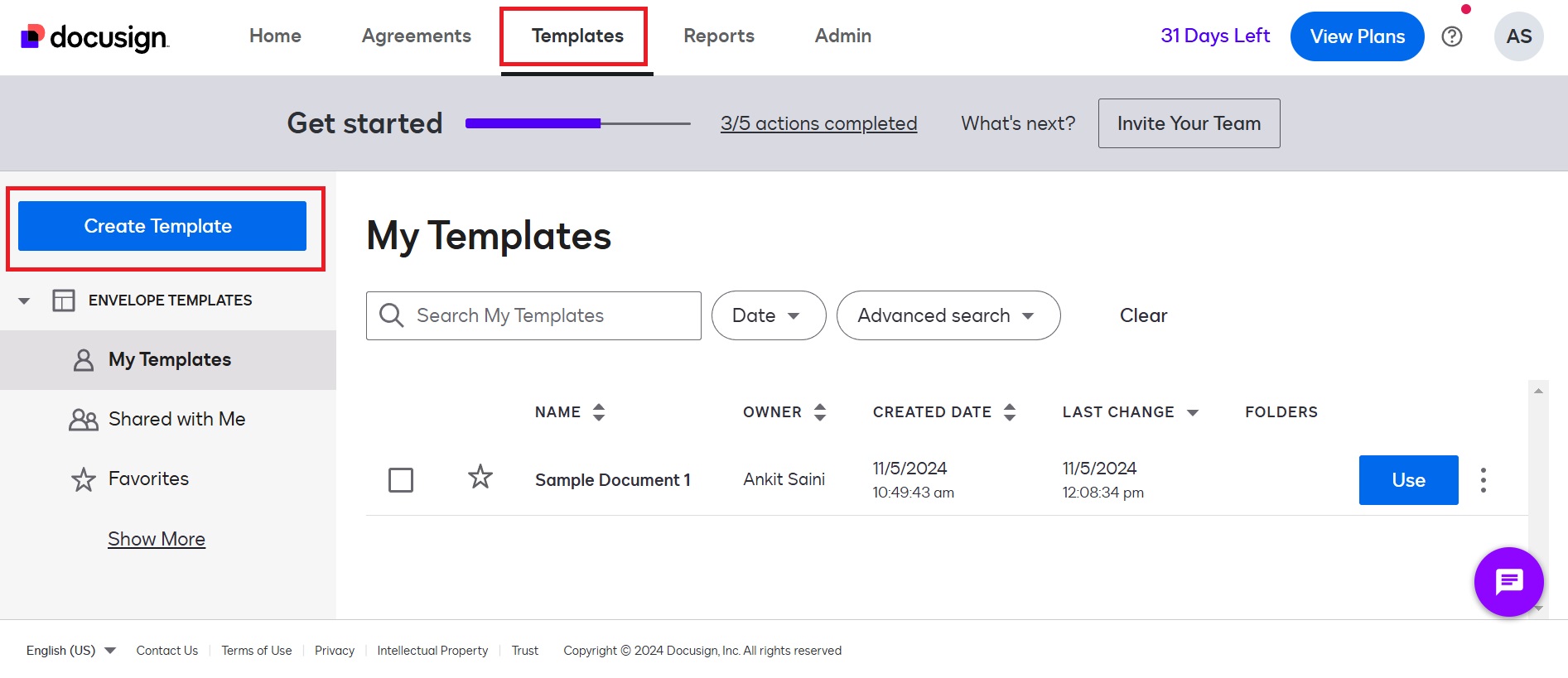
Now you have to create a Template. Click on Template Button. Click on Create Template

DocuSign integration with power pages 02

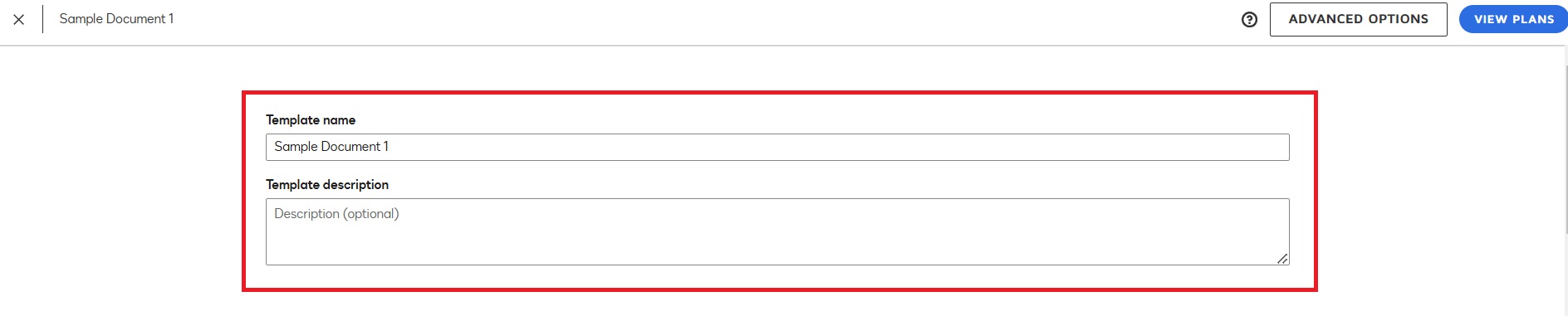
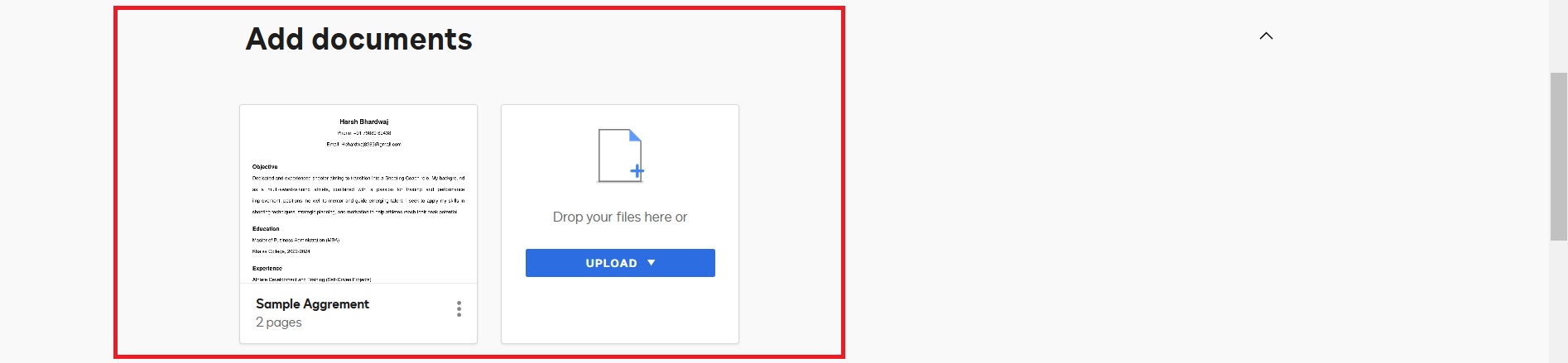
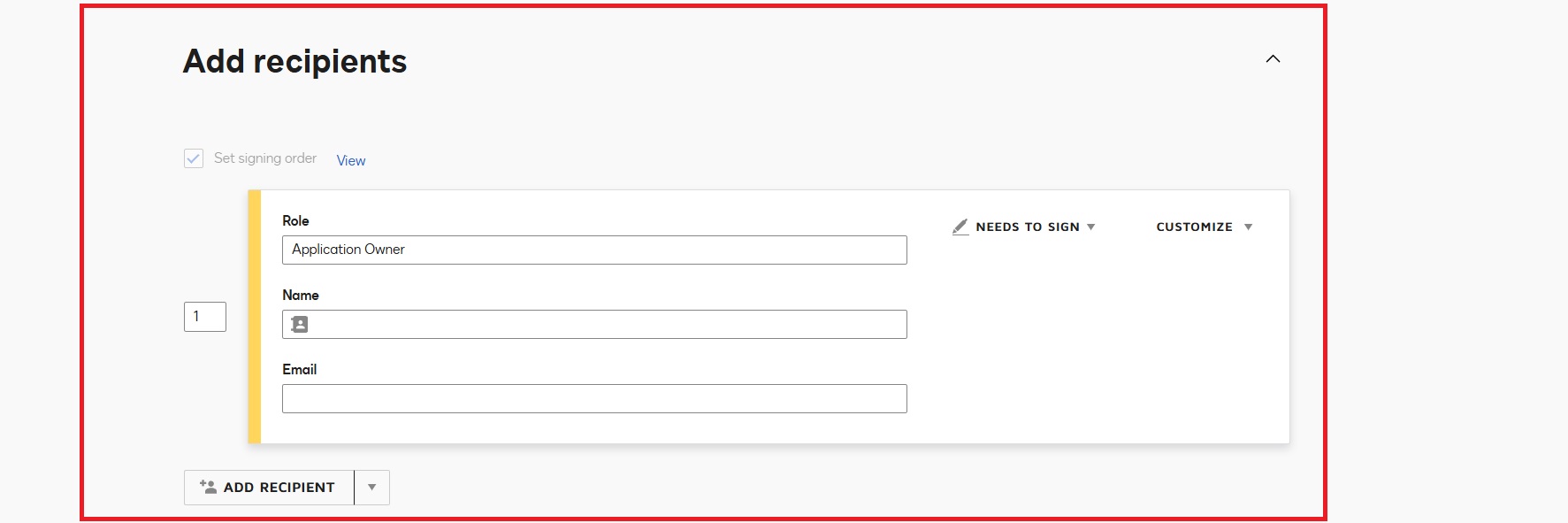
Fill in the necessary details, such as template name, role name, and upload documents. After completing all the required fields, the page will look like this.

DocuSign integration with power pages 03
DocuSign integration with power pages 04
DocuSign integration with power pages 05

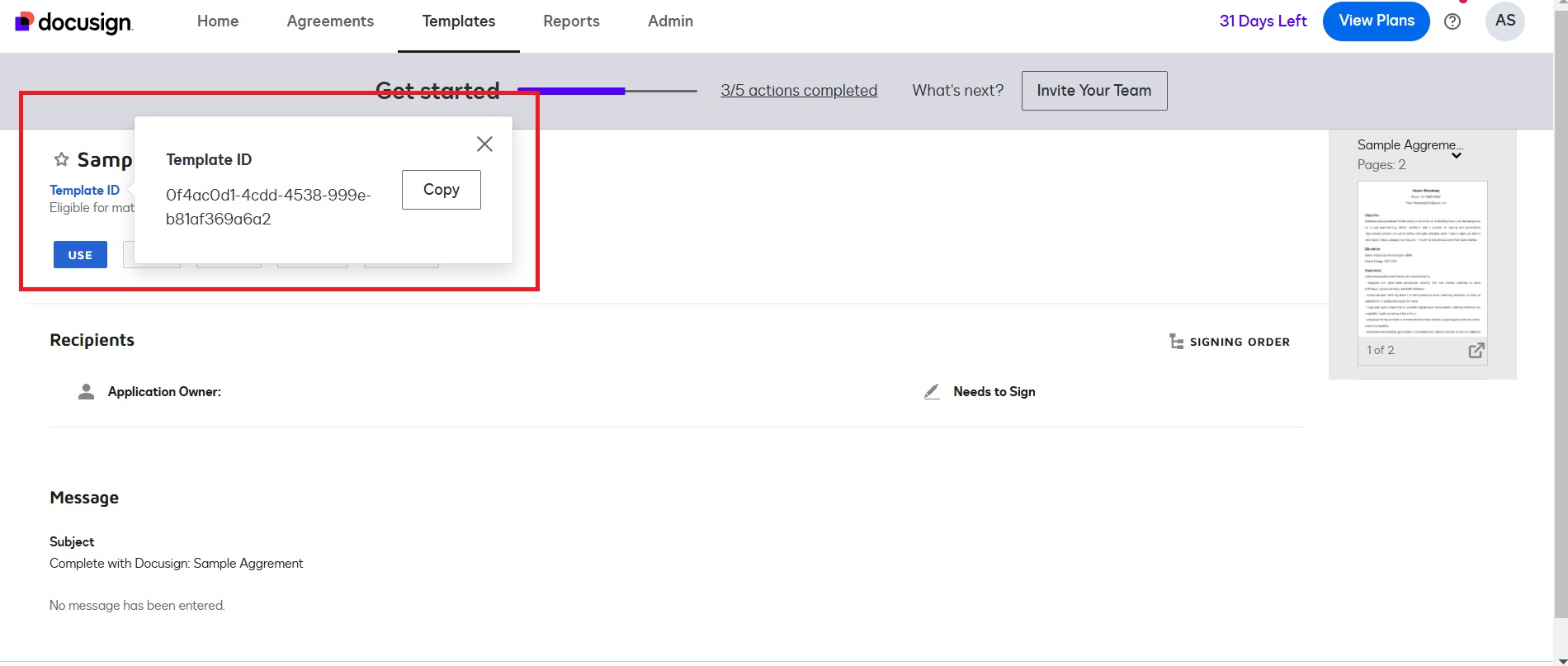
Copy the Template ID. We will use it later. Go to Template -> Click on Template ID -> Click on Copy

DocuSign integration with power pages 06

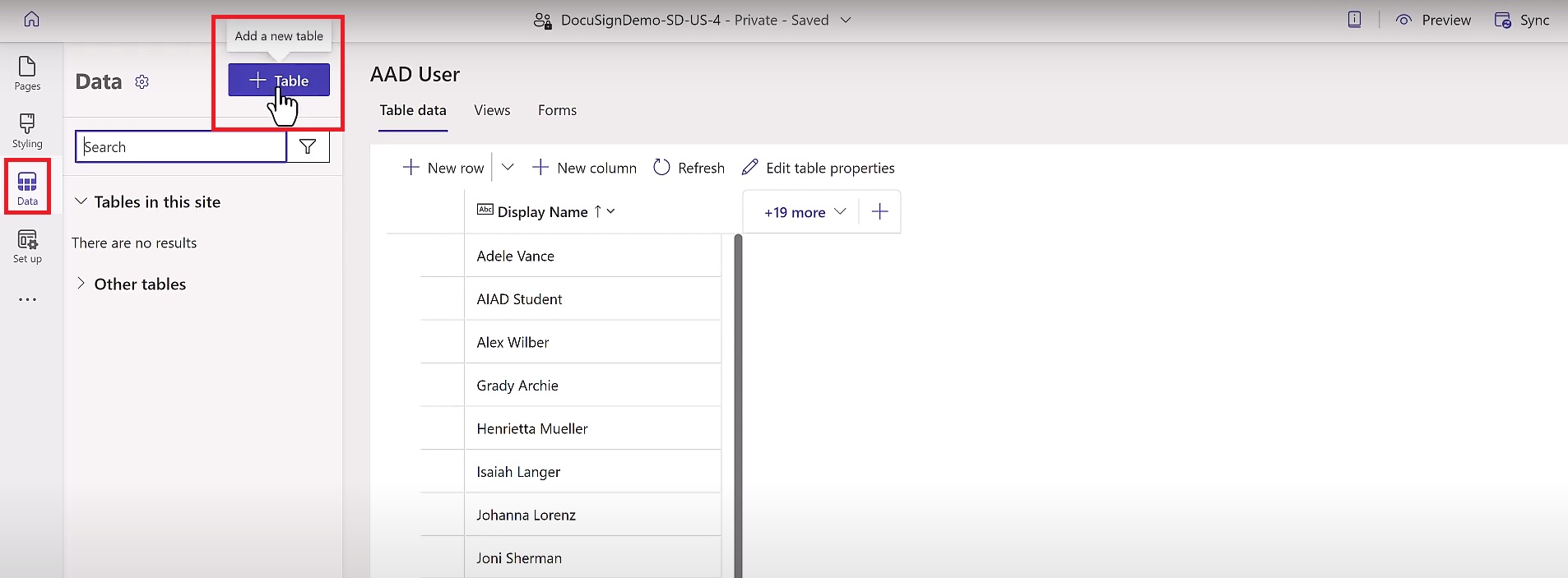
Now, go back to the Power Pages portal, click on Data, and create a multi-step form.

DocuSign integration with power pages 07

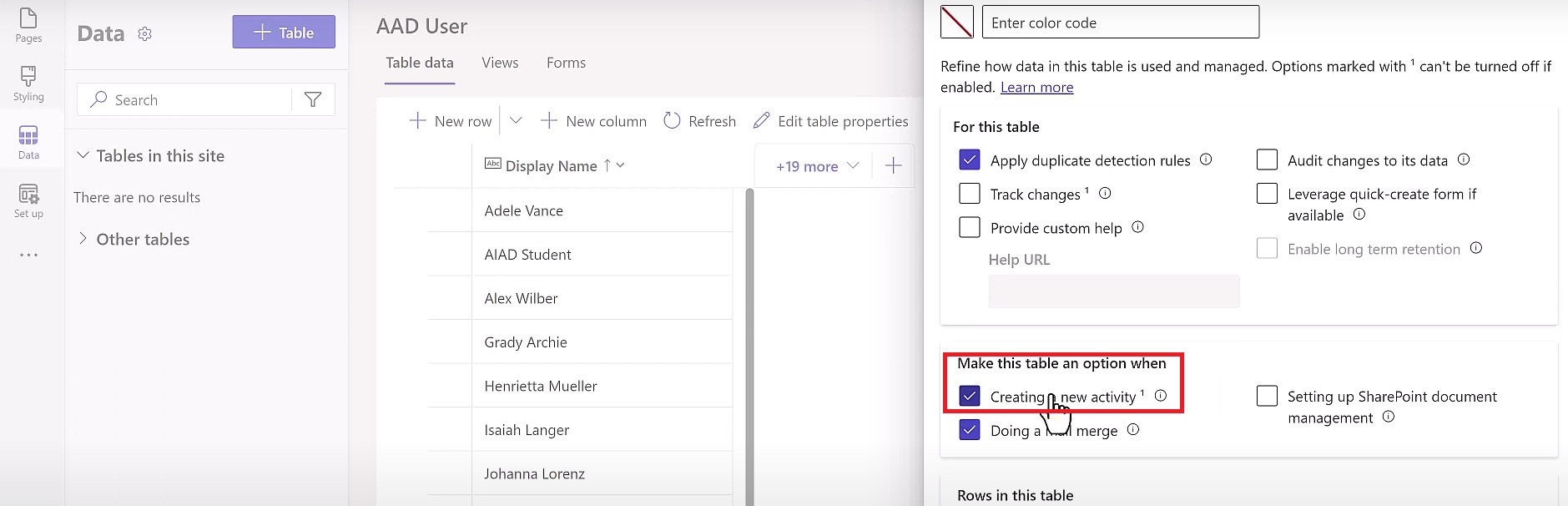
Note -: When you create a Table, enable Creating a New Activity feature in Advanced Settings.

DocuSign integration with power pages 08

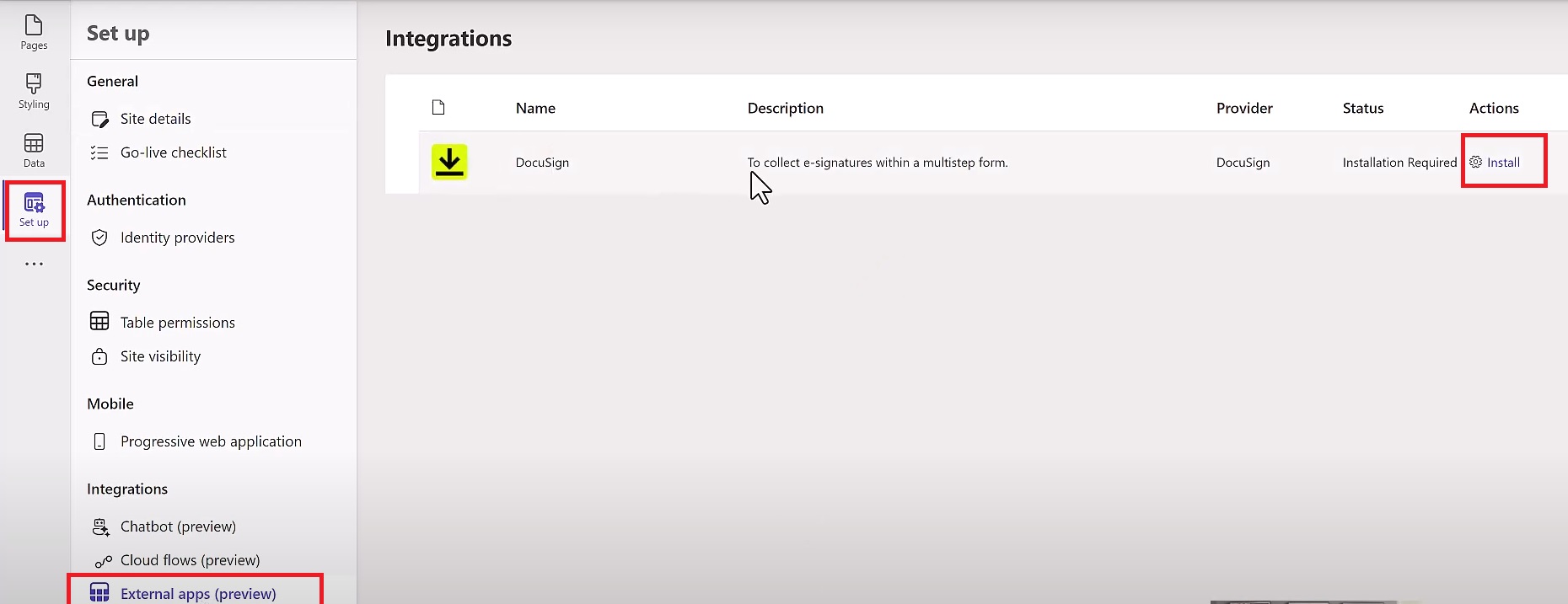
Click On Setup -> Click on External Apps (Preview) -> Click on Install.

DocuSign integration with power pages 09

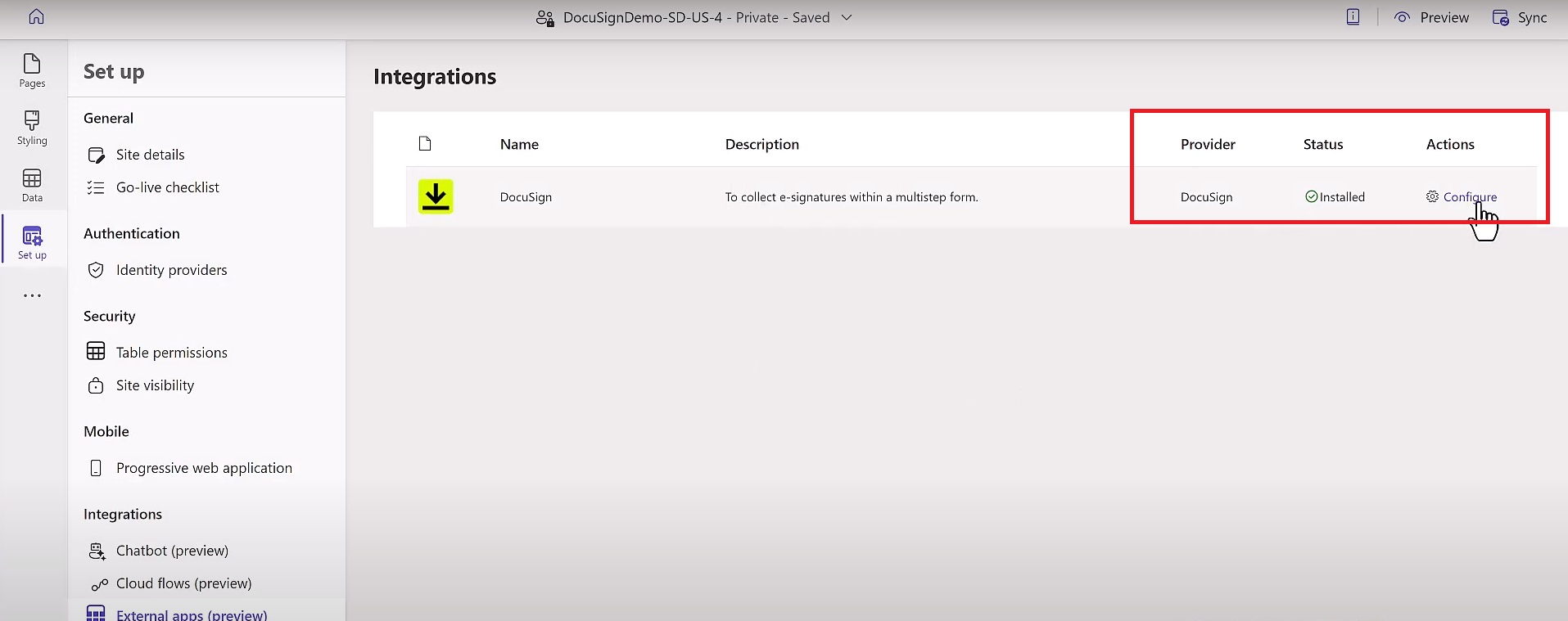
After Installation the page will look like.

DocuSign integration with power pages 10

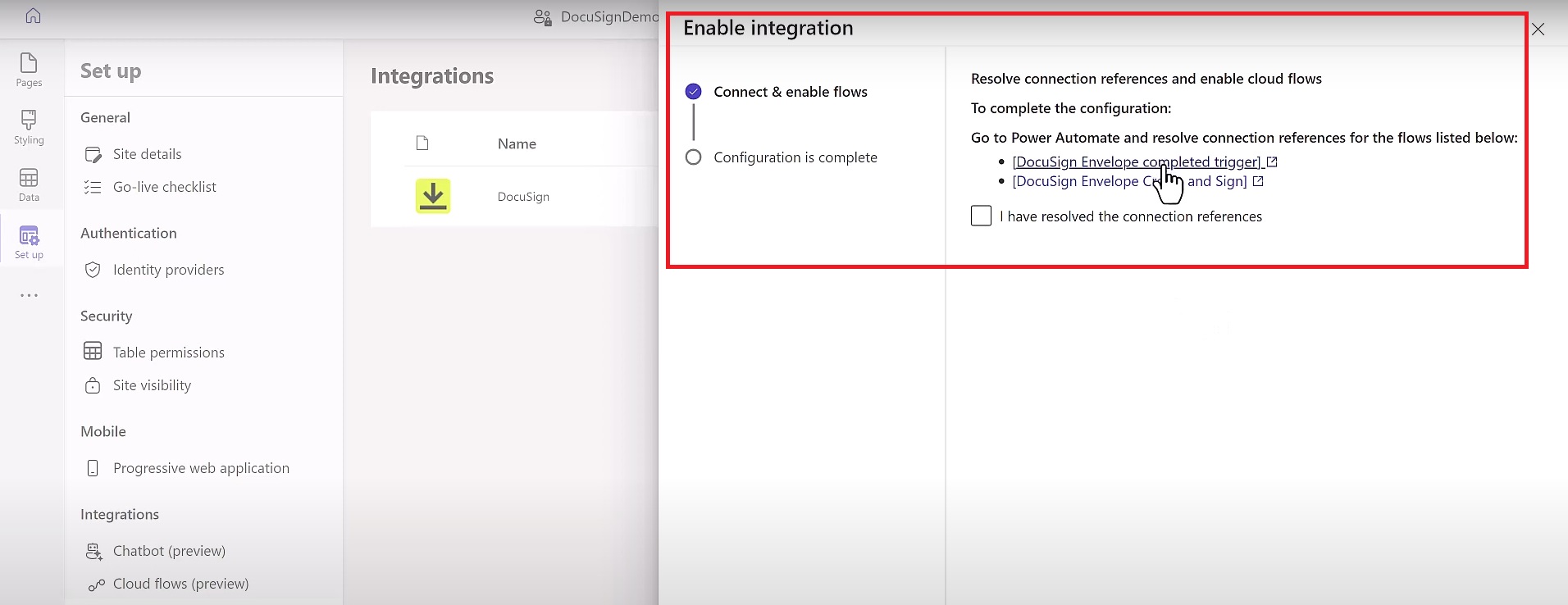
Click on Configure. A page will appear.

DocuSign integration with power pages 11

Now it will redirect you to the Power Automate. Where you have to configure this two Flows -:

DocuSign Envelope completed Trigger.

DocuSign Envelope Create and Sign.

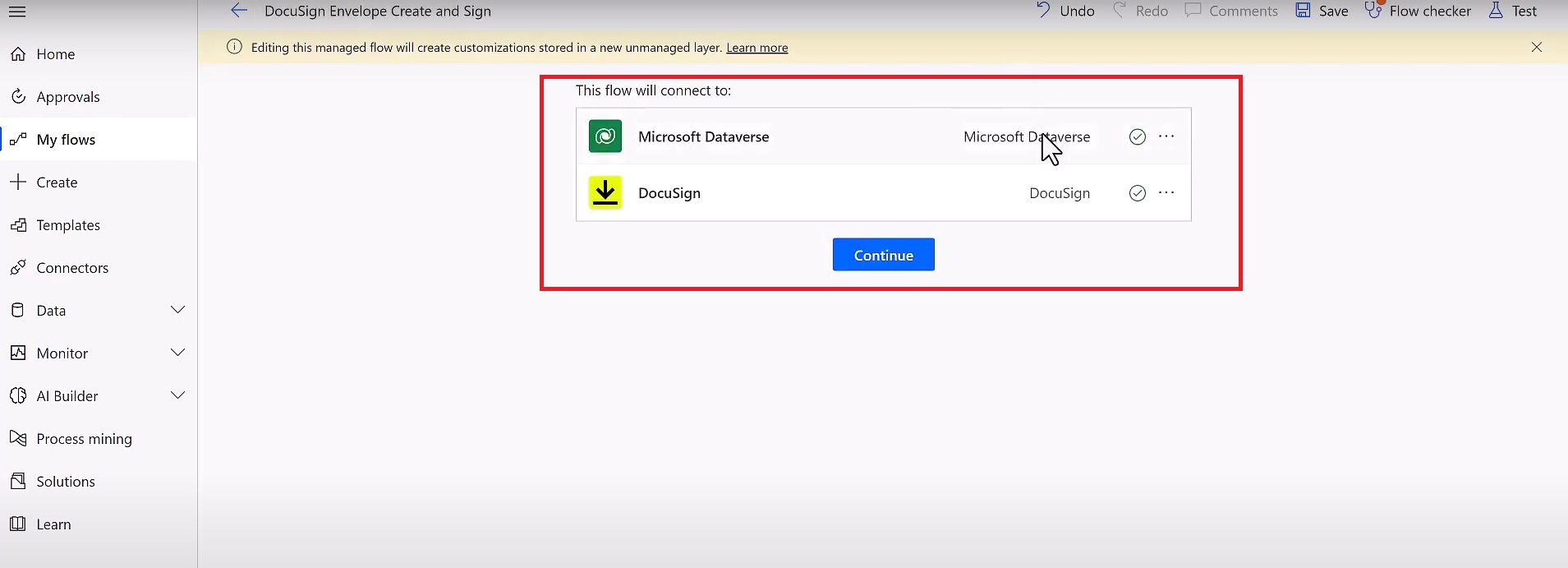
DocuSign Envelope Create and Sign -: You have to configure your Connections. I have configured my Connections.

DocuSign integration with power pages 12

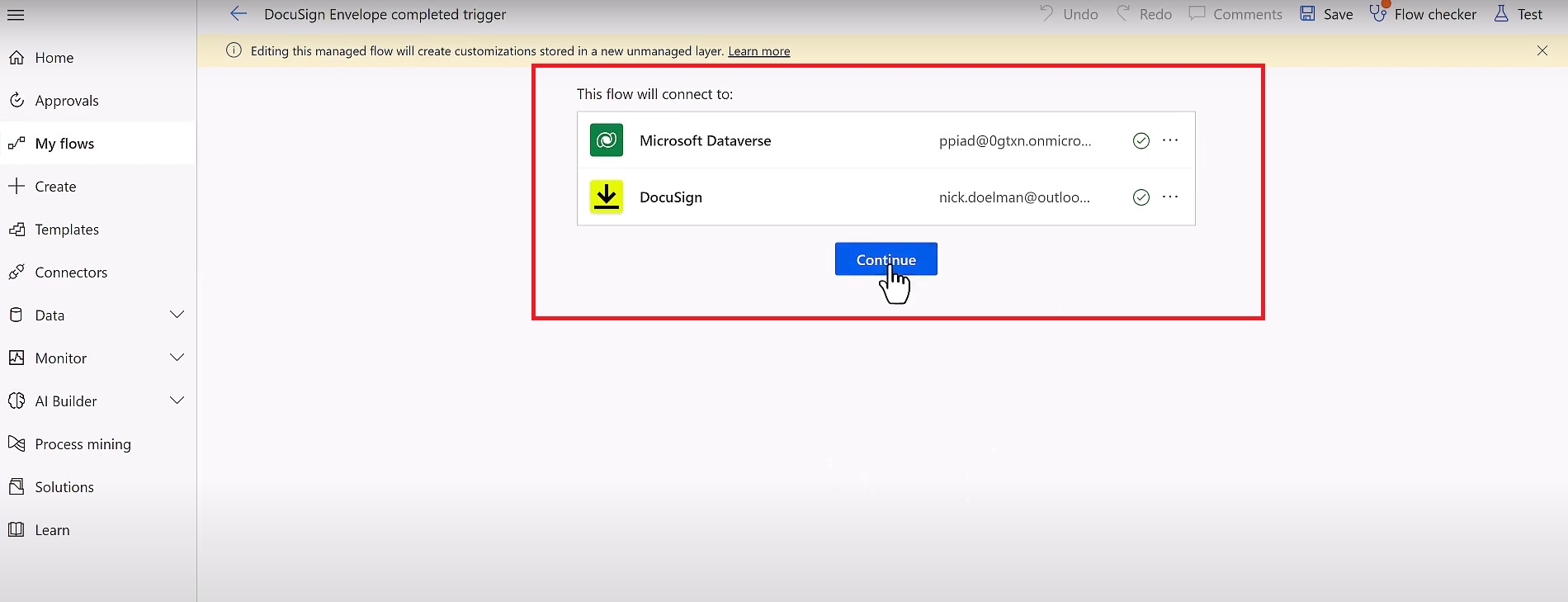
DocuSign Envelope completed Trigger -: Configure your Connections and click on Continue.

DocuSign integration with power pages 13

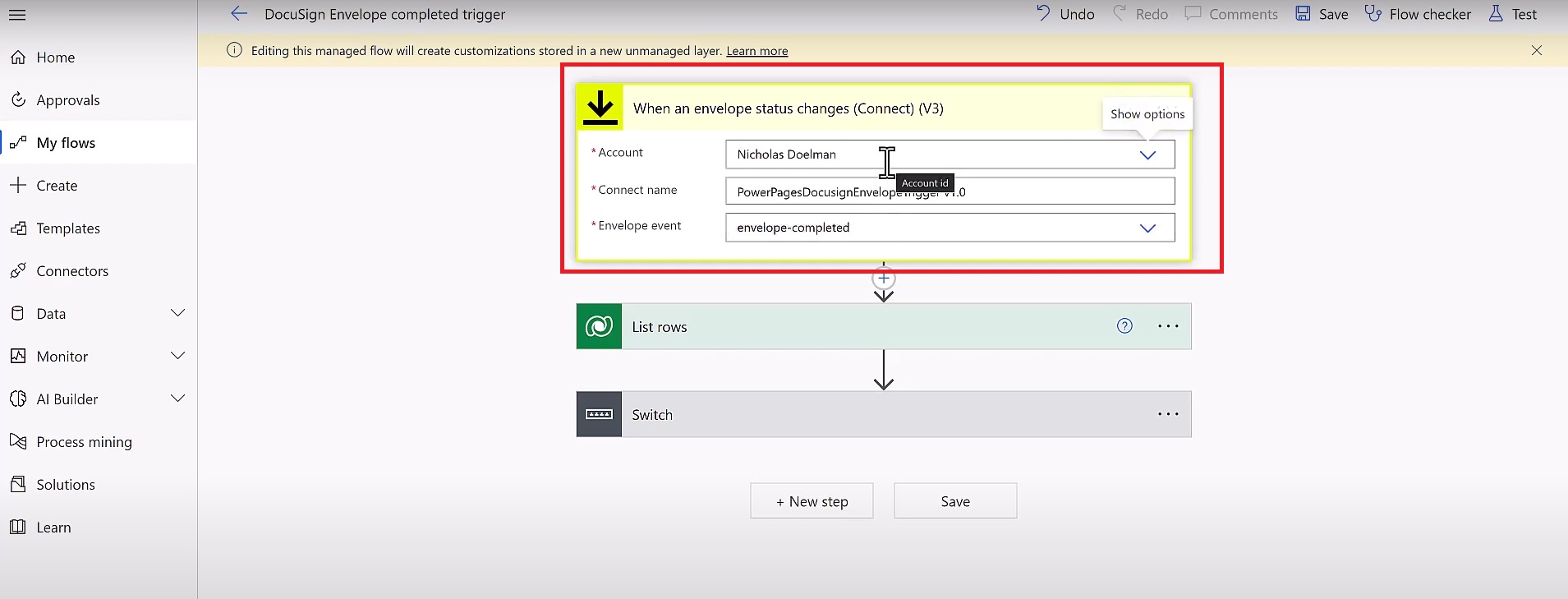
Now Connect your Account.

DocuSign integration with power pages 14

Note -: Turn on both Flows.

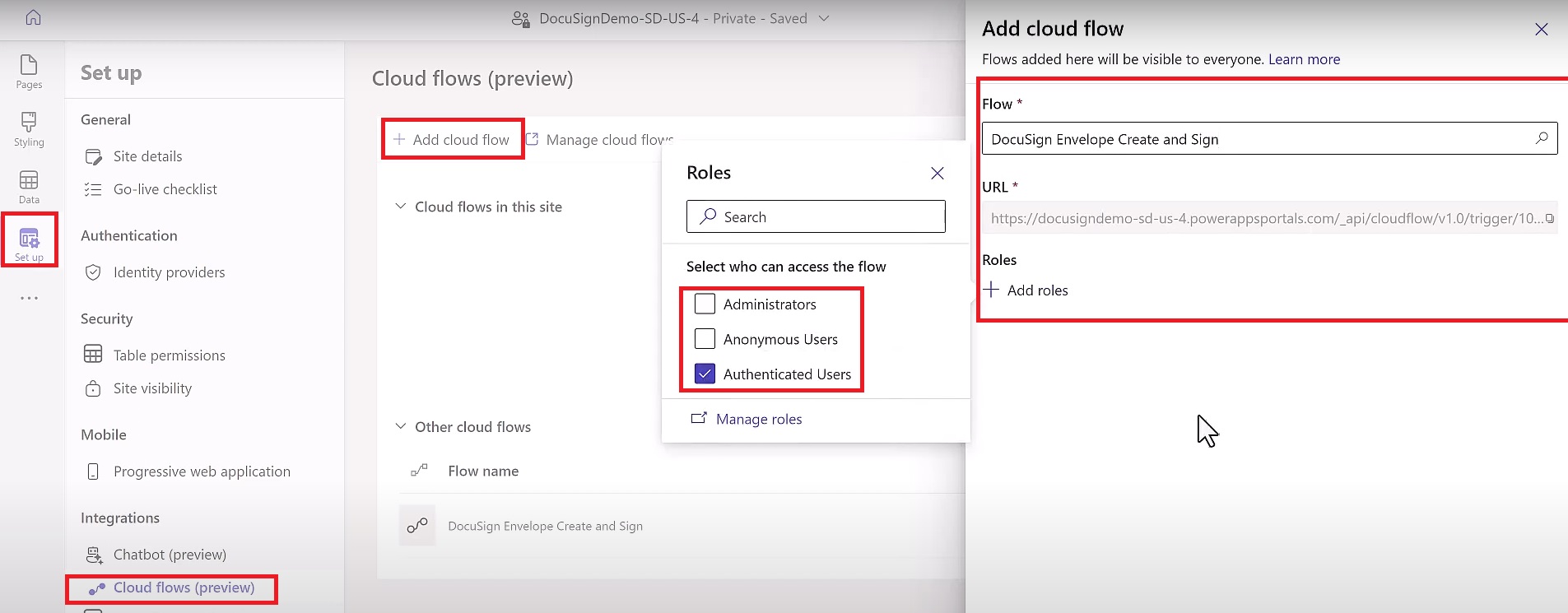
Go to Power Pages -> Click on Setup -> Click on Cloud Flows (Preview) -> Click on Add Flow

DocuSign integration with power pages 15

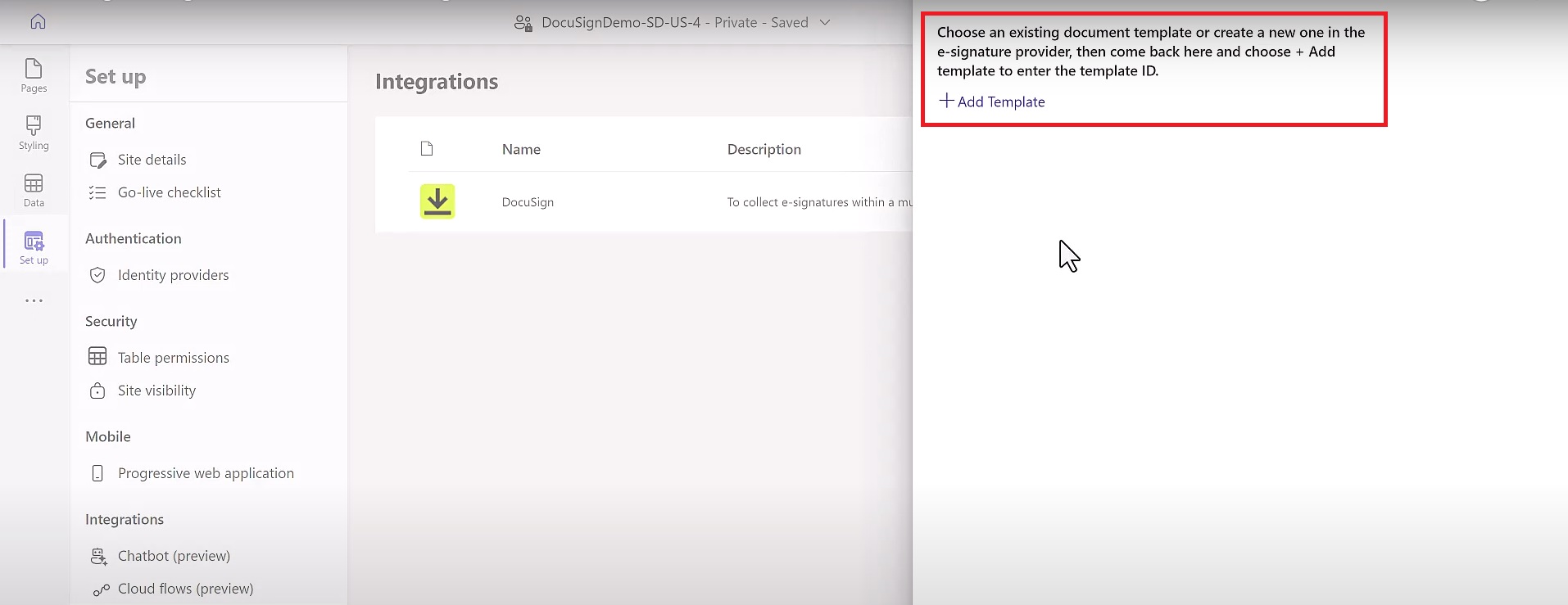
Now add a Template.

DocuSign integration with power pages 16

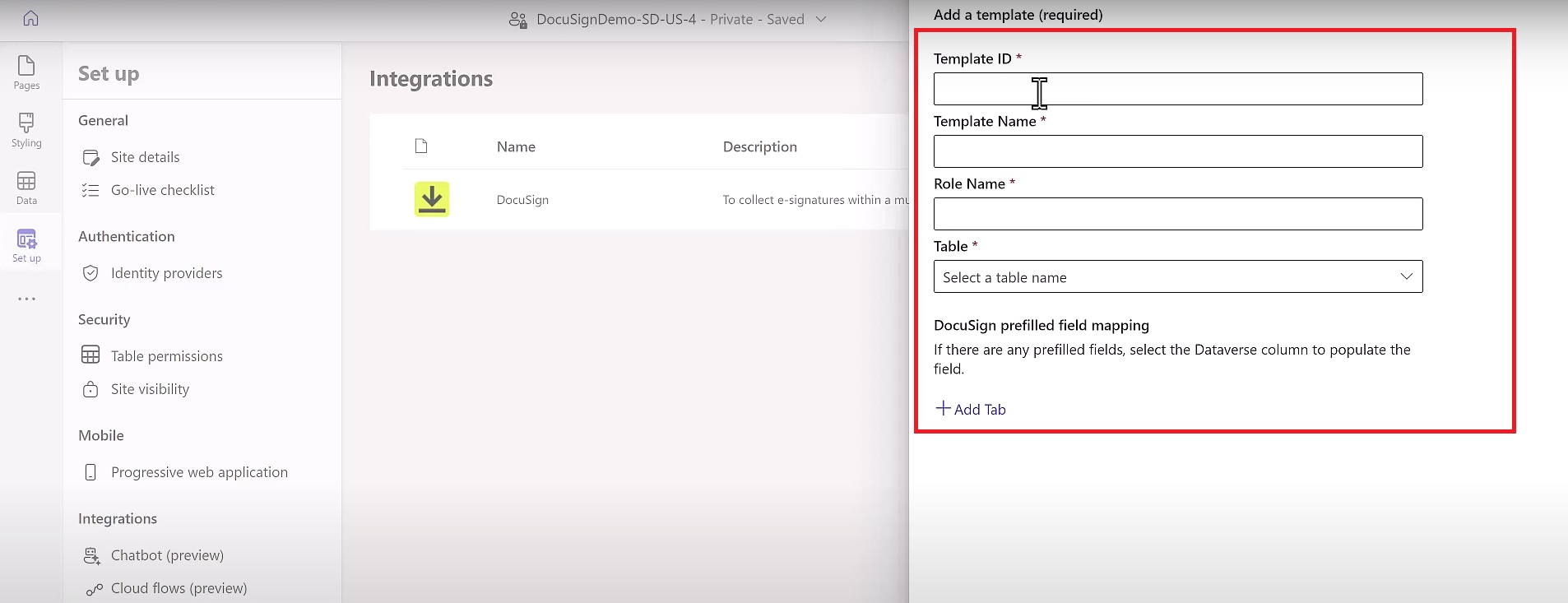
Fill the required Details.

DocuSign integration with power pages 17

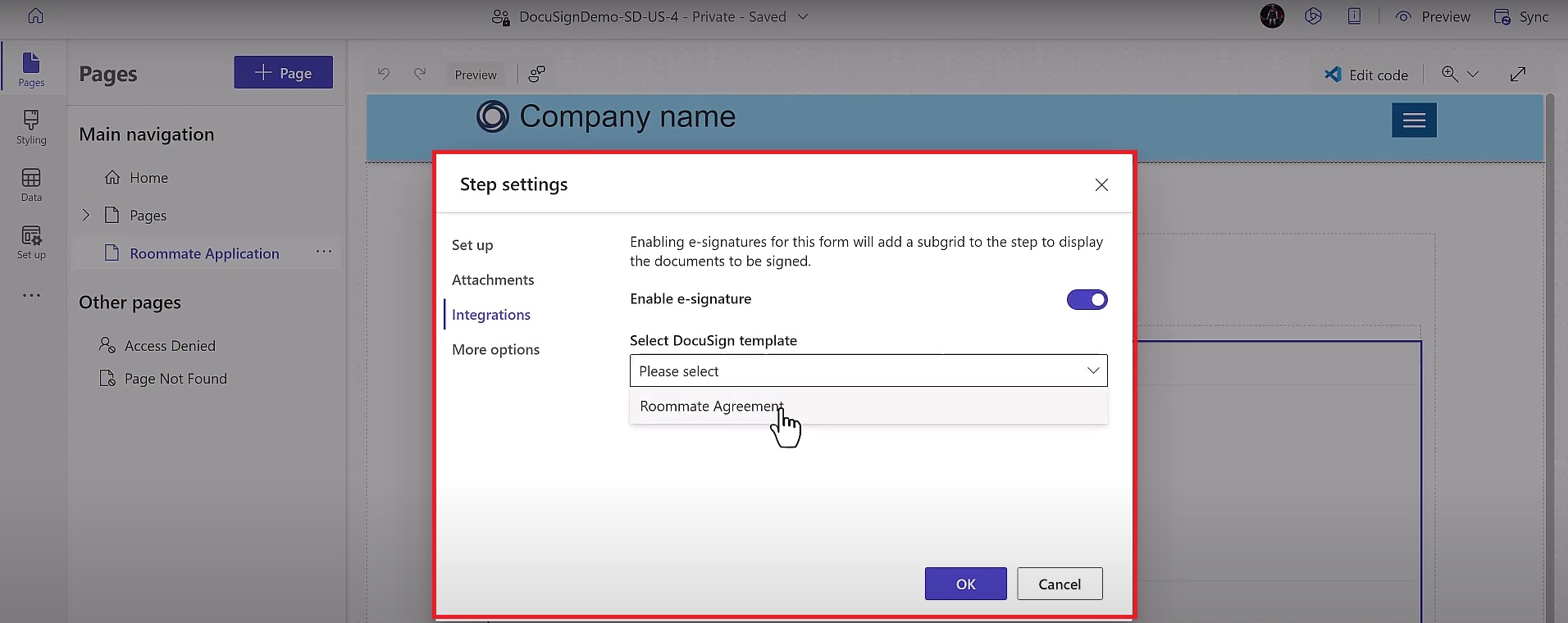
Now add the Document to the Form. Configure the Multistep form.

DocuSign integration with power pages 18

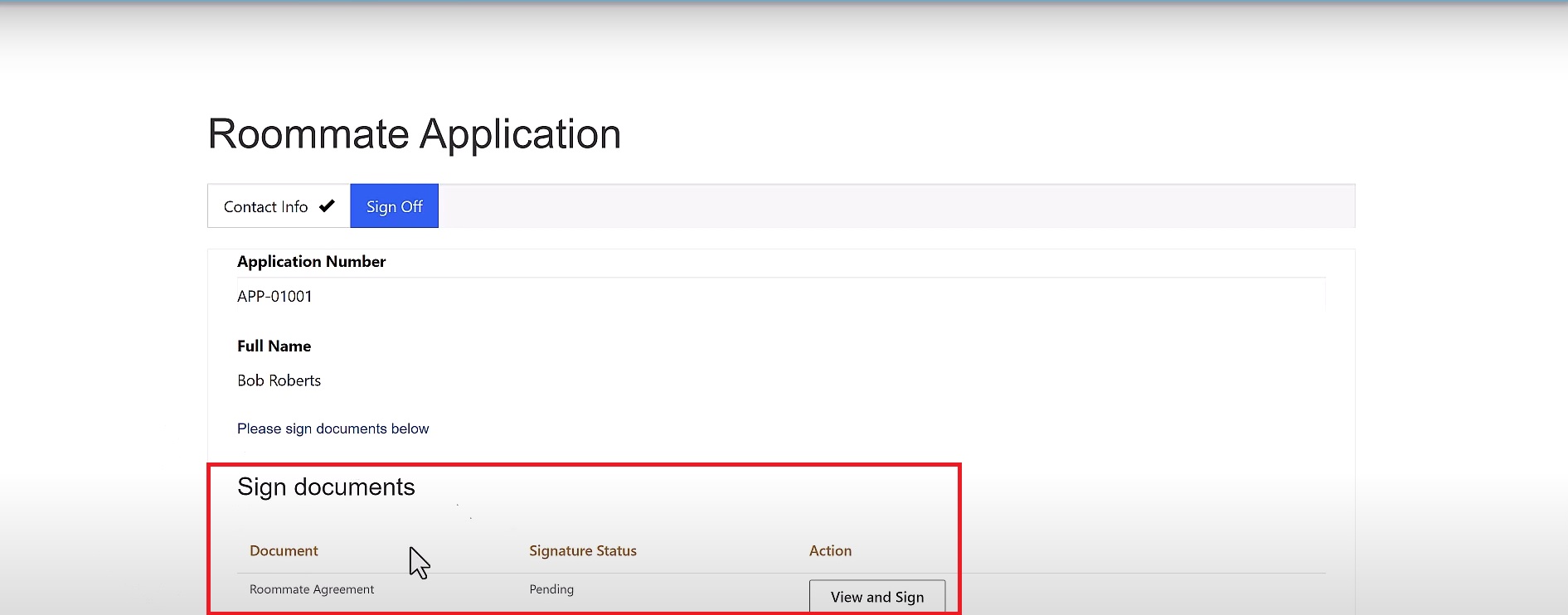
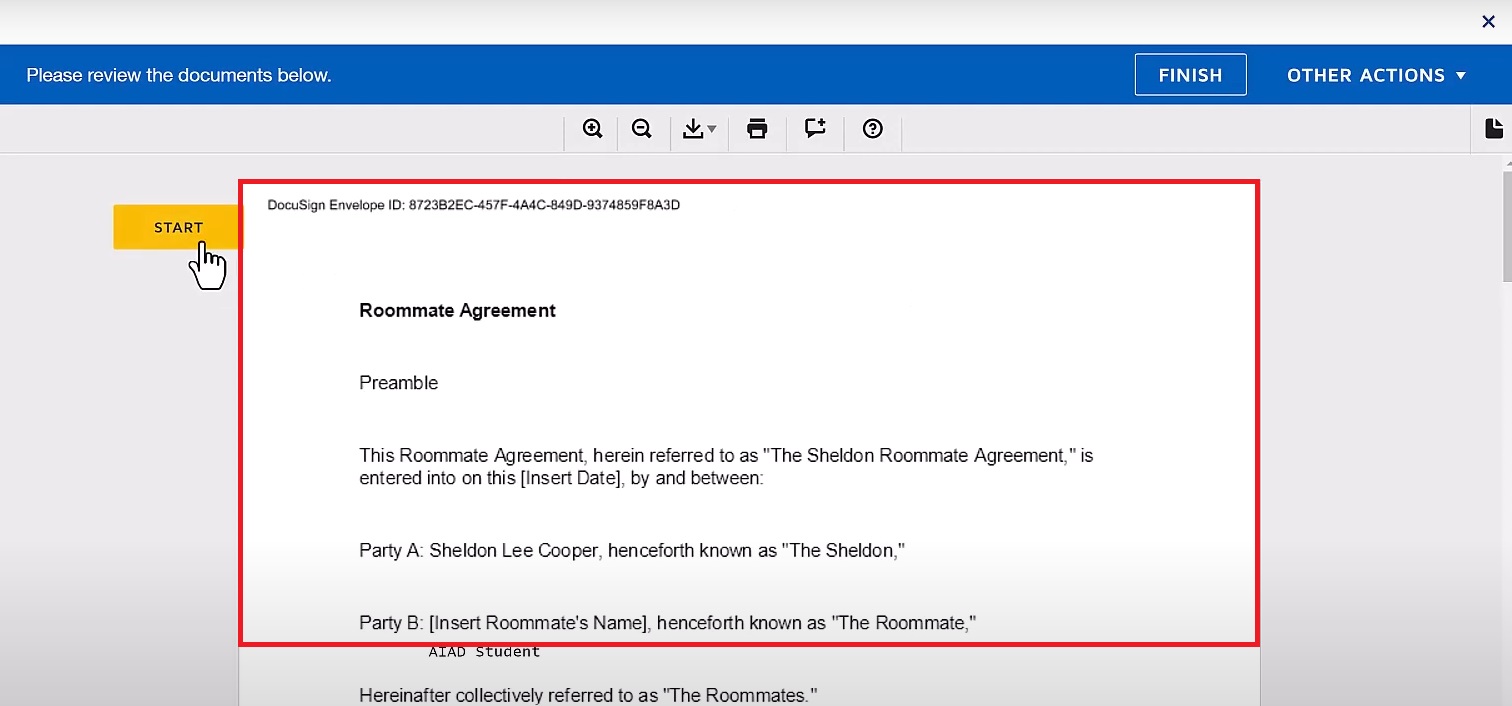
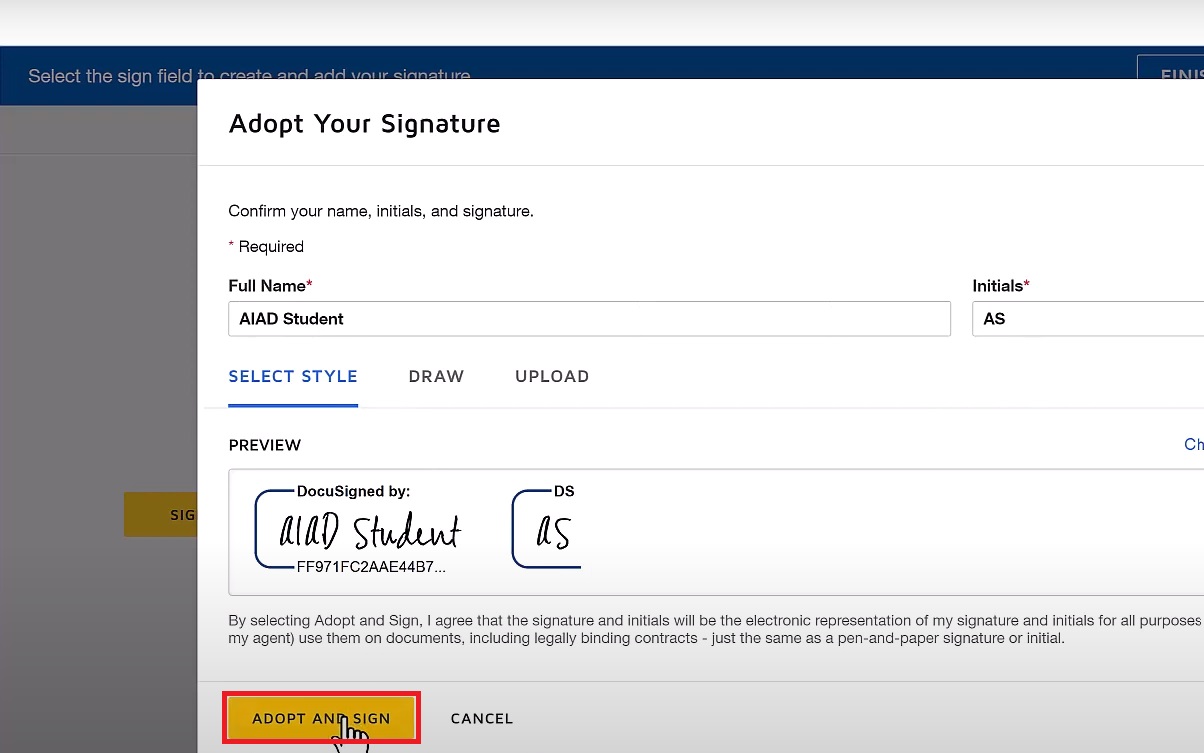
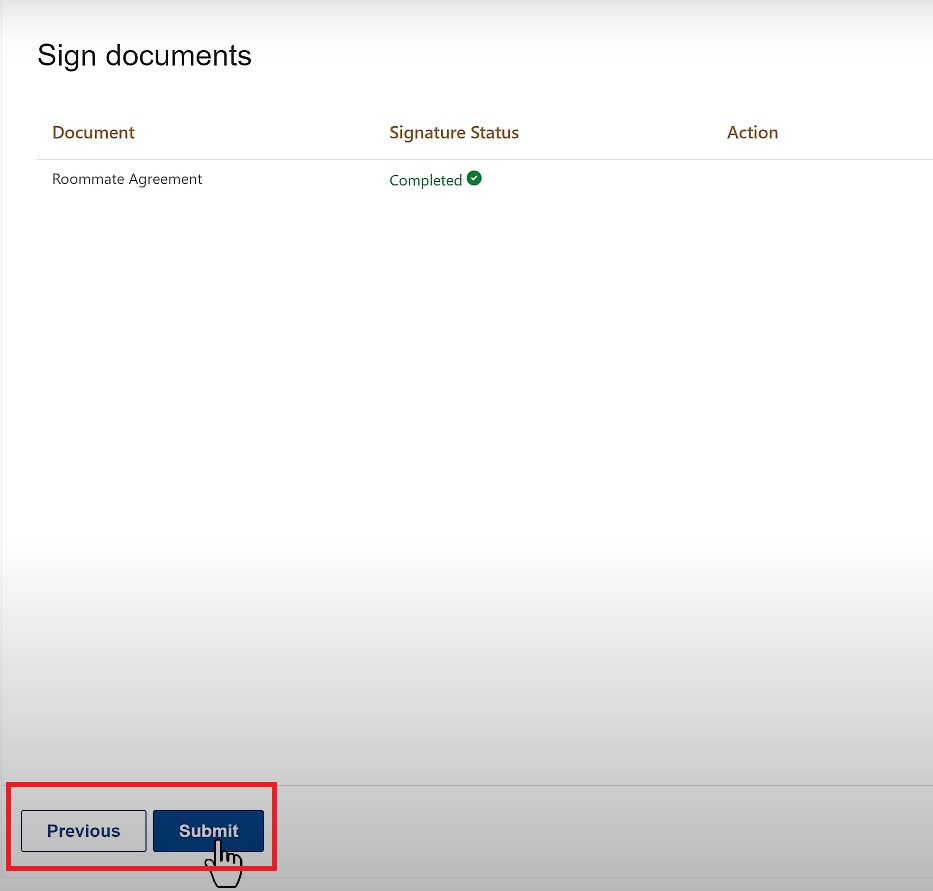
Let’s fill out our form and sign the Document.

DocuSign integration with power pages 19
DocuSign integration with power pages 20
DocuSign integration with power pages 21
DocuSign integration with power pages 22

By embedding DocuSign’s digital signing capabilities into Power Pages, users can complete, sign, and submit documents within a unified portal experience. This integration not only simplifies workflows and enhances user satisfaction but also improves compliance and reduces administrative overhead. Whether for customer on boarding, contract management, compliance documentation, or government services, using DocuSign with Power Pages helps modernize document handling, making it easier and faster to conduct business in the digital age.

Frequently Asked Questions (FAQ)
1. How does DocuSign integrate with Power Pages?

DocuSign integrates with Power Pages using REST APIs and pre-built connectors. By embedding these into Power Pages, users can send, sign, and track documents directly within their portal, enhancing the user experience and streamlining document workflows.

2. Is DocuSign integration secure on Power Pages?

Yes, DocuSign integration is highly secure. Both DocuSign and Power Pages support industry-standard encryption and compliance measures, ensuring that documents and signatures are protected. Additionally, DocuSign provides tamper-proof audit trails, which help in compliance and record-keeping.

3. What types of documents can be signed through DocuSign on Power Pages?

DocuSign supports a wide variety of document formats, including PDFs, Word documents, and image files. You can use DocuSign within Power Pages for contracts, agreements, consent forms, and any other documents requiring signatures.

4. Can DocuSign integration with Power Pages be customized?

Yes, you can customize DocuSign workflows in Power Pages to match your business processes. This includes personalizing templates, setting signing order, adding form fields, and configuring automatic notifications to fit your unique requirements.

5. What are the primary benefits of integrating DocuSign with Power Pages?

The main benefits include streamlined document management, faster signing processes, improved compliance, and a better user experience. This integration removes the need for paper documents, reduces operational delays, and enables users to complete forms and sign agreements from any location.

Metadata Browser
  • HTML To PDF Converter
  • Data Mask for Dataverse
  • Commission 365
  • AI Autocloser
  • Flow Monitor
  • Services

    • D365 Marketing
    • D365 Sales
    • D365 Customer Service
    • D365 Field Service

    Company

    • About Us
    • Blog
    • Contact
    • Careers

    Copyright ©2026 Pascalcase Software Private Limited. All rights reserved.

    Privacy PolicyTerms of Service