Enable Tenant-level analytics for Power Automate and Power Apps
October 22, 2024
#Power Automate
Chetan Jha
Microsoft has introduced a powerful feature for viewing Tenant-level analytics, which includes insights into both Cloud and Desktop Power Automate flows across multiple environments or an entire tenant. These analytics leverage telemetry data from Power Platform applications, providing administrators with valuable tools to monitor flow activities organization wide. Admins with tenant or environment-level roles and proper licensing can access these analytics through the Power Platform Admin Center. To enable Tenant-level analytics for Power Automate flows in Dynamics 365, you must meet the following prerequisites:
Admin Role: You must have either a Tenant-level administrator or Environment admin role with access to relevant environments.
Licensing: Ensure you hold a valid Power Platform or Dynamics 365 license that grants access to the Power Platform Admin Center.
Access Rights: Admins should have Contributor or Environment Admin roles to view and configure analytics.
Environments: Analytics require multiple environments with Cloud/Desktop flows deployed for monitoring.
In this blog, we will guide you through the steps to enable Tenant-level analytics for Dynamics 365 Customer Engagement (CE).
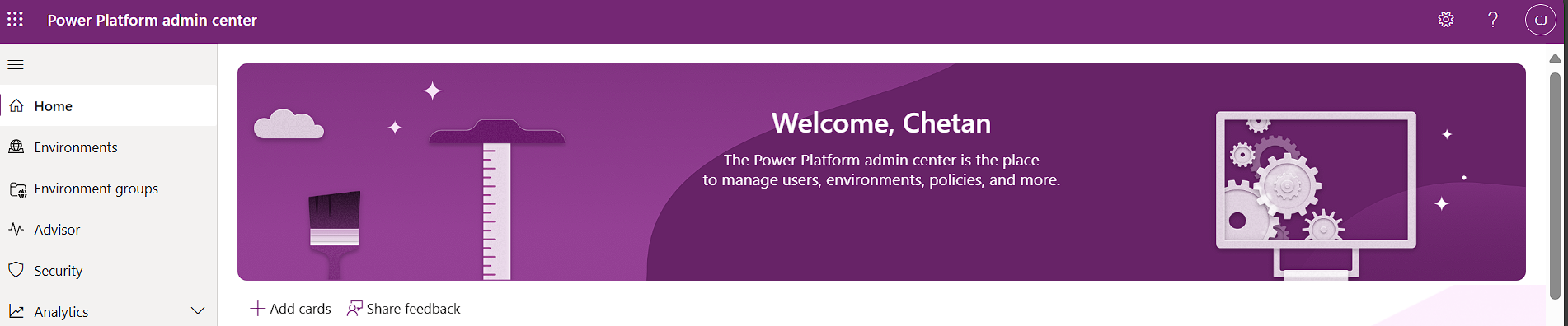
Firstly, login to Power Platform Admin Center or open site admin.powerplatform.microsoft.com if you have login account.
Click on settings icon and then click on Power Platform settings
Please conduct a search on tenant-level analytics.
Need help with your business solution?
Our team can help you implement the right solution for your organization.
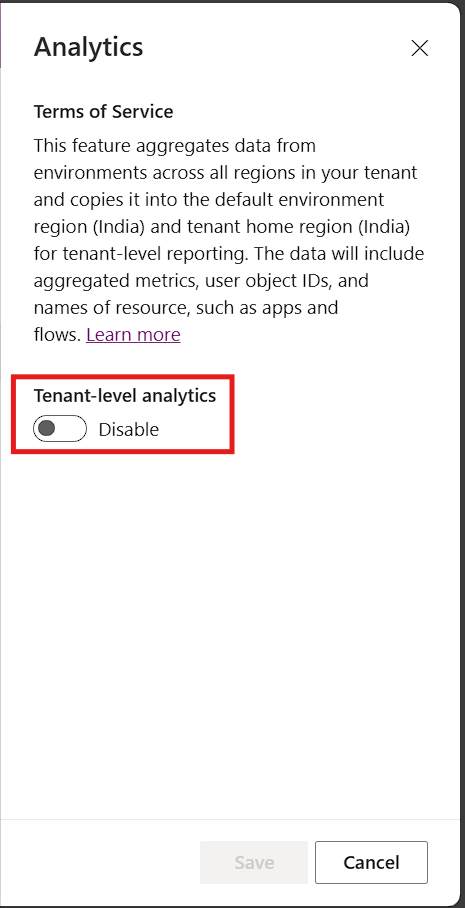
Here, you can see Tenant level analytics is disabled.
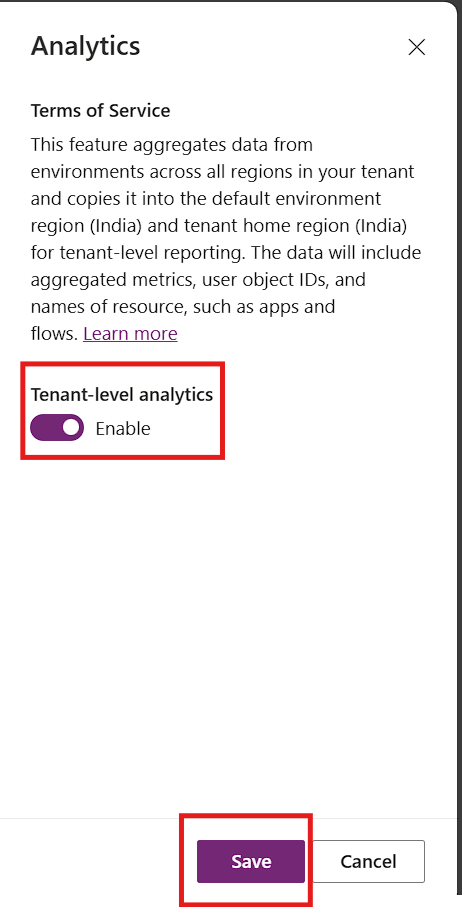
Now, enable the Tenant level analytics and save it.
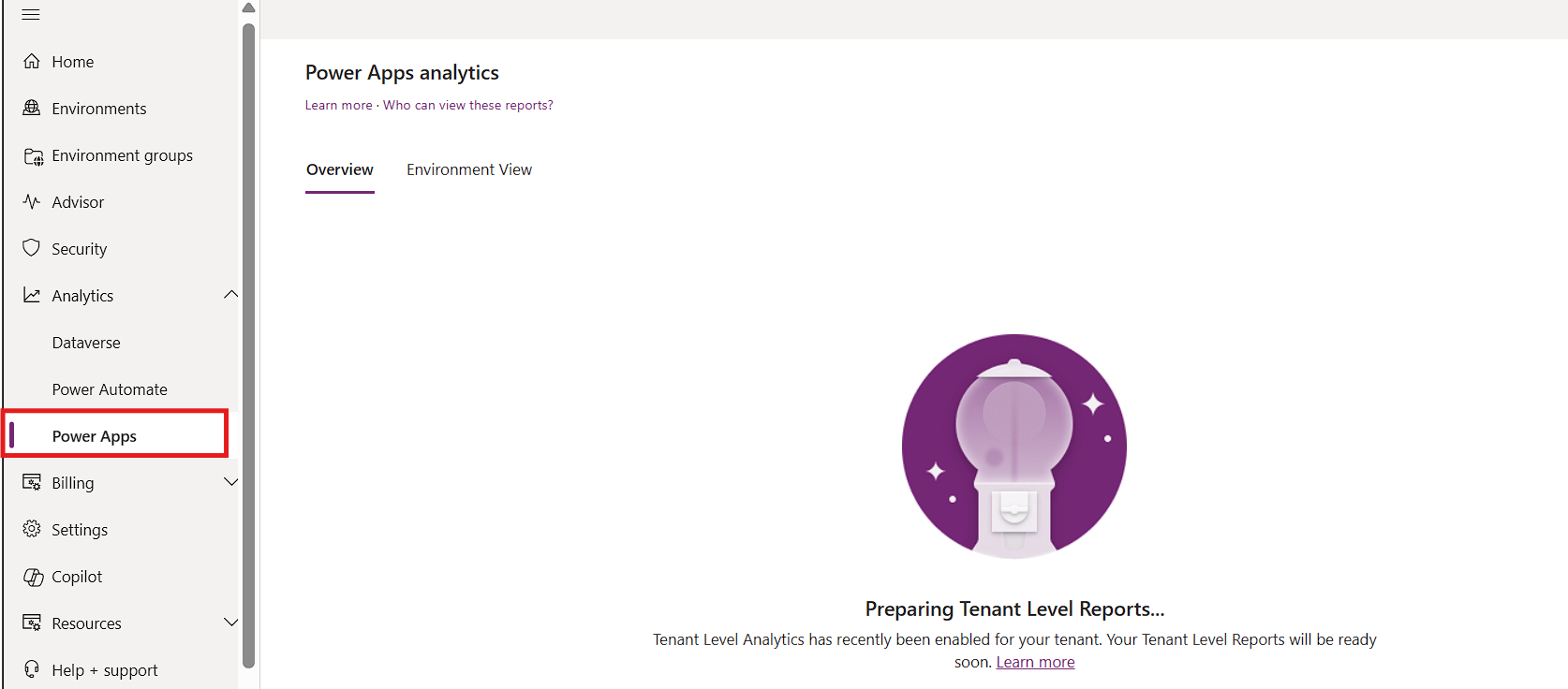
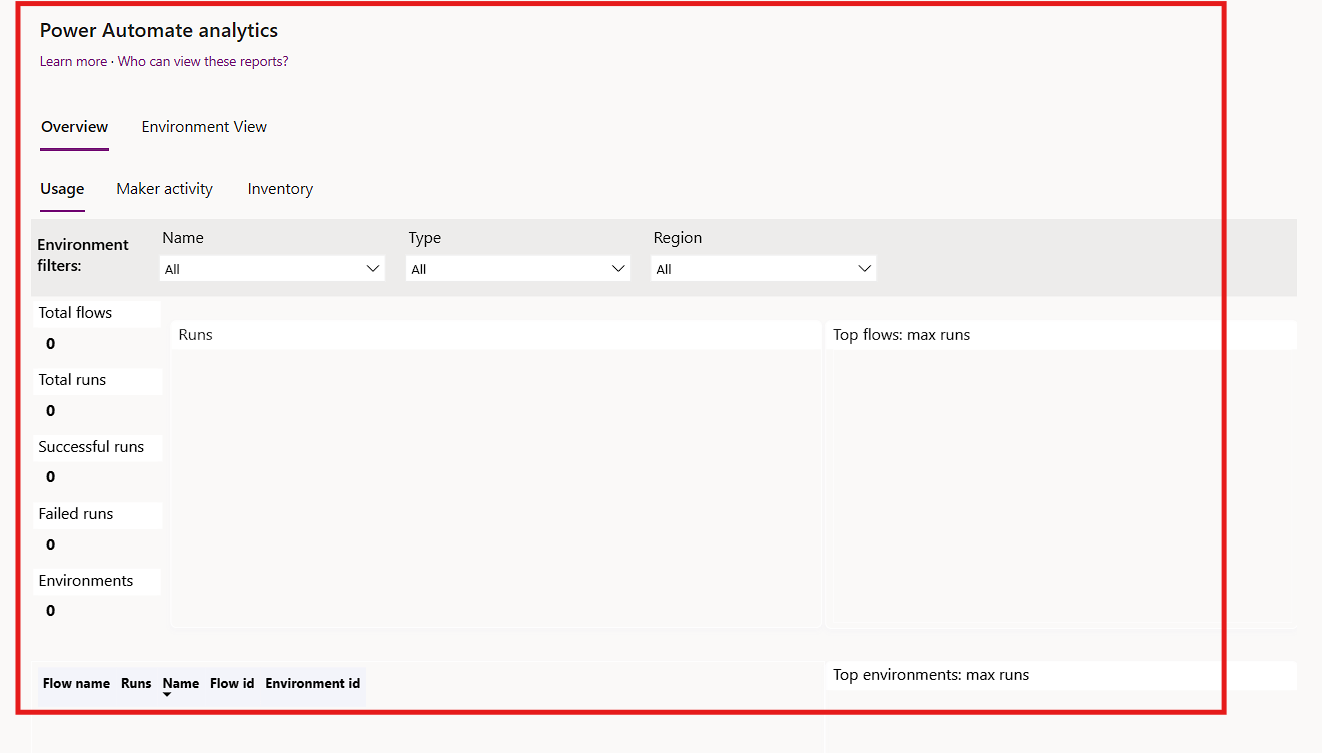
When you return to the Power Automate or Power Apps section under Analytics, it will display that your Tenant-Level Reports are ready.
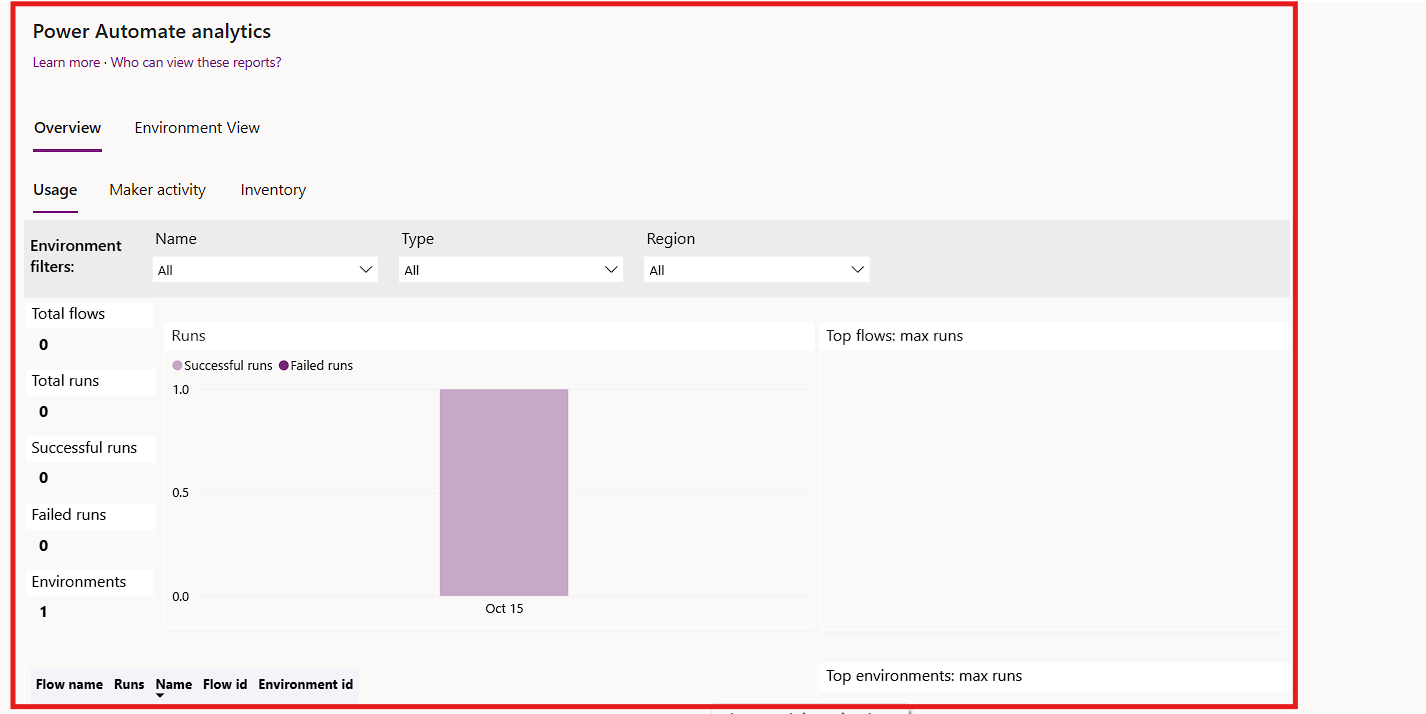
After a short period, you will be able to view the analytics.
Data visualized in the Usage report will only start being collected after the Tenant-level analytics feature has been activated. Please note that it may take 24 to 36 hours for service activities from the prior day to appear in the report.
By enabling Tenant-level analytics, organizations can gain valuable insights that drive efficiency and enhance user experience.
In conclusion, enabling Tenant-level analytics for Power Automate and Power Apps is a significant step toward enhancing operational visibility and efficiency within your organization. By following the outlined steps, administrators can easily access valuable insights into flow activities across multiple environments. This capability not only empowers admins to monitor usage patterns and identify potential issues but also facilitates informed decision-making based on data-driven insights. As organizations increasingly rely on automation to streamline processes, leveraging these analytics will prove essential in optimizing performance and maximizing the value of the Power Platform.
Frequently Asked Questions (FAQs):
1. What is Tenant-level analytics for Power Automate and Power Apps?
Tenant-level analytics provides administrators with insights into the usage and performance of Cloud and Desktop flows across multiple environments within an organization. It utilizes service telemetry data to help monitor activities and optimize flow management.
2. Who can access Tenant-level analytics?
Access to Tenant-level analytics is granted to users with either a Tenant-level administrator role or an Environment admin role, provided they hold a valid Power Platform or Dynamics 365 license.
3. How long does it take for analytics to become available after enabling?
After enabling Tenant-level analytics, it may take some time for the data to populate. Users will be notified when the analytics are ready to be viewed in the Power Platform Admin Center.
4. What kind of insights can I gain from Tenant-level analytics?
Tenant-level analytics provides a range of insights, including usage statistics, maker activities, performance trends, and potential issues related to flows. This information can help administrators make data-driven decisions to enhance automation strategies within the organization.