Integrating Hugging Face Models into Power Automate

What is Hugging Face?
Hugging Face is a platform that has advanced AI models for several tasks, such as text generation, translation, and text summarization. It gives pre-trained models ready to use, making it easier for developers and businesses to integrate them into a project to add AI features to it. It is perfect for anyone who wants to make use of AI in a very simple yet effective way.
Why Integrate Hugging Face into Power Automate?
Integrating Hugging Face models into Power Automate brings several benefits. It helps you add smart features like text generation and analysis to your workflows, making them more useful. You can also save time and effort by letting AI handle tasks that would usually be done manually.
Prerequisites
Before you start using this ensure you have the following:
Hugging Face Account: A Hugging Face account to generate access tokens for models.
Power Automate Access: Access to Power Automate to create flows.
Step-by-step guide to create this workflow.
First, visit the Hugging Face website and create an account.
Next, click on your profile icon, go to Settings, and navigate to the Access Token section to generate a token.
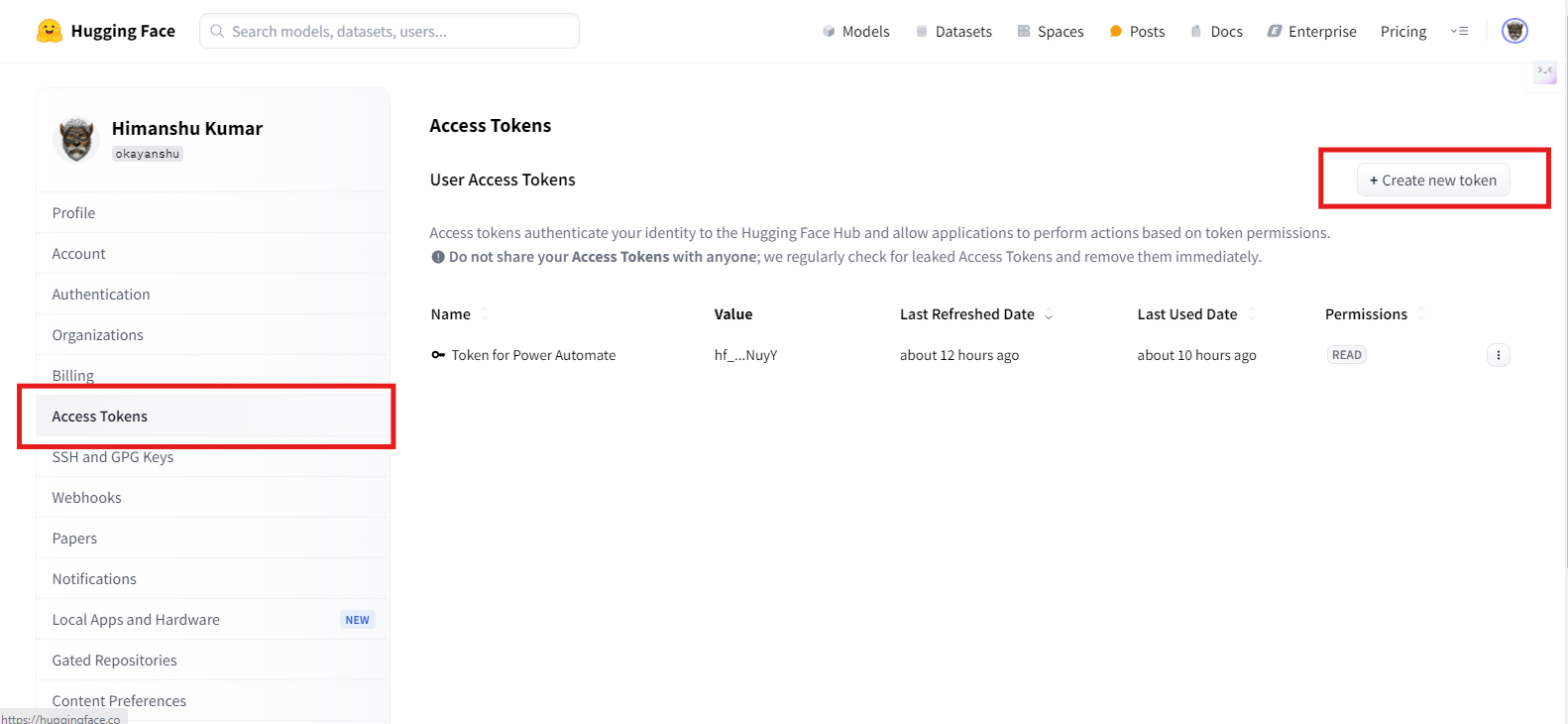
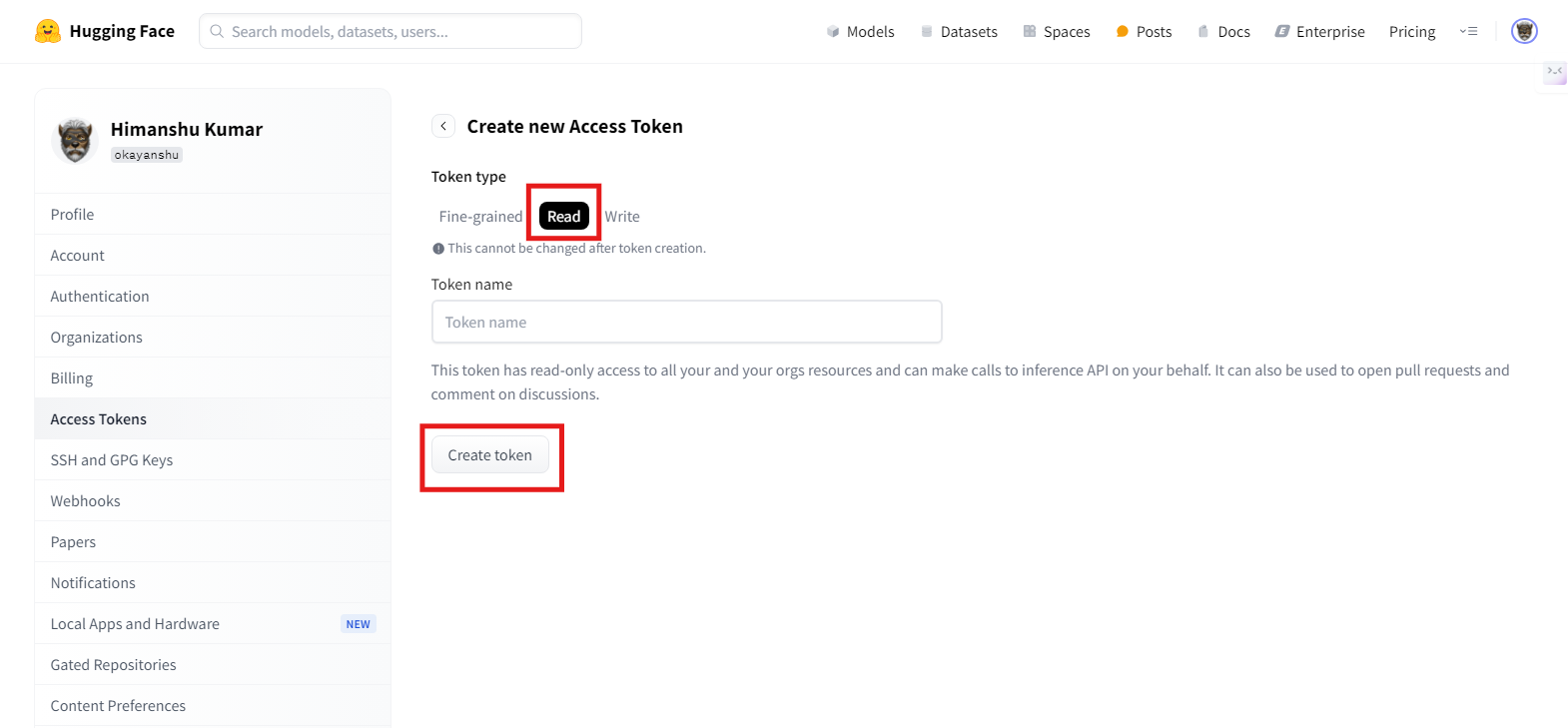
In the top right corner in access tokens, click on create new token.
Choose token type as read (because we are using this model only for text generation). Enter a token name to identify this in the future then, click on Create Token.
Make sure to copy the access token into a notepad for future use.