Email Smarter in Outlook with Sales Copilot and Power Apps Integration

Business Scenario
Keeping your clients and team members updated isn’t always easy, especially when you’re working on many projects at once. Most of the time, we end up spending too much time going back and forth between different tools, trying to find the latest information in our CRM, and then copying it into emails.
This takes a lot of time, and there's always the risk of missing something or sending old information.
Now, with Copilot for Sales in Outlook, you can add CRM details to your emails quickly and easily—without leaving your inbox.
How It Works?
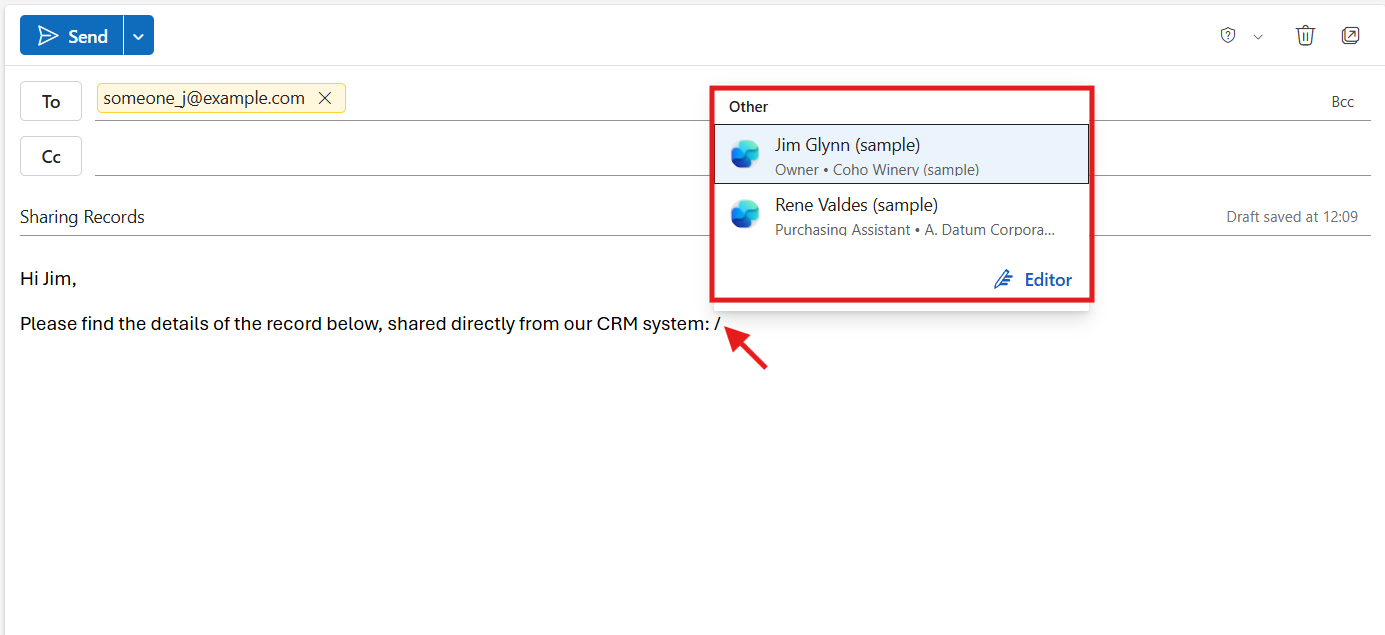
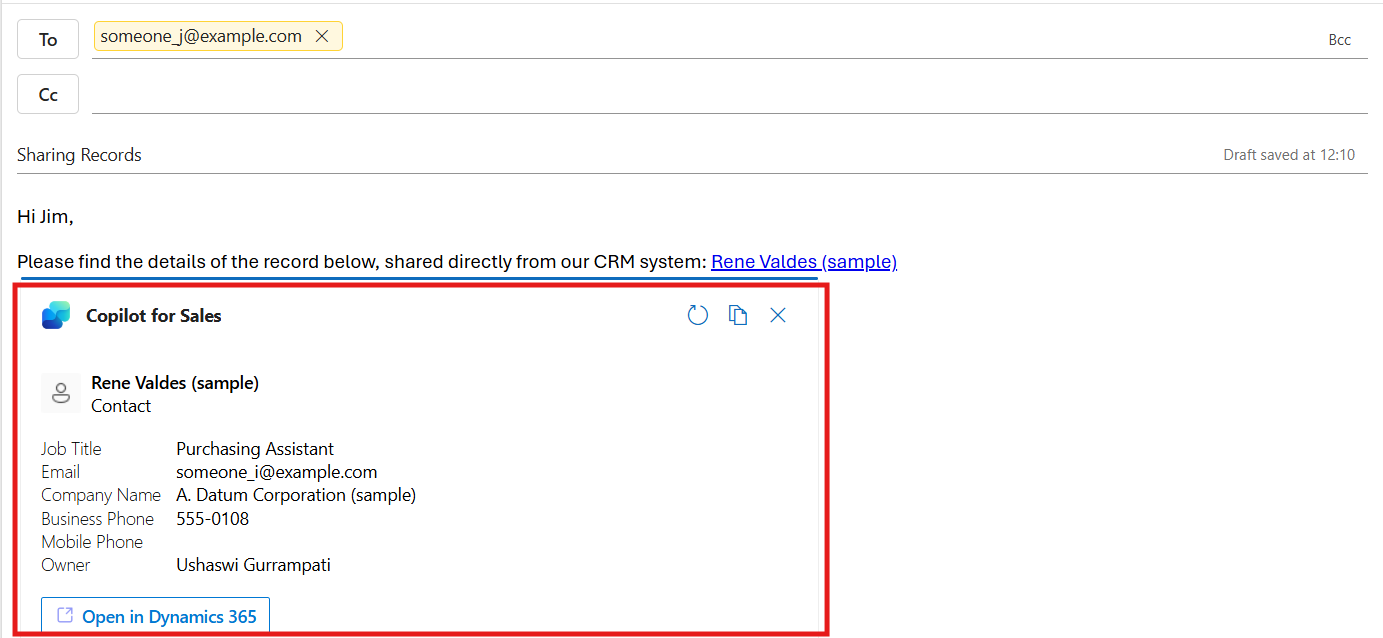
When you’re writing an email, just type a forward slash ( / ). Right away, Copilot suggests recent CRM records—like account details, deal status, or recent notes. You can choose what you need, and it will show up in your email as a neat card.
These cards look clean and professional, and the best part? They stay up to date on their own. So if someone views that email tomorrow, they’ll still see the latest information—without you needing to resend anything.
Step-By-Step Guide:
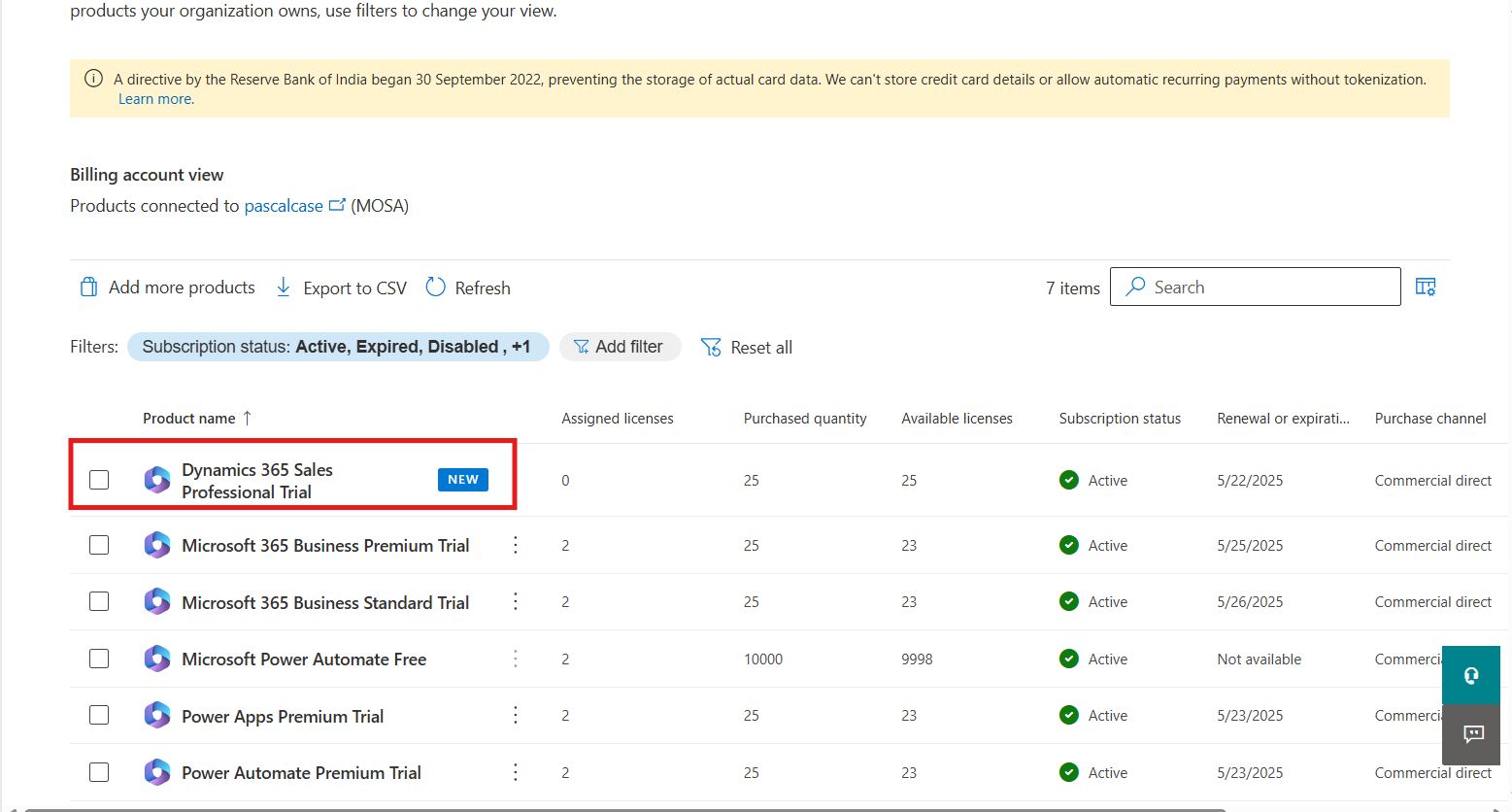
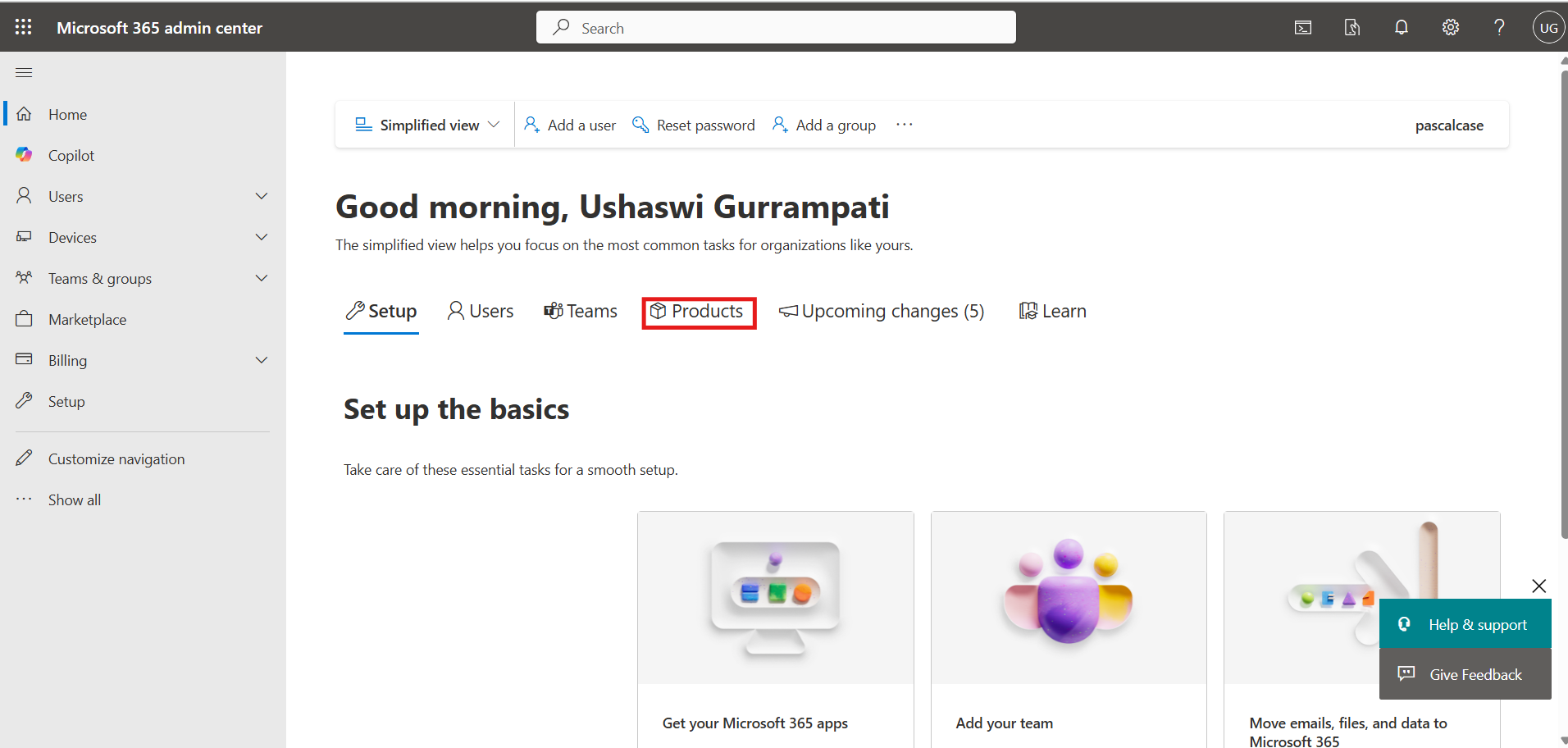
Open the Microsoft Admin Center https://admin.microsoft.com and select the billings.
Navigate to the Products section in the left panel to buy the Sales Trial.
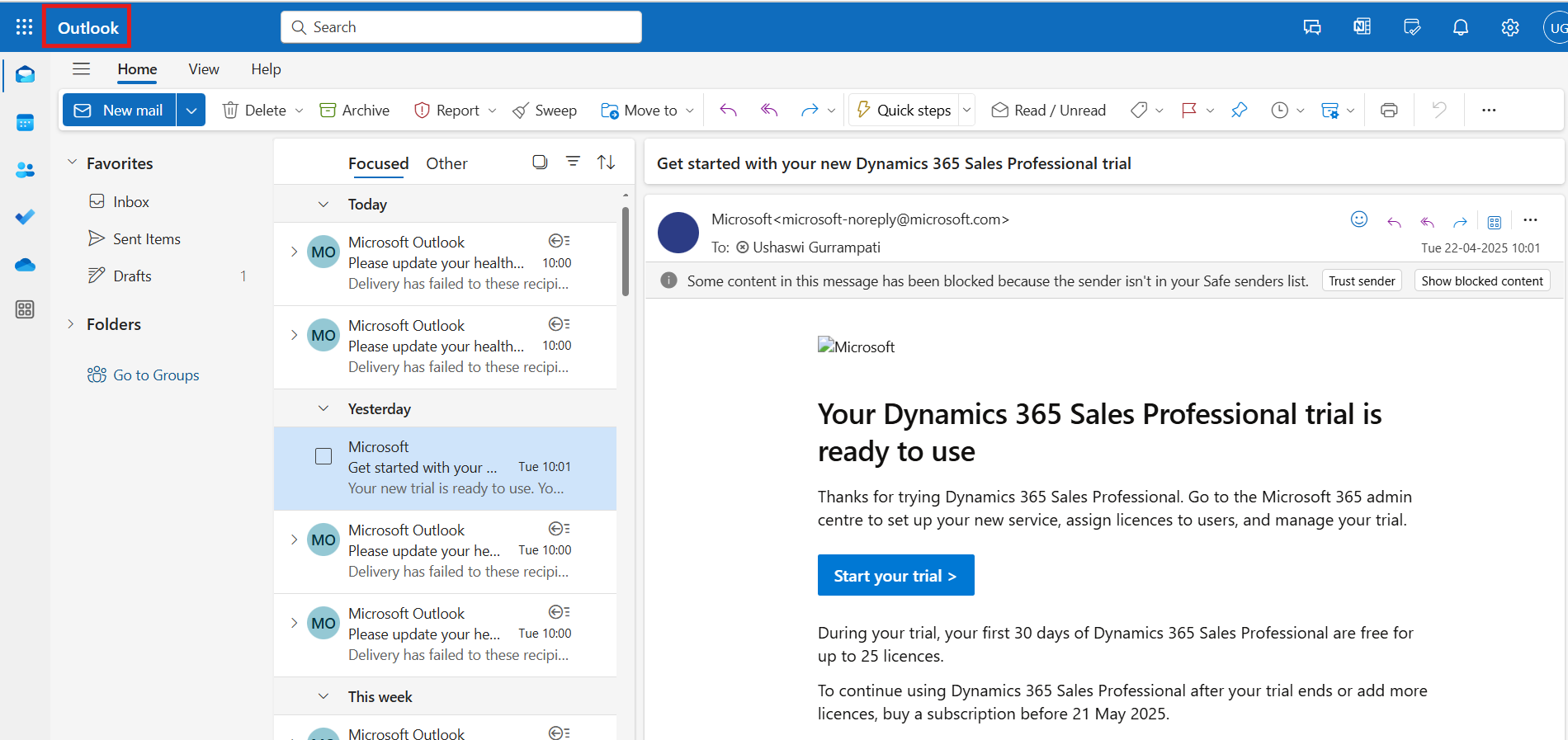
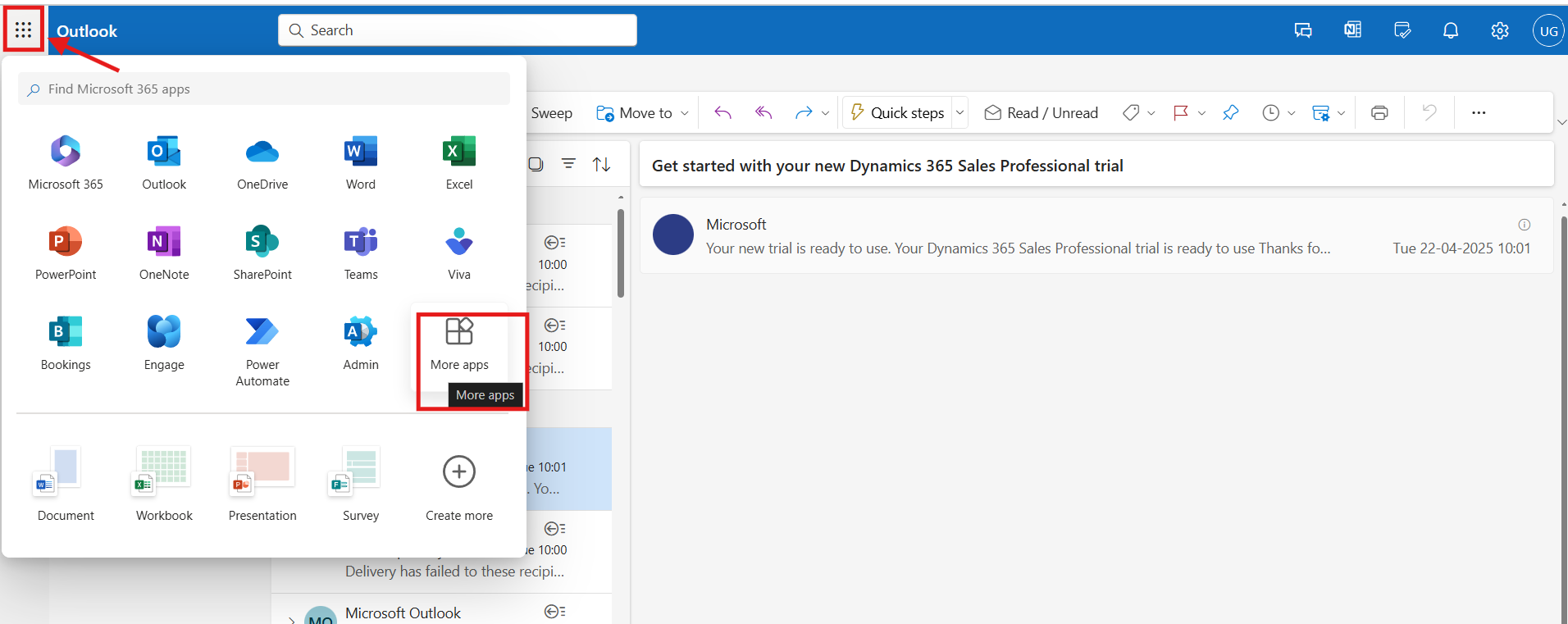
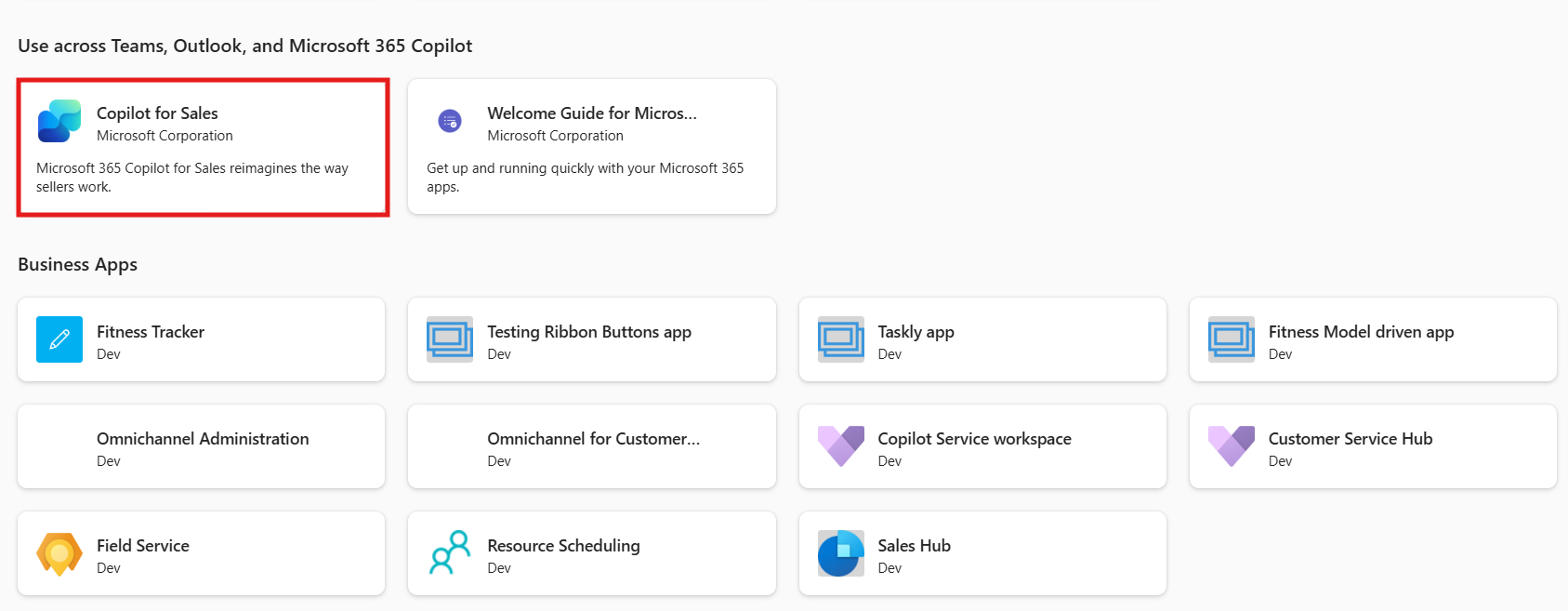
Search for Dynamics 365 Sales Professional Trial and start the free trial. This gives you access to Copilot for Sales app.