LogoLogo

Our Products

Metadata Browser

Edge Add-on

HTML To PDF Converter

Power Automate Connector

Data Mask for Dataverse

Dataverse App

Commission 365

Dynamics 365 App

AI Autocloser

Dataverse App

Flow Monitor

Power Automate App

ServicesAboutCareersBlogContact
Chat on Teams
Metadata BrowserHTML To PDF ConverterData Mask for DataverseCommission 365AI AutocloserFlow Monitor
ServicesAboutCareersBlogContactChat on Teams
HomeBlogExploring Forms in Canvas Apps

Exploring Forms in Canvas Apps

April 16, 2024
#Canvas#Powerapps
Mahith Reddy
Exploring Forms in Canvas Apps

To create a canvas application on the Power Platform, navigate to make.powerapps.com, the central hub for app creation. Here, you will find various options, each offering distinct functionalities for app creation. Among these options, locate and select the "Blank App". 
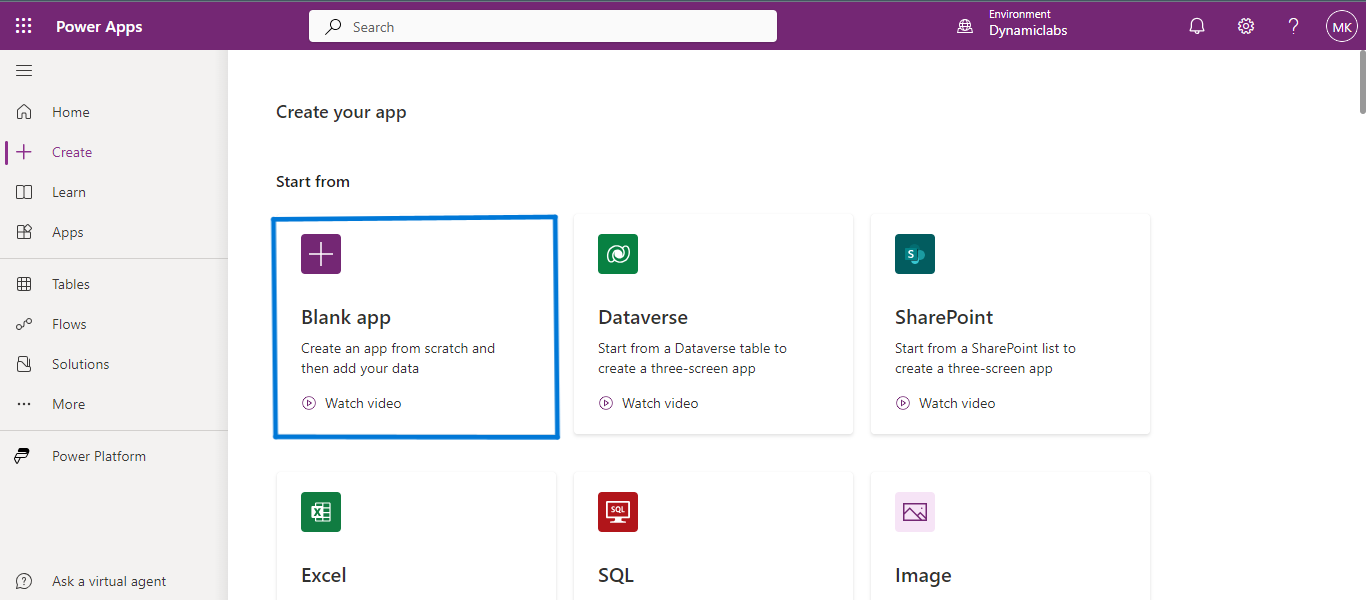
Exploring Forms in Canvas Apps

Click on ‘Create’ on the Blank Canvas app tile. 
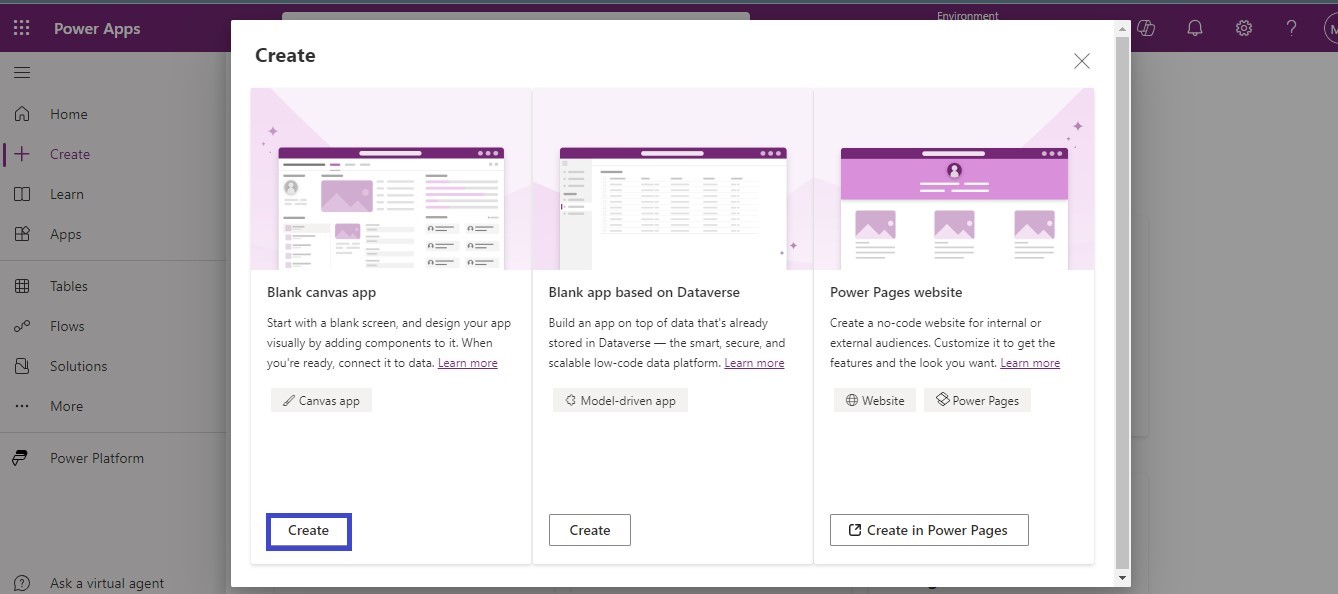
Exploring Forms in Canvas Apps .02

Enter the desired name for your app into the provided input field, and then select the preferred app format according to your requirements.
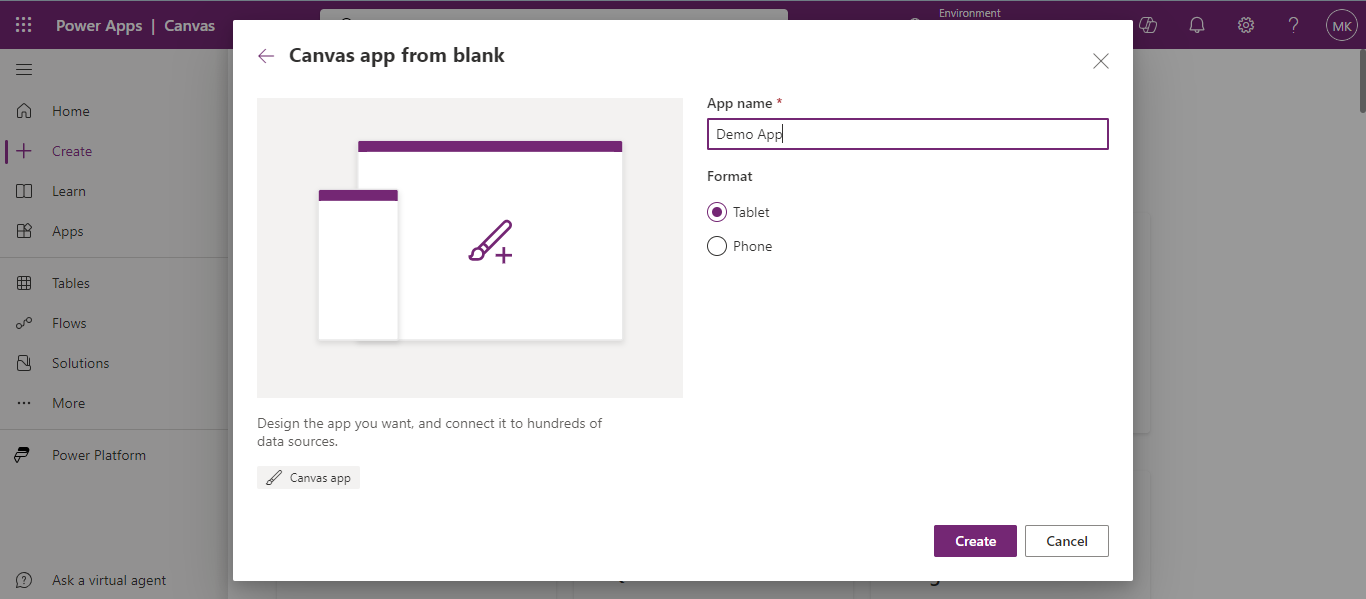
Exploring Forms in Canvas Apps 03

After clicking the create button, your app will appear in the list below with the name you provided. Click the ellipsis icon button, then select "Edit" from the dropdown that appears. The app will then open in editable (developer) mode. 
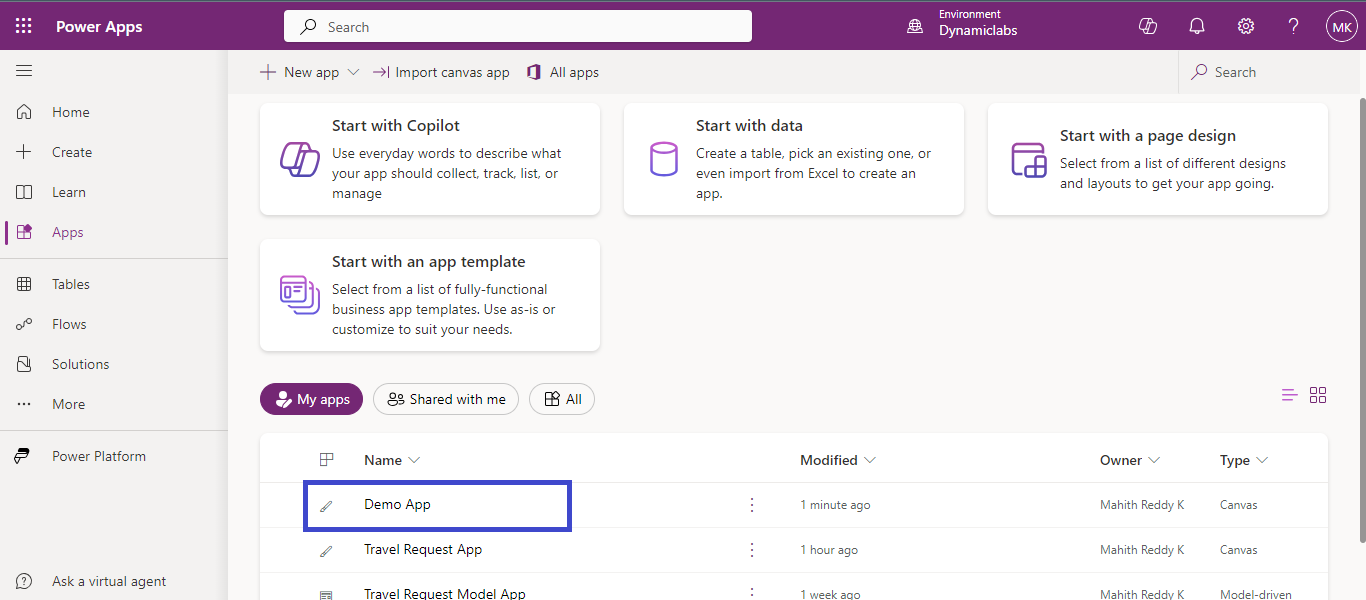
Exploring Forms in Canvas Apps 04

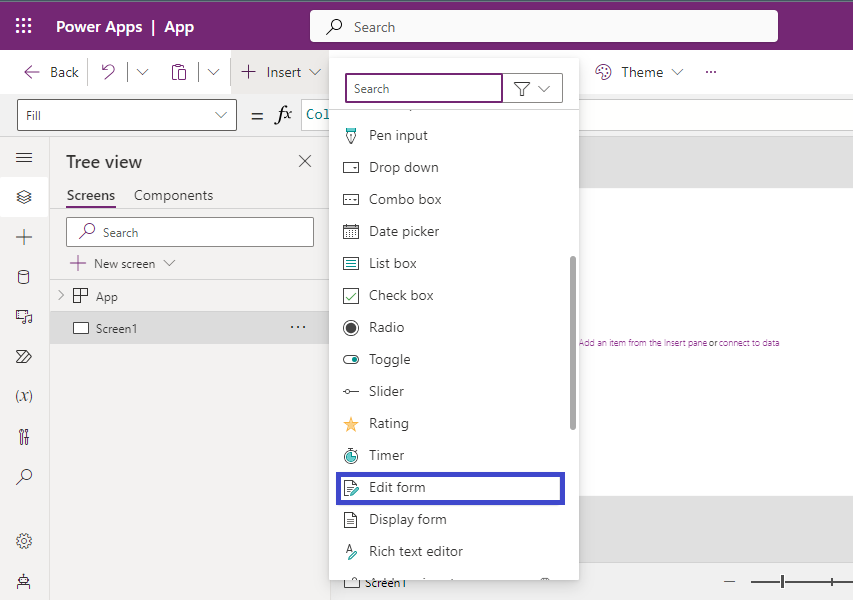
Open a blank screen in the canvas app, from the insert drop-down from the input section select the Edit form option. 
Click on ‘Create’ on the Blank Canvas app tile. 05

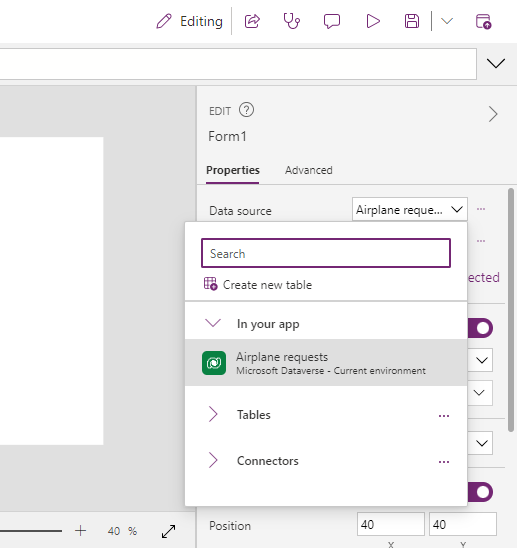
On the properties tab of the right-side pane, select the data source which would be a table that you have created earlier. 
Need help with your business solution?

Our team can help you implement the right solution for your organization.

Get in touch
LogoLogo

Ex-Microsoft experts helping businesses get more from their Dynamics 365 and Power Platform investments.

Products

Click on ‘Create’ on the Blank Canvas app tile. 05

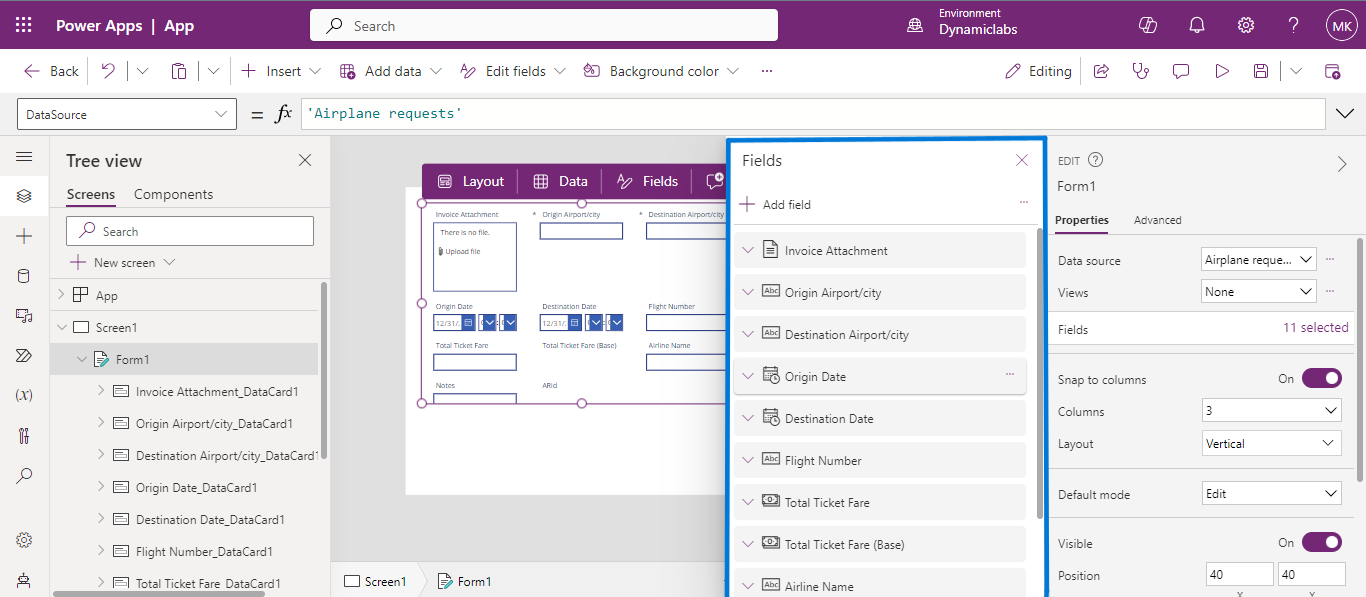
From the same properties tab select ‘Fields’, and a list of fields appears, here you can select, add, remove, and drag to rearrange the fields in the order which you want to see. 

Click on ‘Create’ on the Blank Canvas app tile. 06

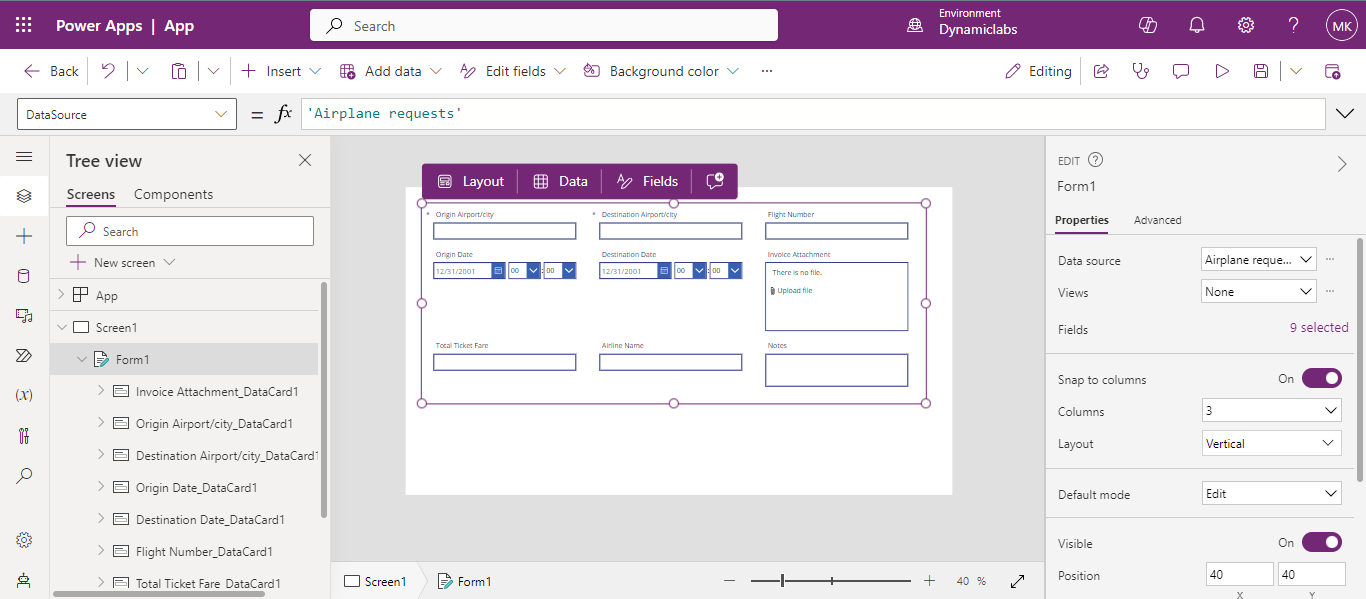
Resize the form for a neat look.

Click on ‘Create’ on the Blank Canvas app tile. 06
Save the form data!! 

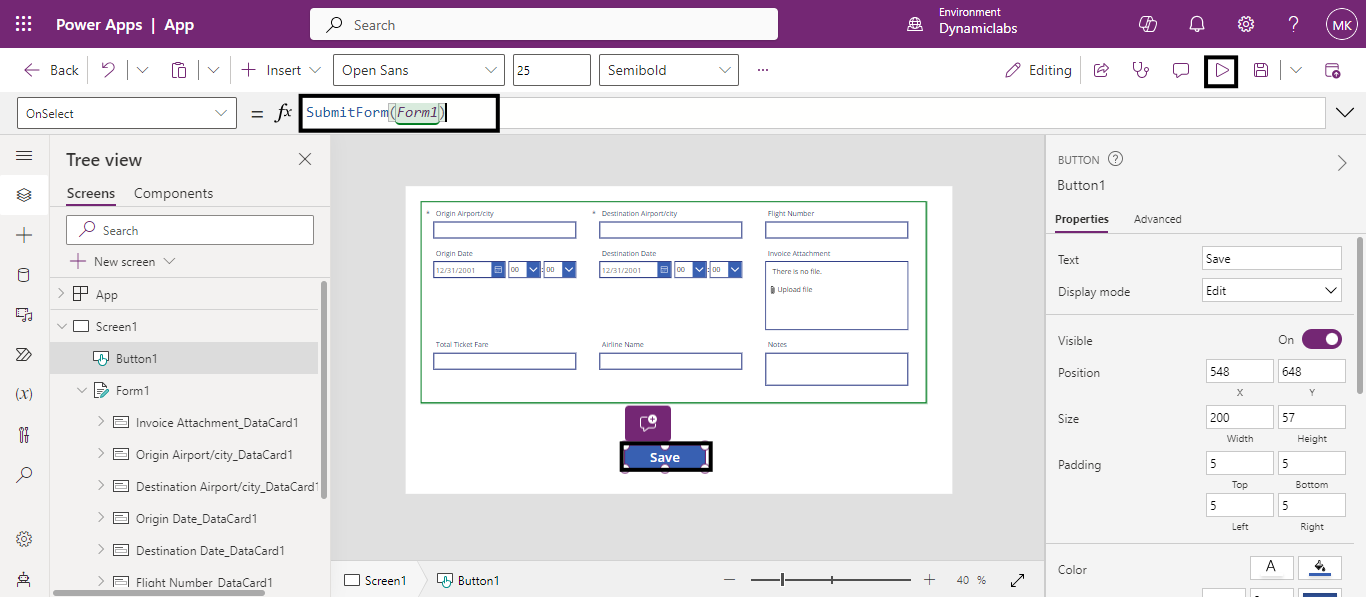
Add a Button control, and set its On Select property to this formula: 

SubmitForm(your form name) 

Click on ‘Create’ on the Blank Canvas app tile. 07

Click on the play button to preview the app, enter the data and select the button you have created. The SubmitForm function saves your changes to the data source. 

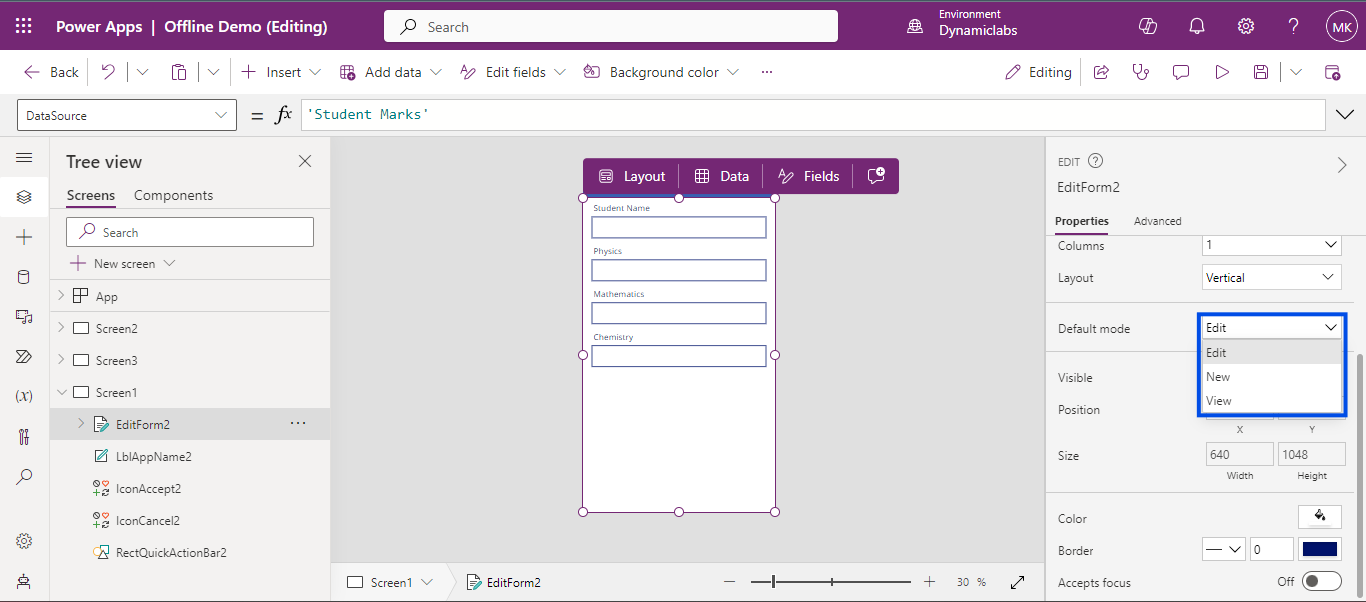
Modes of the Form: New, Edit and View 

In general, a form typically operates in three modes: New, View and Edit, In New mode, a form adds a new entity to the database. Edit mode allows for editing an existing entity in the database, while View mode simply displays the data of a particular entity. 

For simpler applications, a single form can dynamically switch between modes. However, for more complex scenarios, creating separate screens for each mode is advisable. This approach enhances functionality and streamlines development by reducing potential logic conflicts. 

Click on ‘Create’ on the Blank Canvas app tile. 08

To sum up, using forms in Canvas Apps is easy.  

Knowing about the three modes of a form New, Edit and View is important for handling data properly. If your app is simple, you can use one form for everything. But for more complicated apps, it's better to have different screens for each mode. This makes building your app smoother and gives it more features without making it hard to understand. Have fun making your app! 

Back to all articles

More from the blog

Generate Temporary Download URLs in Dynamics 365 Using GetFileSasUrl

Enable Audio Playback in Dynamics 365 Contact Forms Using JavaScript

Integrating Your Copilot Agent with Teams

Adding Generative AI to your Cloud Flows with AI Prompts

How to Generate Early Bound Classes in Dataverse with XrmToolBox

Email Smarter in Outlook with Sales Copilot and Power Apps Integration

How to Populate Choice Fields Using Power Apps Dataflows

How to Populate Dataverse Lookup Fields Using Power Apps Dataflows

Metadata Browser
  • HTML To PDF Converter
  • Data Mask for Dataverse
  • Commission 365
  • AI Autocloser
  • Flow Monitor
  • Services

    • D365 Marketing
    • D365 Sales
    • D365 Customer Service
    • D365 Field Service

    Company

    • About Us
    • Blog
    • Contact
    • Careers

    Copyright ©2026 Pascalcase Software Private Limited. All rights reserved.

    Privacy PolicyTerms of Service