LogoLogo

Our Products

Metadata Browser

Edge Add-on

HTML To PDF Converter

Power Automate Connector

Data Mask for Dataverse

Dataverse App

Commission 365

Dynamics 365 App

AI Autocloser

Dataverse App

Flow Monitor

Power Automate App

ServicesAboutCareersBlogContact
Chat on Teams
Metadata BrowserHTML To PDF ConverterData Mask for DataverseCommission 365AI AutocloserFlow Monitor
ServicesAboutCareersBlogContactChat on Teams
HomeBlogMicrosoft Teams integration with customer engagement apps in Dynamics 365

Microsoft Teams integration with customer engagement apps in Dynamics 365

January 22, 2024
#PowerBI#SharePoint#MicrosoftTeams
Satish Reddy
Microsoft Teams integration with customer engagement apps in Dynamics 365

Microsoft Teams is a platform used for document sharing, online meetings, and business communications. It can easily access Apps such as Power BI, SharePoint, and now, Dynamics 365 also.

Integrating Dynamics 365 with Microsoft Teams helps users to work with customer information and share files directly from Microsoft Teams. 

How to enable Microsoft Teams in Dynamics 365?
Step 1:

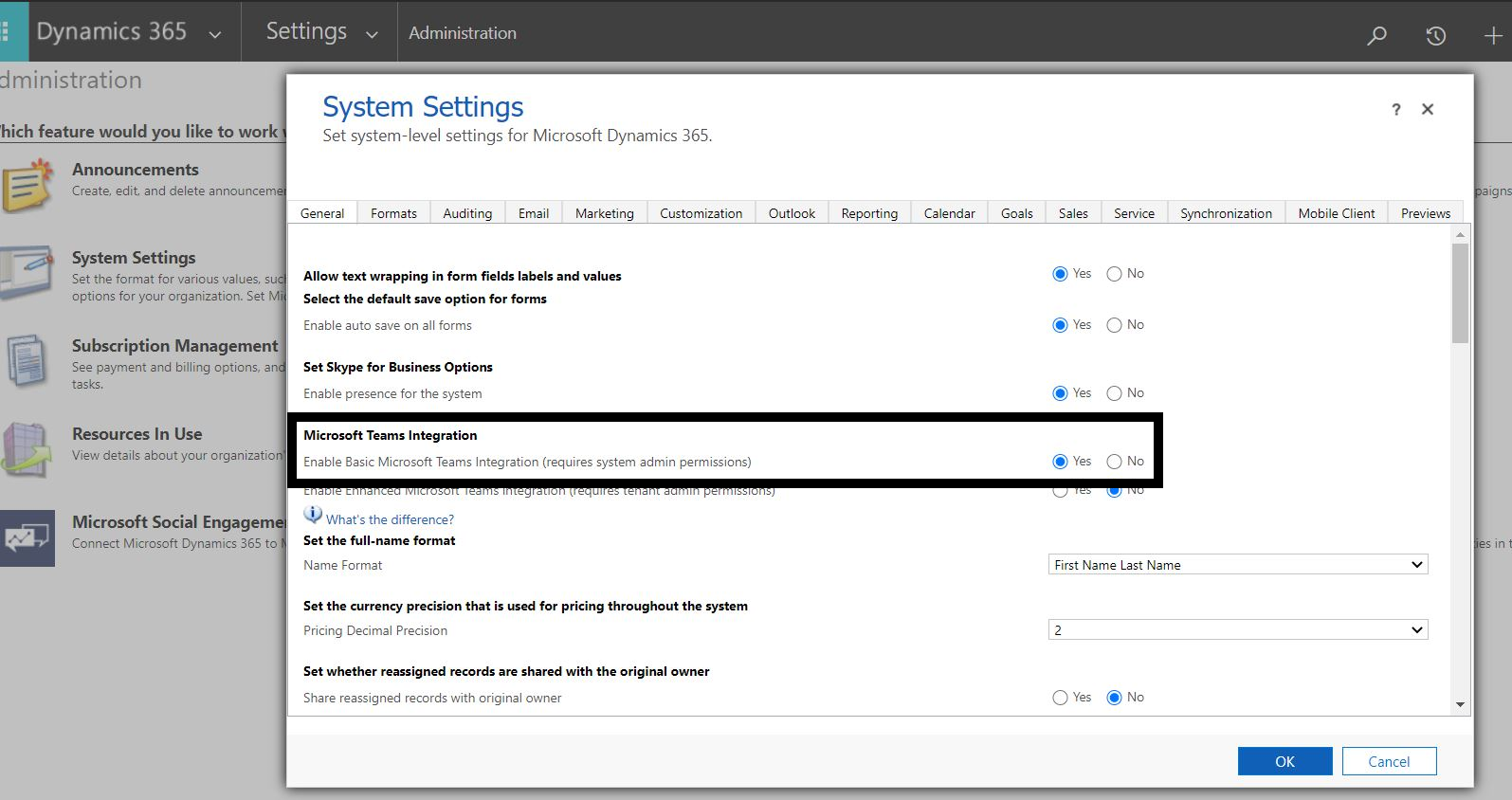
Go to advanced settings. Click on Administrator --> System Settings --> General tab.

Make Microsoft Teams Integration option to Yes.
1 team
Step 2:

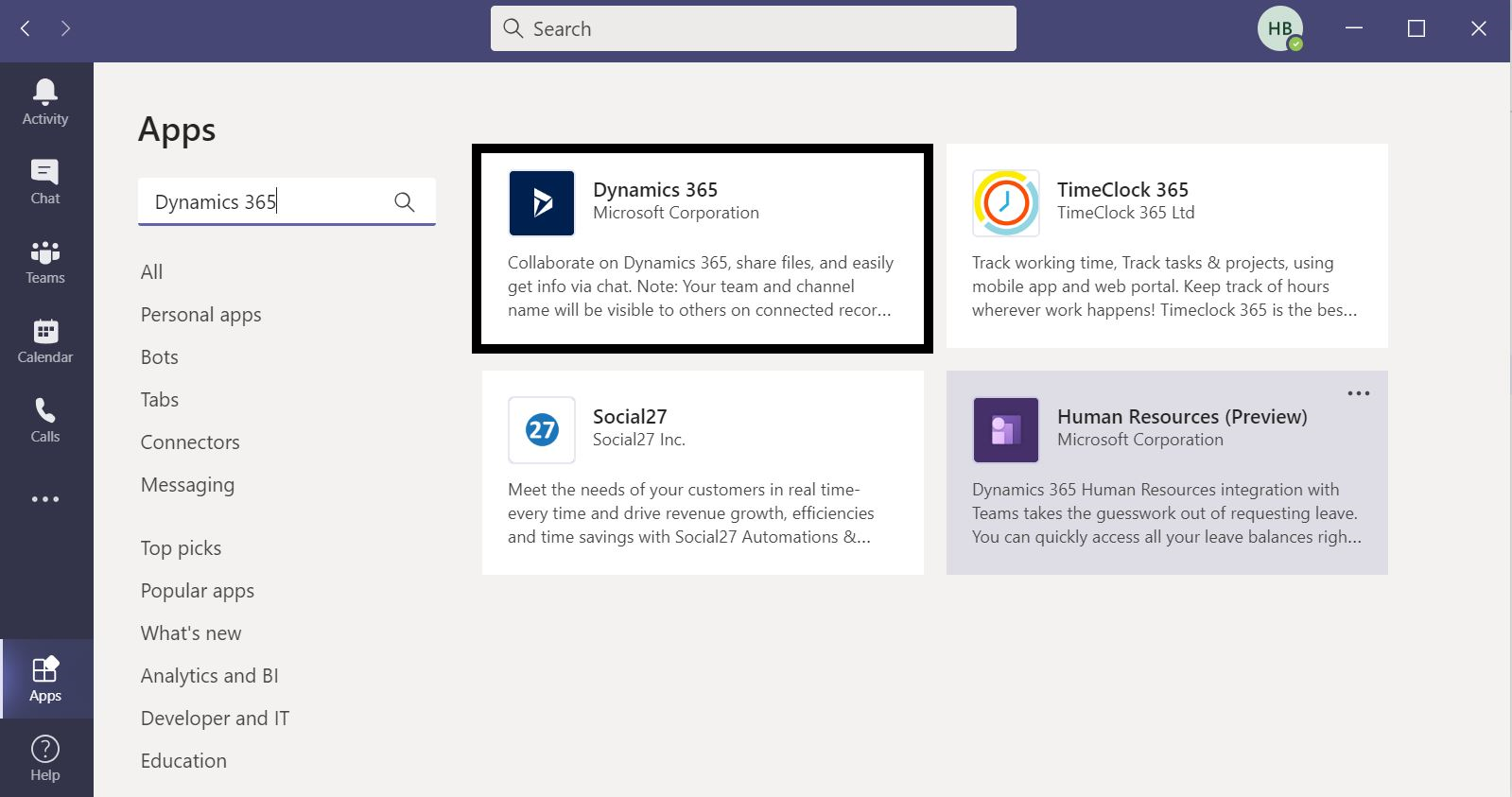
Login to Microsoft Teams. Search for "Dynamics 365" and install it.

You can even enable Bot with Dynamics 365.
Teams_integration_step_2
Step 3:

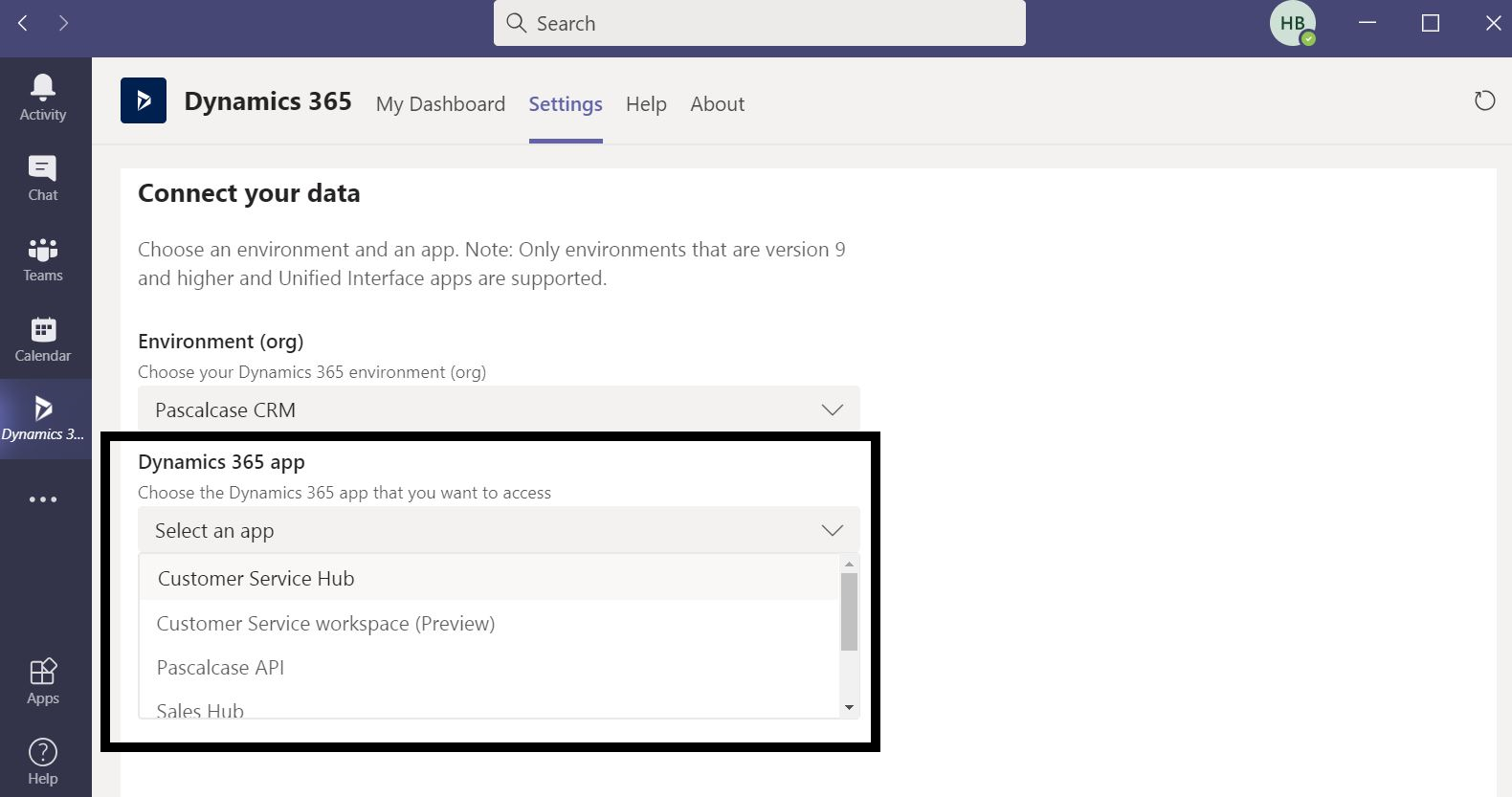
Select Configure or go to settings and choose your Dynamics 365 environment.

It will show you all the related apps, select anyone, and click on save changes.
step_3
Step 4:

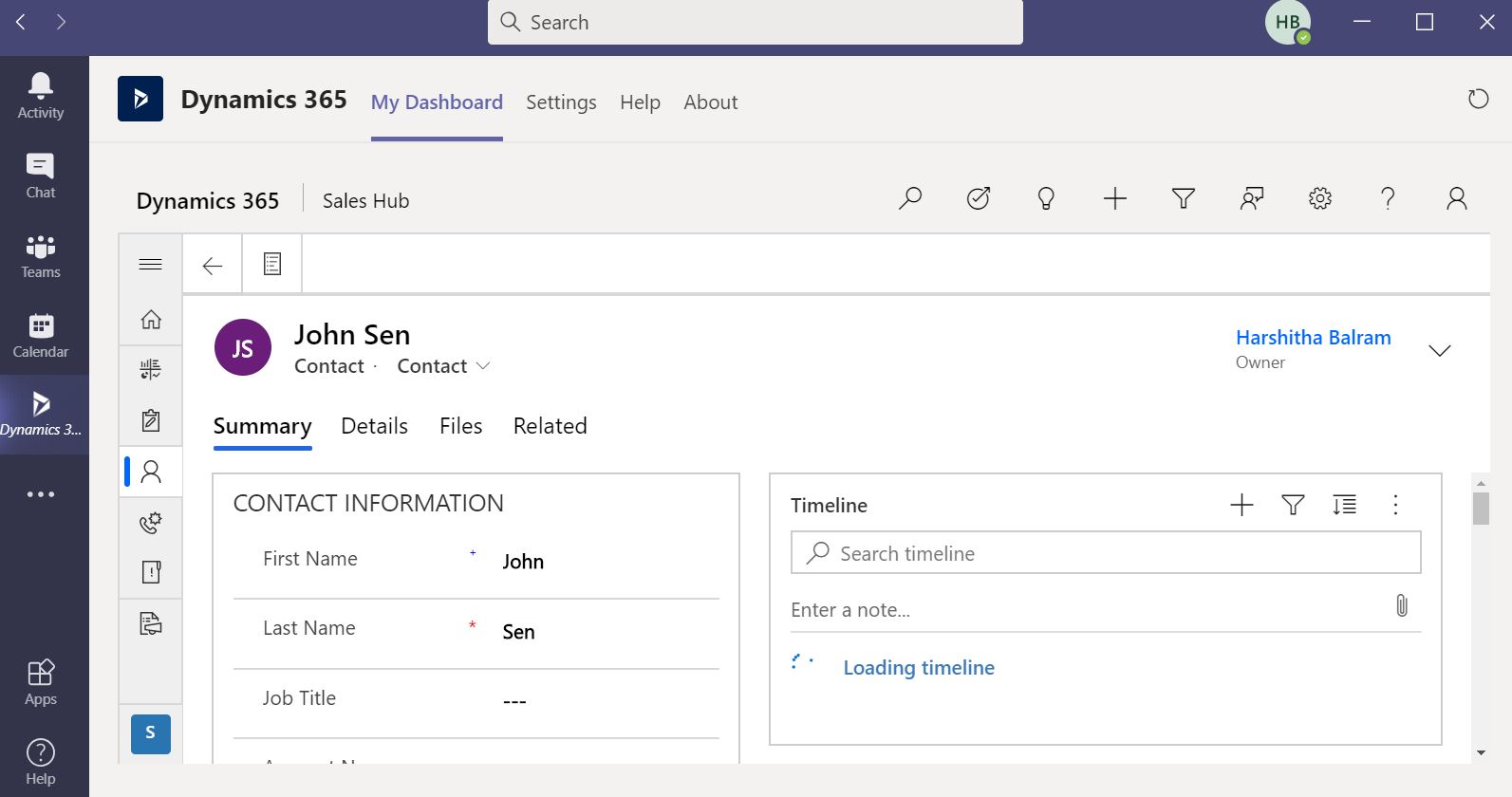
Select any entity and open a record in Dynamics 365 from Teams. You will be able to see Dynamics 365 data in Teams.
step_5

Need help with your business solution?

Our team can help you implement the right solution for your organization.

Get in touch
LogoLogo

Ex-Microsoft experts helping businesses get more from their Dynamics 365 and Power Platform investments.

Products

Back to all articles

More from the blog

Generate Temporary Download URLs in Dynamics 365 Using GetFileSasUrl

Enable Audio Playback in Dynamics 365 Contact Forms Using JavaScript

Integrating Your Copilot Agent with Teams

Adding Generative AI to your Cloud Flows with AI Prompts

How to Generate Early Bound Classes in Dataverse with XrmToolBox

Email Smarter in Outlook with Sales Copilot and Power Apps Integration

How to Populate Choice Fields Using Power Apps Dataflows

How to Populate Dataverse Lookup Fields Using Power Apps Dataflows

Metadata Browser
  • HTML To PDF Converter
  • Data Mask for Dataverse
  • Commission 365
  • AI Autocloser
  • Flow Monitor
  • Services

    • D365 Marketing
    • D365 Sales
    • D365 Customer Service
    • D365 Field Service

    Company

    • About Us
    • Blog
    • Contact
    • Careers

    Copyright ©2026 Pascalcase Software Private Limited. All rights reserved.

    Privacy PolicyTerms of Service