LogoLogo

Our Products

Metadata Browser

Edge Add-on

HTML To PDF Converter

Power Automate Connector

Data Mask for Dataverse

Dataverse App

Commission 365

Dynamics 365 App

AI Autocloser

Dataverse App

Flow Monitor

Power Automate App

ServicesAboutCareersBlogContact
Chat on Teams
Metadata BrowserHTML To PDF ConverterData Mask for DataverseCommission 365AI AutocloserFlow Monitor
ServicesAboutCareersBlogContactChat on Teams
HomeBlogPreferred Solution in Dynamics 365
Preferred Solution in Dynamics 365

April 29, 2024
#D365
Likitha Chirumalla
Preferred Solution in Dynamics 365

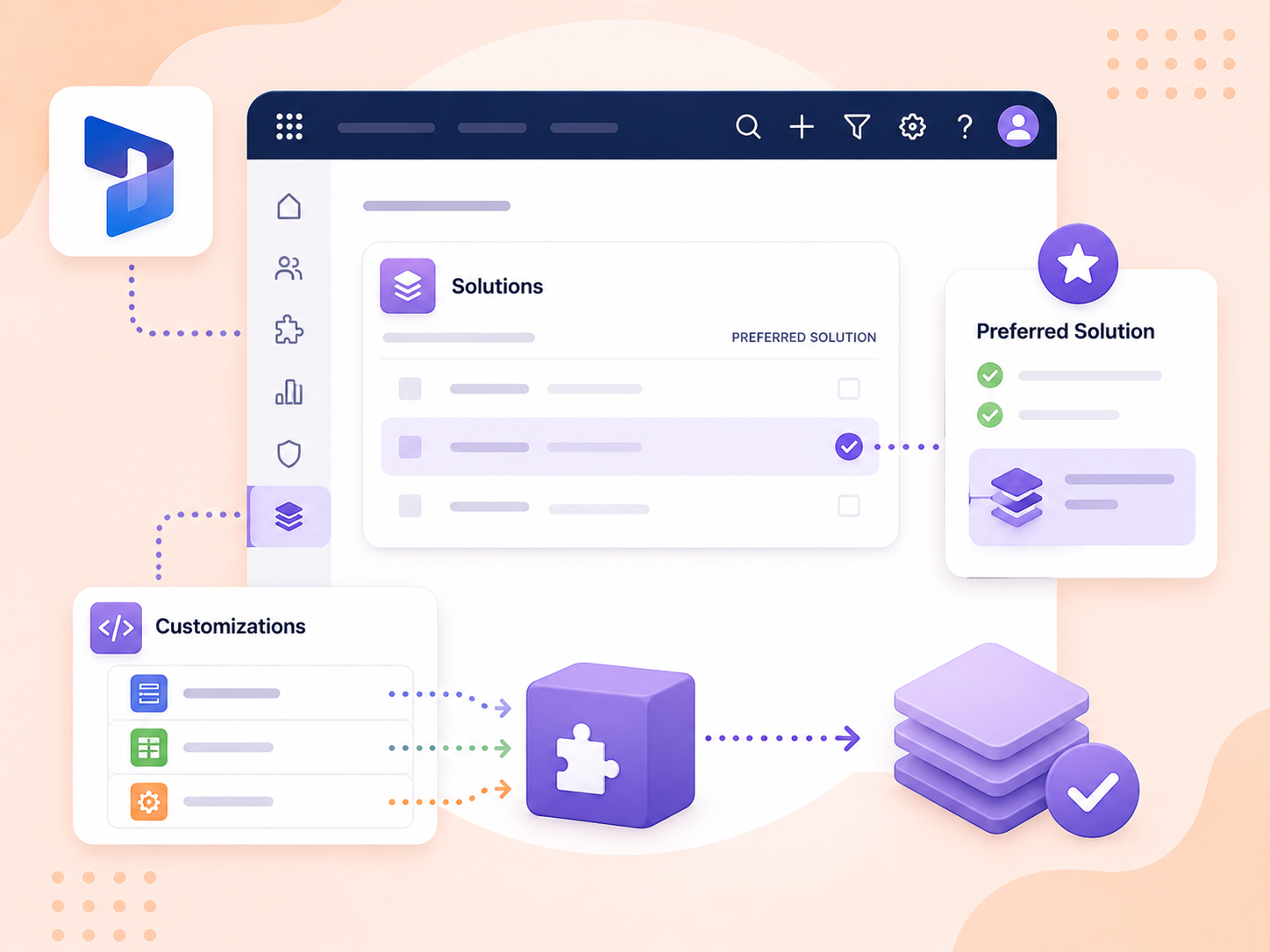
The Preferred Solution feature in Dynamics 365 makes managing customizations easier. It allows creators to choose one solution to keep all their changes in one place, simplifying the process and giving them more control. Previously, navigating to the solutions area to modify a custom solution was time-consuming. Now, with the Preferred Solution, changes are made within the environment automatically linked to the designated solution, simplifying the customization process and ensuring consistency across different environments.  

Set the Preferred Solution. 

You can set your preferred solution through the settings panel or from the solutions page:  

  • Sign into https://make.powerapps.com 

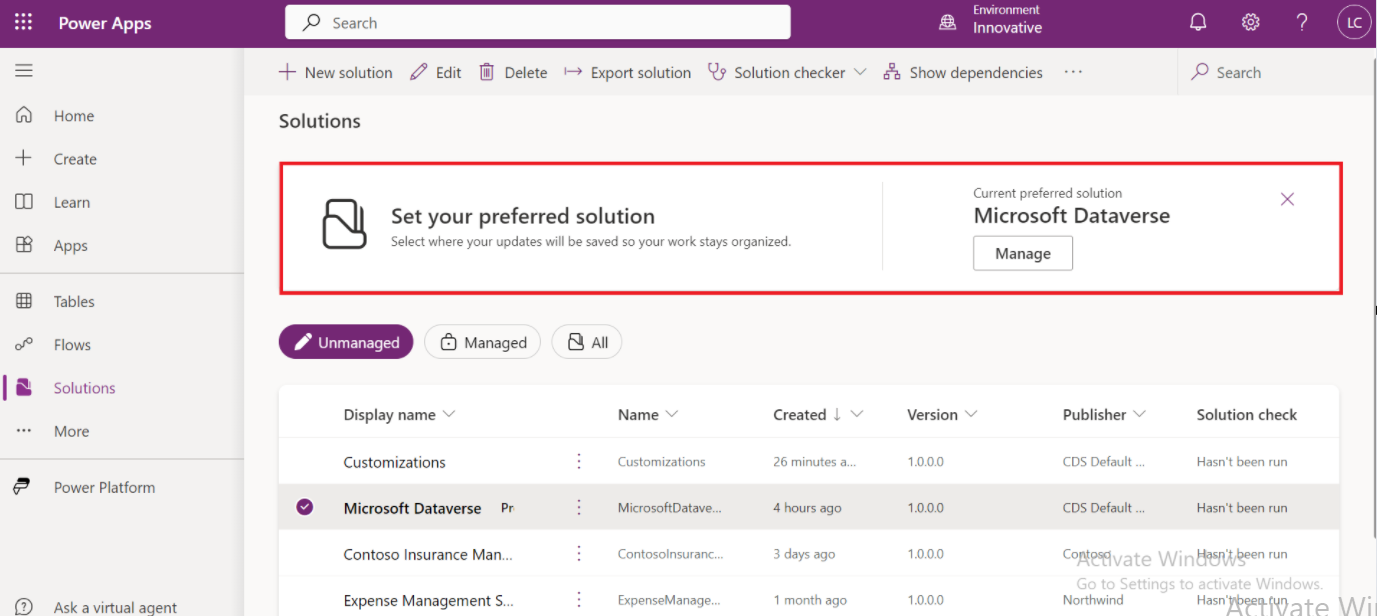
  • Click on the settings and select Set preferred solution or go to the Solutions and Select an unmanaged solution that you want to make your preferred solution. 

Settings area: 
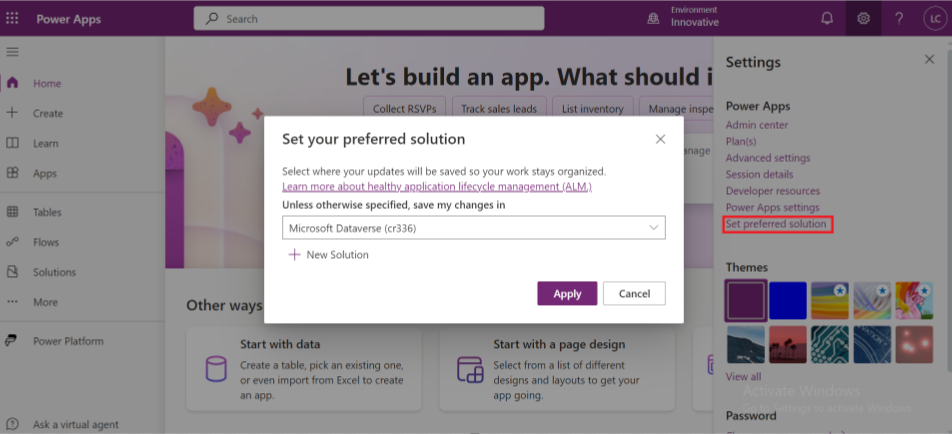
Preferred Solution in Dynamics 365 01

Solutions page: 

Preferred Solution in Dynamics 365 02

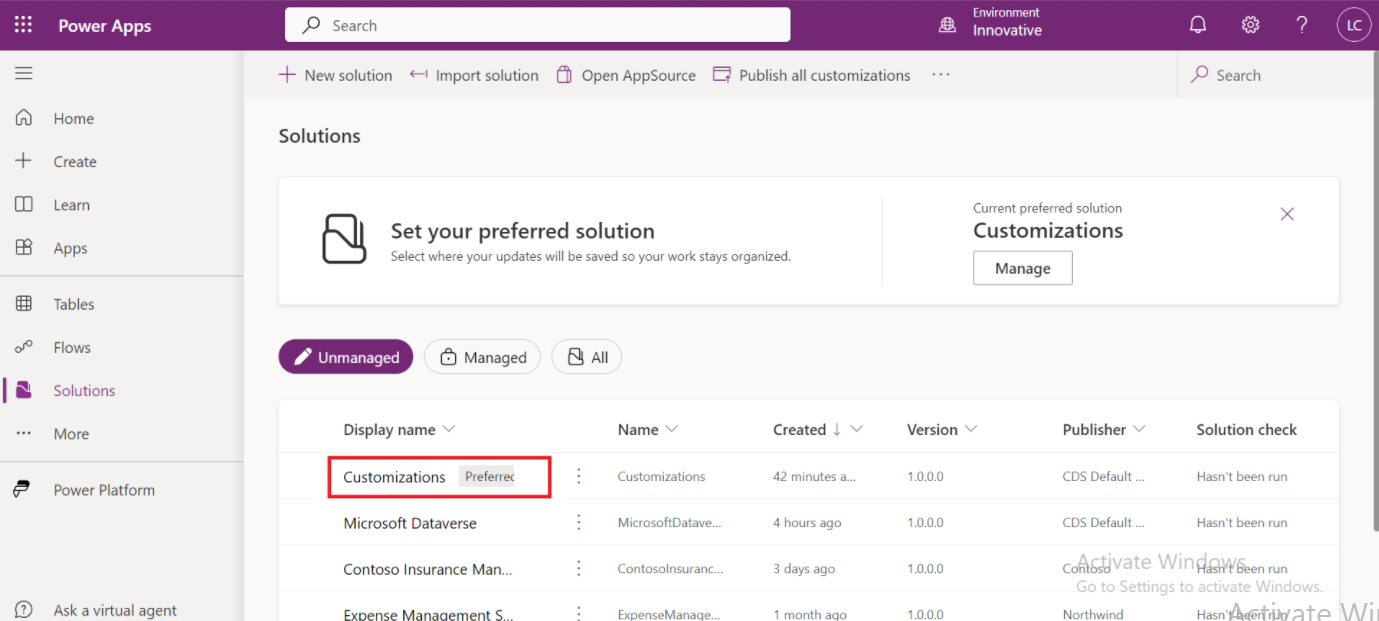
It is possible to change the location where all customizations are automatically saved to another unmanaged solution, which means the default publisher for all new components will also change. 
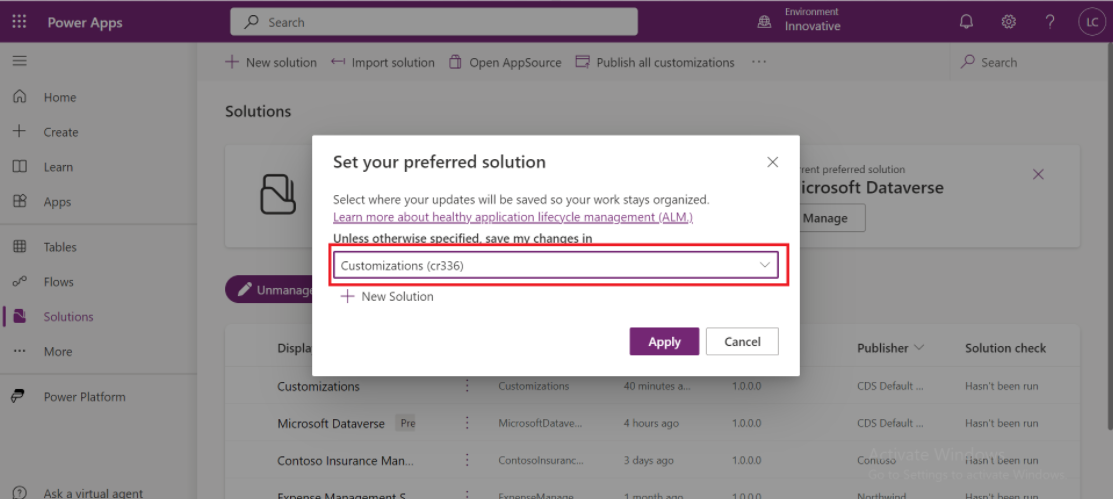
03 Preferred Solution in Dynamics 365
04 Preferred Solution in Dynamics 365
Back to all articles

More from the blog

Verify network capacity and throughput for clients in Microsoft Dynamics 365

Generate Temporary Download URLs in Dynamics 365 Using GetFileSasUrl

Enable Audio Playback in Dynamics 365 Contact Forms Using JavaScript

Integrating Your Copilot Agent with Teams

Adding Generative AI to your Cloud Flows with AI Prompts

How to Generate Early Bound Classes in Dataverse with XrmToolBox

Email Smarter in Outlook with Sales Copilot and Power Apps Integration

How to Populate Choice Fields Using Power Apps Dataflows

Need help with your business solution?

Our team can help you implement the right solution for your organization.

Get in touch
LogoLogo

Ex-Microsoft experts helping businesses get more from their Dynamics 365 and Power Platform investments.

Products

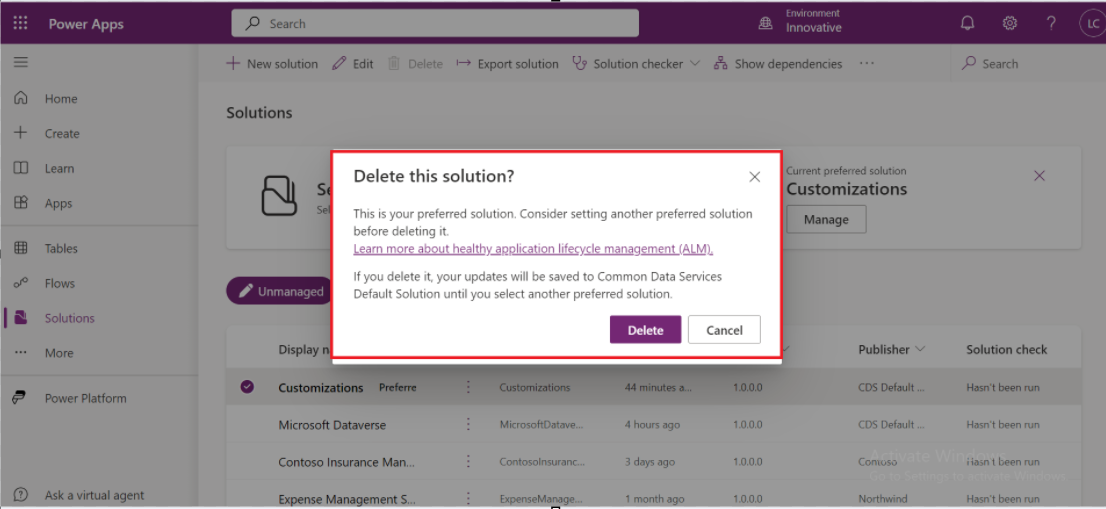
Another great feature is that it notifies us when we delete a solution that we or another user have set as preferred. 

05 Preferred Solution in Dynamics 365

There is still the 'DEFAULT SOLUTION' where all components will always appear! 

LIMITATIONS: 
  • In the classic solution explorer, you won't find options to set or view the preferred solution. 

  •  Any components created within the classic solution explorer won't automatically be included in the preferred solution. 

  •  Currently, the preferred solution feature doesn't integrate with cards, dataflows, AI Builder, chatbots, connections, gateways, custom connectors, and Power Automate flows. 


Metadata Browser
  • HTML To PDF Converter
  • Data Mask for Dataverse
  • Commission 365
  • AI Autocloser
  • Flow Monitor
  • Services

    • D365 Marketing
    • D365 Sales
    • D365 Customer Service
    • D365 Field Service

    Company

    • About Us
    • Blog
    • Contact
    • Careers

    Copyright ©2026 Pascalcase Software Private Limited. All rights reserved.

    Privacy PolicyTerms of Service