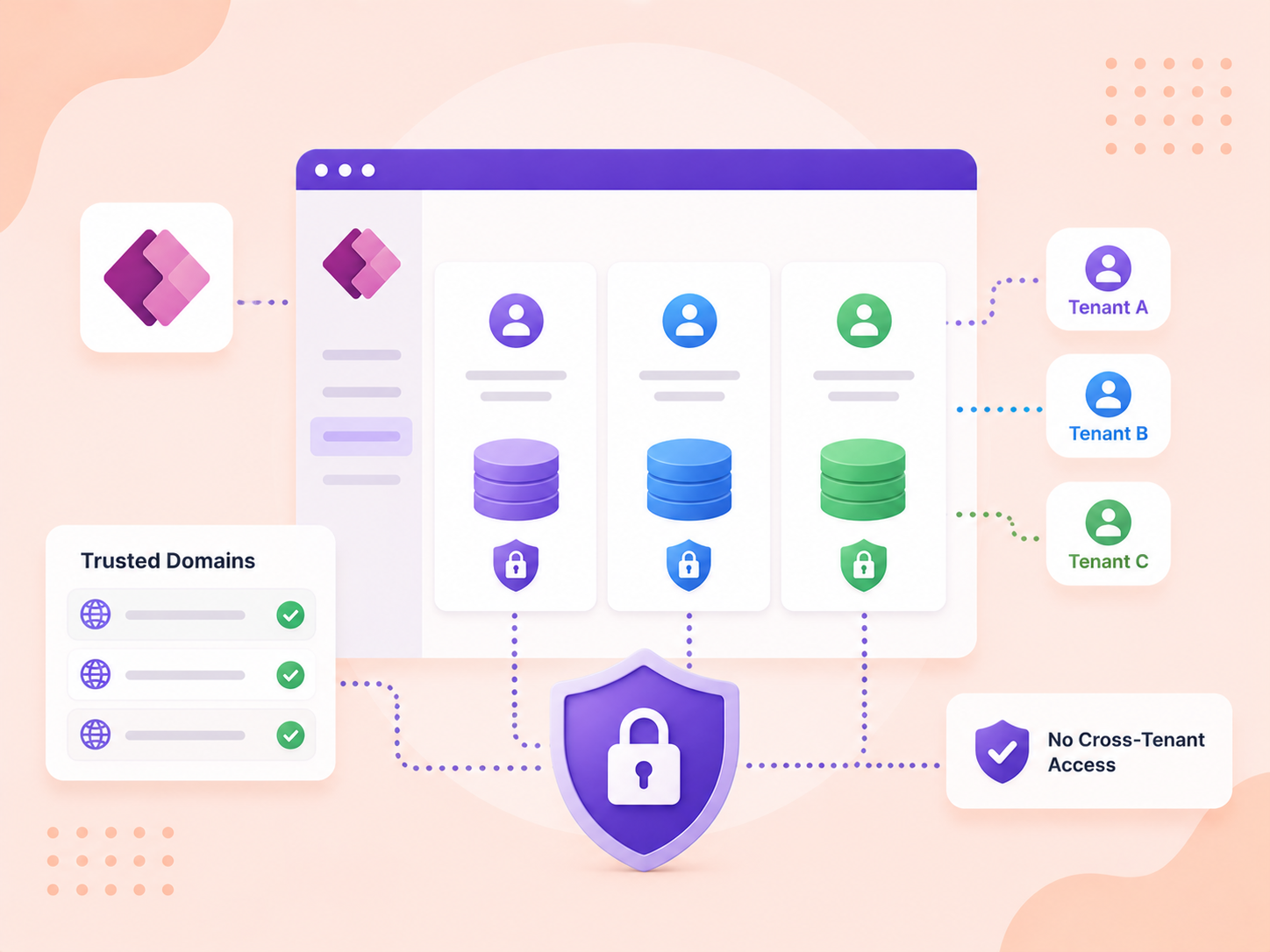
Tenant Isolation is a security feature that safeguards your data by preventing unwanted or unexpected data exchanges. It ensures that external users cannot authenticate into your tenant, while also blocking internal users from logging into external tenants. By doing so, it protects your data from being shared or stolen by inadvertently copying or moving it to external tenants. With Tenant Isolation in place, only your organization's domain can be used by solutions, apps, and flows, blocking access to any other tenants.
For organizations managing multiple tenants, Tenant Isolation offers flexibility. You can exclude specific domains from the policy for both inbound and outbound connections, allowing authentication with your tenant's domain or other trusted tenants you work with, all while maintaining security. This way, collaboration is possible without compromising data protection.
Benefits of Tenant Isolation in Power Apps
Enhanced Data Security: Prevents external users from accessing your Power Apps environment, ensuring data stays within your organization.
Prevent Data Leakage: Blocks unauthorized data transfers to external tenants, safeguarding sensitive information.
Controlled Data Access: Limits internal users to your tenant, reducing risks of accessing unapproved external environments.
Flexibility with Trusted Domains: Allows secure connections with trusted external domains while maintaining overall isolation.
Compliance and Governance: Supports regulatory compliance by keeping data within specified tenant boundaries.
Simplified Management: Makes tenant access control easier, ensuring only approved apps and users interact with your data.
Need help with your business solution?
Our team can help you implement the right solution for your organization.
In this blog, we'll explore why tenant isolation is essential, and how it functions within Power Apps to protect your organization's data.
Set up Tenant Isolation in your tenant
How to Turn on Tenant Isolation in Power Apps?
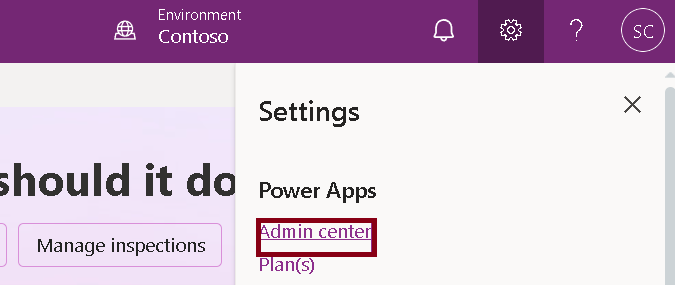
Firstly, log into the Power Platform Admin Center.
Remember to turn on Tenant Isolation, you must have a Power Platform Admin, or a Global Admin role assigned.
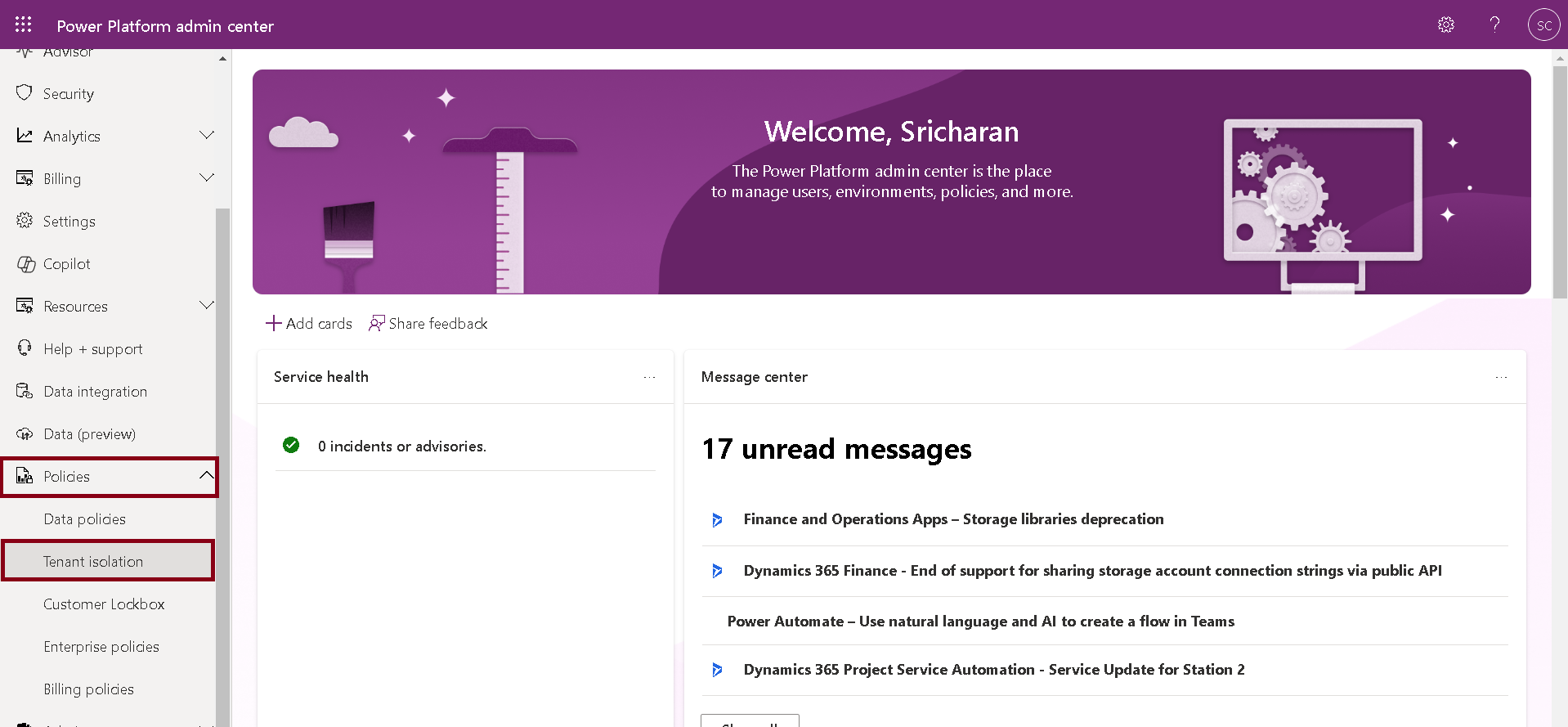
To start, open the Power Platform Admin Center.
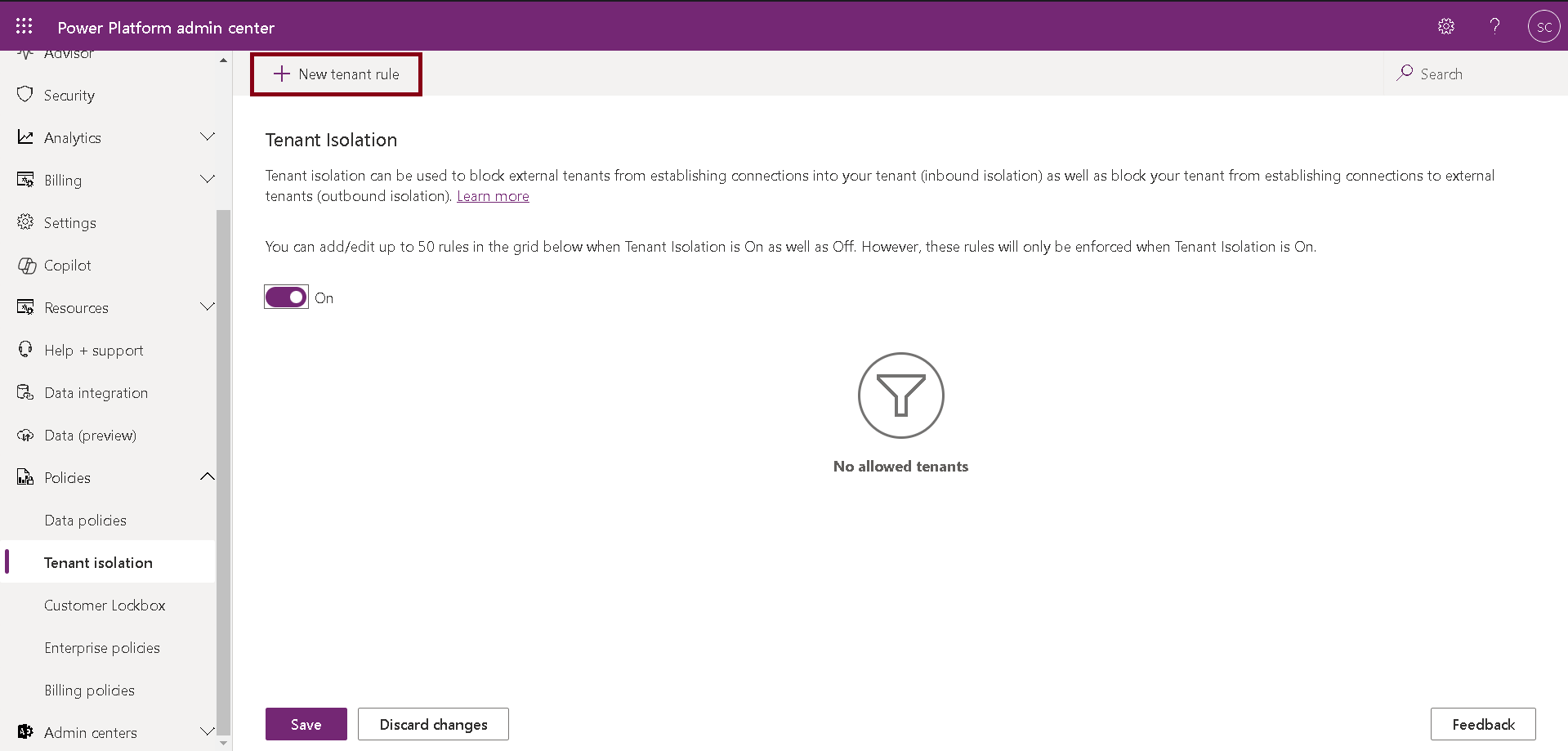
Navigate to Policies on the menu and select Tenant Isolation.
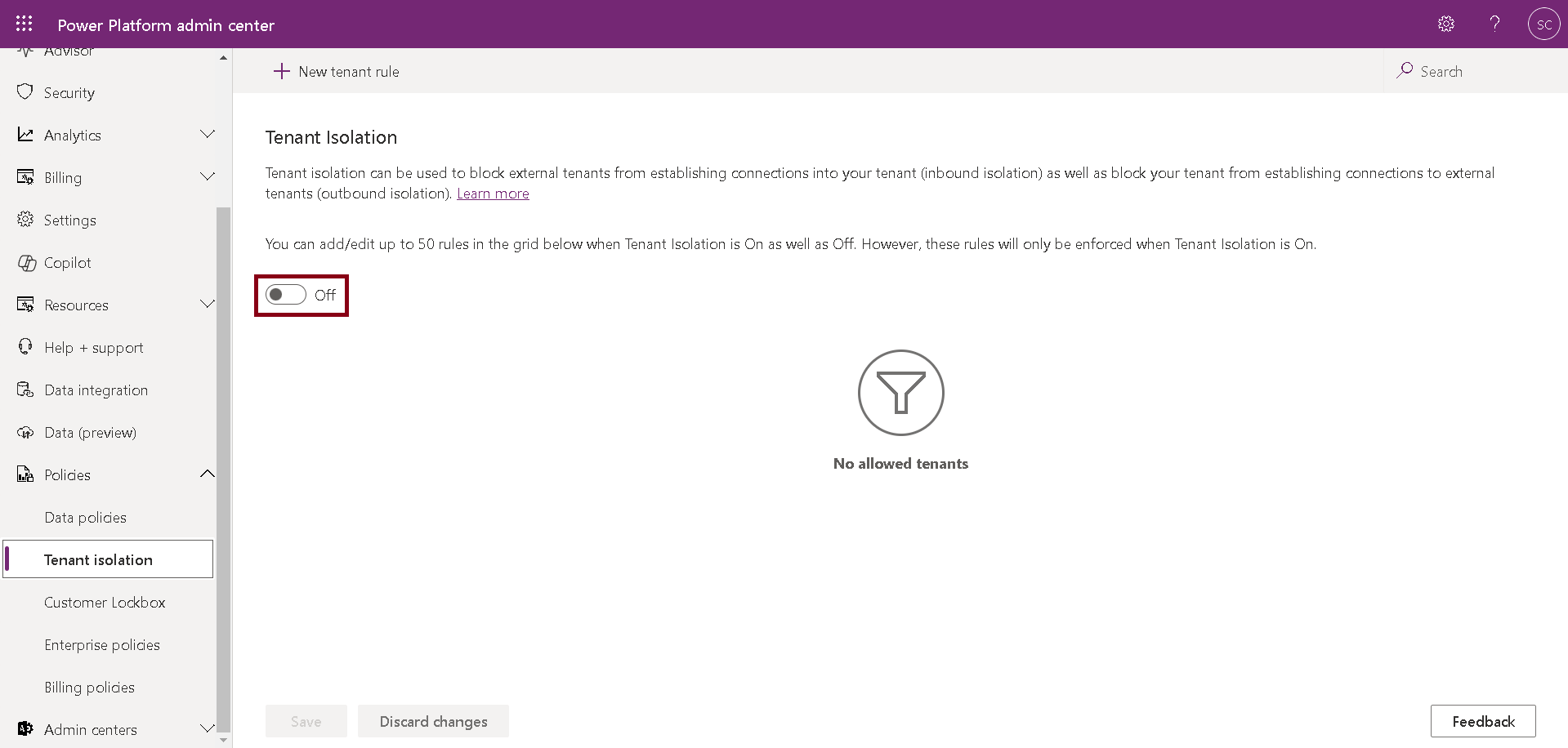
Turn on the Tenant Isolation for your tenant by using the toggle button.
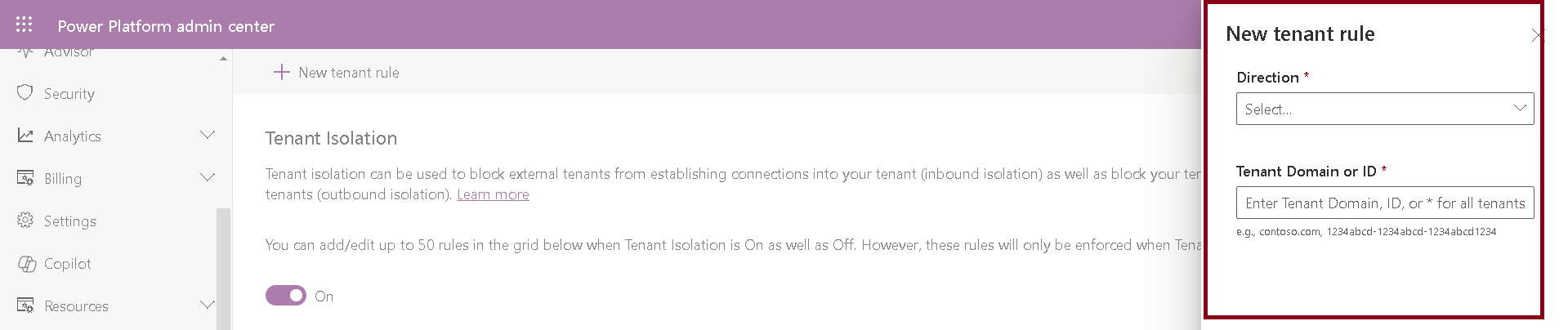
Click on +New Tenant Rule to add a rule.
On the right, there should be a popup opened.
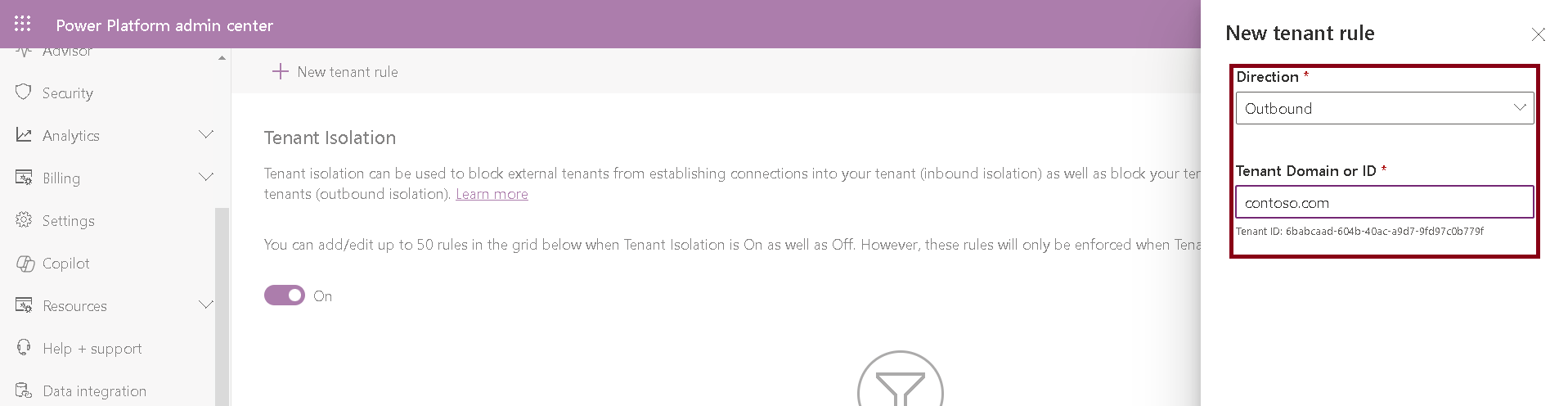
Here, on the New Tenant Rule page, you can see two fields: Direction and Tenant ID.
Direction can be Inbound Outbound or both.
Inbound: Controls access from other tenants to your tenant. It manages how external tenants can interact with your resources.
Outbound: Controls access from your tenant to other tenants. It manages how your users and resources can interact with external tenants.
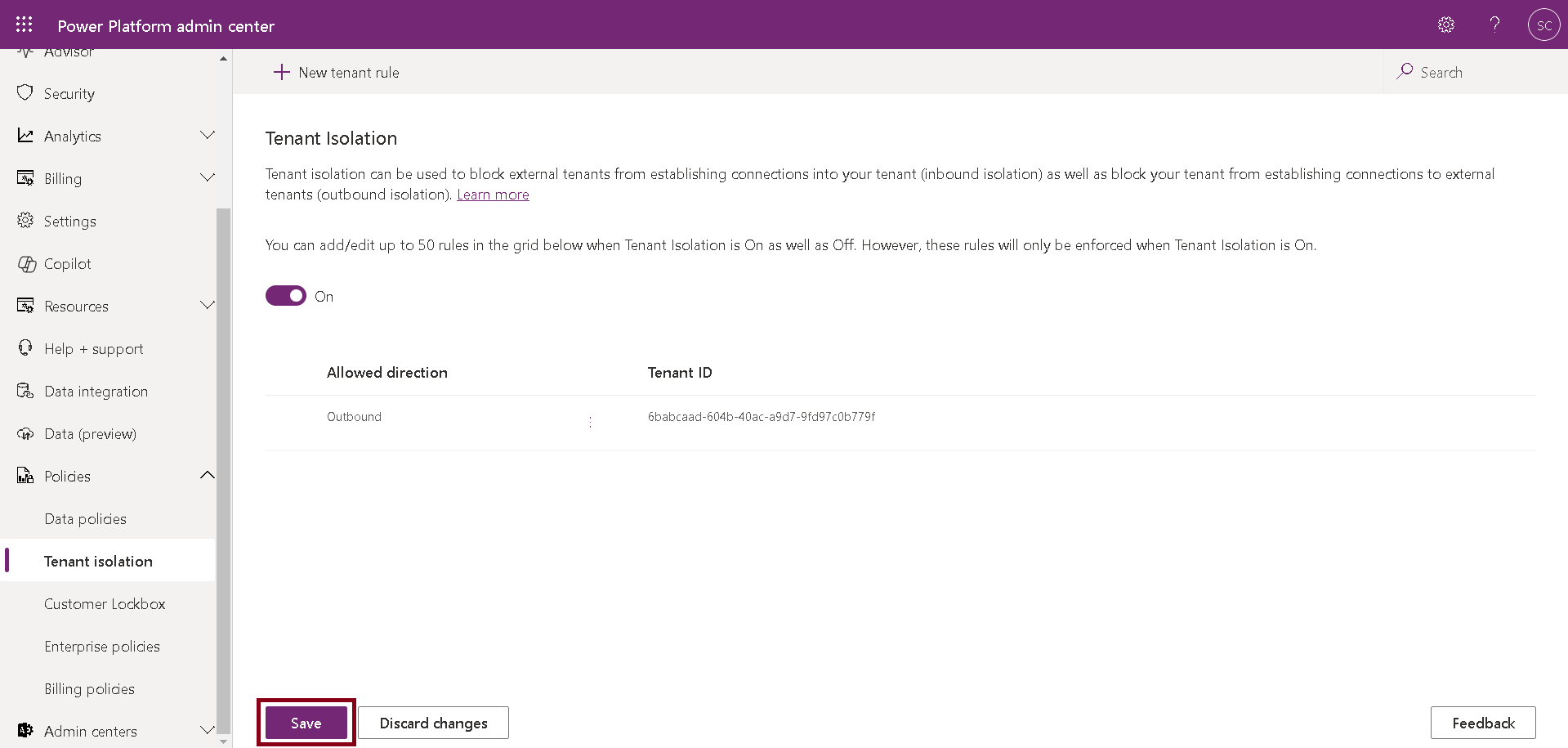
Provide Direction and Tenant ID details of your choice and Click on Save.
After successfully adding the rule, click Save.
In conclusion, Tenant Isolation is essential for many organizations, especially in the Power Platform, where various connectors could potentially steal data from your tenant. By enabling Tenant Isolation, users are restricted to working exclusively within your tenant, preventing external connections that might put your data at risk. If you're unsure about the safety of any inbound or outbound connections, consider implementing Tenant Isolation to safeguard your valuable data.
Frequently Asked Questions (FAQs):
1. What is tenant isolation in Power Apps?
Tenant isolation is a security feature that separates different organizations (tenants) within the cloud, ensuring that data, users, and resources are isolated from one another.
2. Why is tenant isolation important?
Tenant isolation is crucial for data security, preventing unauthorized access, and ensuring compliance with data protection regulations.
3. How does tenant isolation benefit my organisation?
It provides enhanced data security, controlled connectivity with external tenants, ensures data sovereignty, and allows secure integrations with external applications.
4. What is the difference between inbound and outbound tenant isolation?
Inbound: Controls access from other tenants to your tenant.
Outbound: Manages how your tenant interacts with other tenants.