LogoLogo

Our Products

Metadata Browser

Edge Add-on

HTML To PDF Converter

Power Automate Connector

Data Mask for Dataverse

Dataverse App

Commission 365

Dynamics 365 App

AI Autocloser

Dataverse App

Flow Monitor

Power Automate App

ServicesAboutCareersBlogContact
Chat on Teams
Metadata BrowserHTML To PDF ConverterData Mask for DataverseCommission 365AI AutocloserFlow Monitor
ServicesAboutCareersBlogContactChat on Teams
HomeBlogUse Copilot to build and edit apps in Power Apps Studio
Use Copilot to build and edit apps in Power Apps Studio

September 24, 2024
#Copilot
Harika Guddeti
Use Copilot to build and edit apps in Power Apps Studio

Copilot is transforming the way makers interact with Power Apps Studio by enabling a more intuitive, efficient app-building experience. Makers can now ask Copilot to assist with specific actions, removing friction from the app development process and allowing teams to focus on delivering business value faster.   In this blog, we will explore how Copilot enhances productivity for makers in Power Apps Studio, streamlining app development and fostering innovation while ensuring quality.  

Copilot: Revolutionizing Power Apps Development 

Copilot is not just an assistant; it’s a powerful tool that automates processes, generates insights, and drives actionable recommendations based on your app's structure and business logic. As part of Power Apps Studio, it allows makers to accelerate their app-building processes, reduce complexity, and focus on core business needs. 

The updated Copilot introduces direct interaction capabilities, making it more than just a suggestion tool. Now, Copilot can execute commands, assist with specific tasks, and automatically adapt your app according to your preferences. 

Copilot Enhances the App Development Process 

Streamlined User Experience: 

Copilot's deep integration with Power Apps Studio provides a seamless experience for makers. Whether it’s refining app layouts or creating new forms, Copilot's contextual understanding of the app’s current state ensures that every recommendation or action is relevant and useful. 

Increased Productivity: 

By automating repetitive tasks and providing intelligent suggestions, Copilot frees up time for makers to focus on more complex, value-adding tasks. This results in faster app iterations and delivery. 

Lower Barrier for New Makers: 

For those new to Power Apps, Copilot acts as a virtual guide. Makers can build functional, professional apps without needing to understand all the intricate details of app design and development. Copilot's conversational interface simplifies the learning curve, making app creation more accessible to everyone. 

Navigating Copilot in Power Apps  

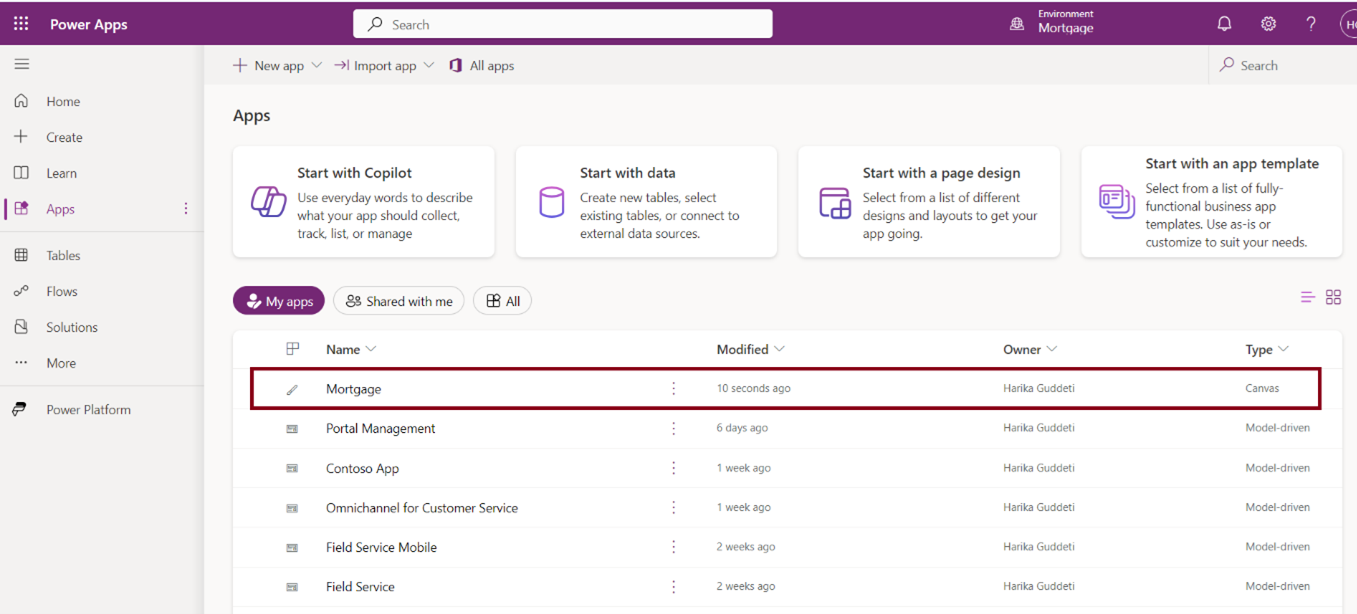
Open Power Apps and access the app you want to create or edit. 
Back to all articles

More from the blog

Explaining and Creating formulas with Copilot on Power Apps

Visualising Data Models in Power Apps with Copilot in an ERD View

Build Your Personal Copilot with Microsoft Copilot Studio

Exploring Copilot in Power Platform

Generate Temporary Download URLs in Dynamics 365 Using GetFileSasUrl

Enable Audio Playback in Dynamics 365 Contact Forms Using JavaScript

Integrating Your Copilot Agent with Teams

Adding Generative AI to your Cloud Flows with AI Prompts

Need help with your business solution?

Our team can help you implement the right solution for your organization.

Get in touch
LogoLogo

Ex-Microsoft experts helping businesses get more from their Dynamics 365 and Power Platform investments.

Products

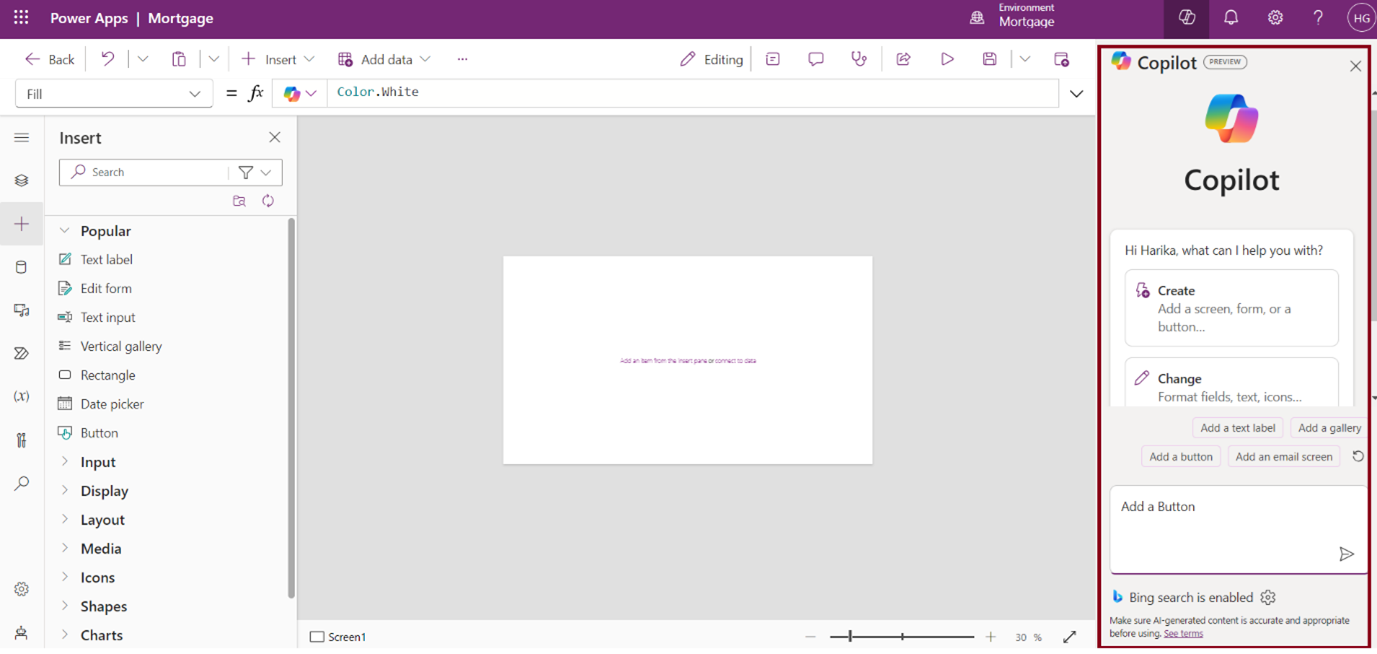
Use Copilot to build and edit apps in Power Apps Studio 01

Activate the Copilot panel on the right side of the screen. 

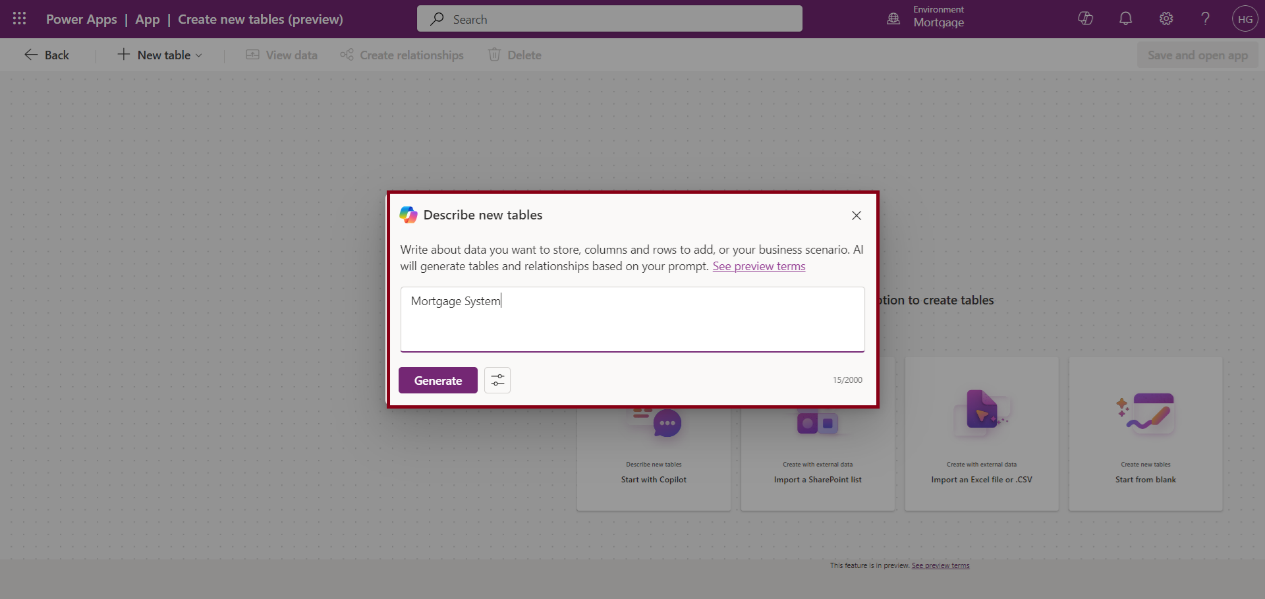
Use Copilot to build and edit apps in Power Apps Studio 02

Type a command to Copilot, like Create an app to track project tasks. 

Use Copilot to build and edit apps in Power Apps Studio 03

Review and accept or modify Copilot's generated suggestions for app layouts, forms, or workflows. 

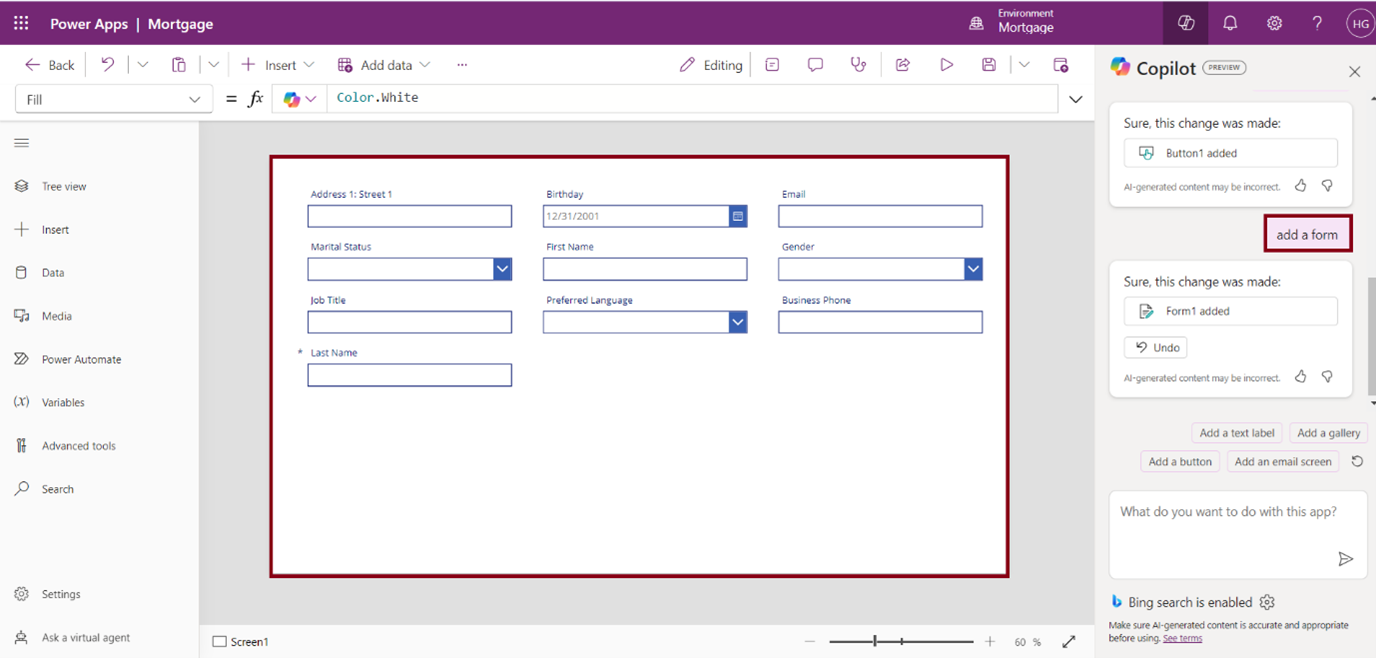
Ask Copilot to make edits, such as Add a form, button, add a text label, add a calendar screen, etc … 

Use Copilot to build and edit apps in Power Apps Studio 04

In the above Image, we have added the Form using the Copilot. 

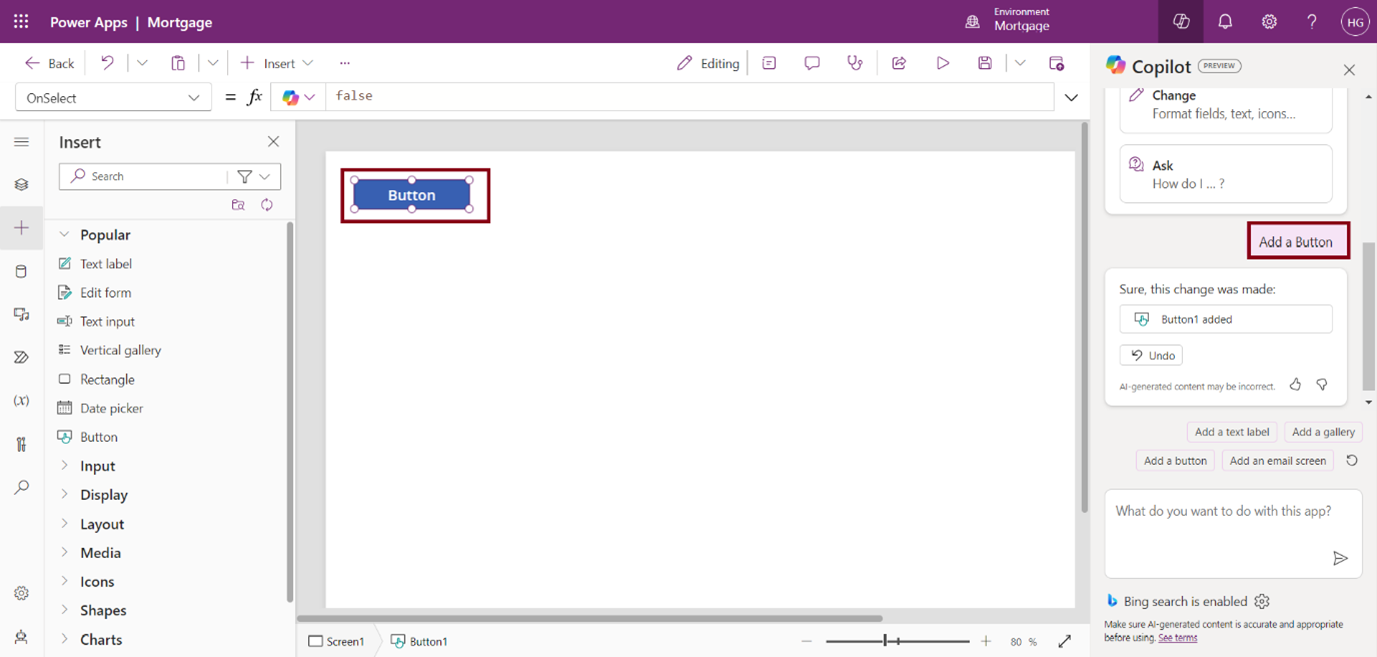
Use Copilot to build and edit apps in Power Apps Studio 05

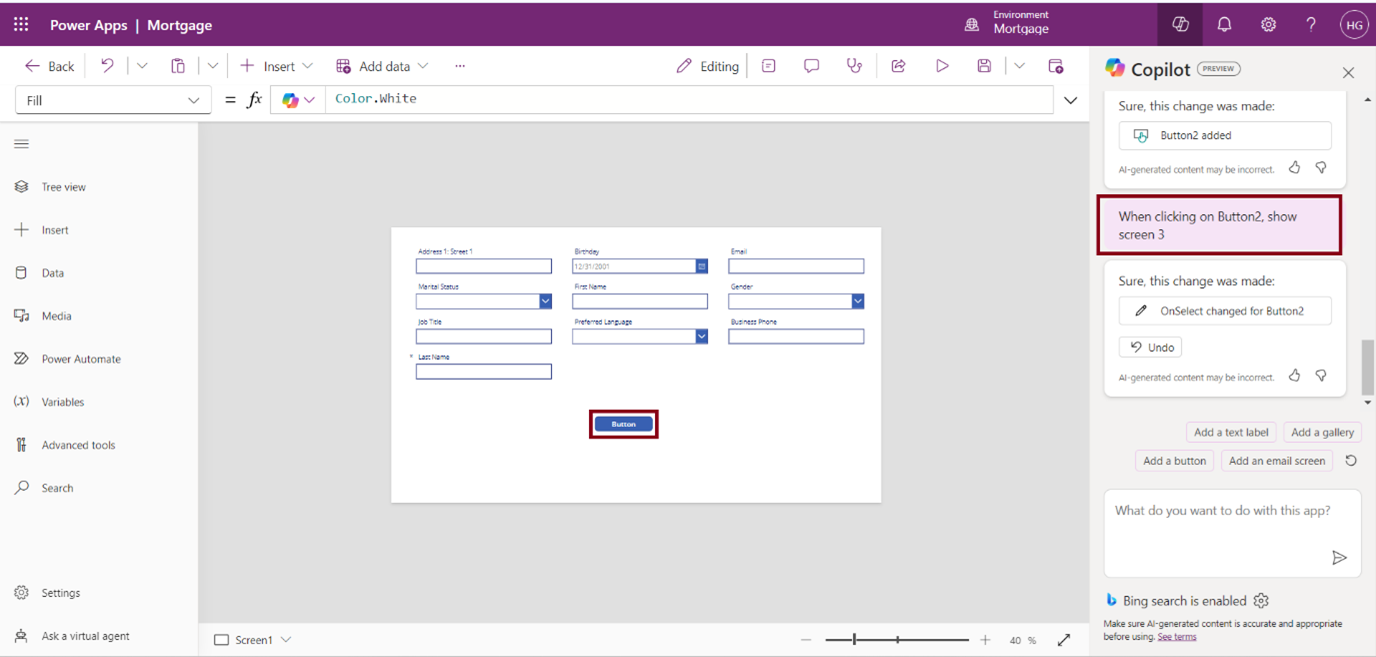
In the above image, we have added the Button using Copilot. 

Use Copilot to build and edit apps in Power Apps Studio 06

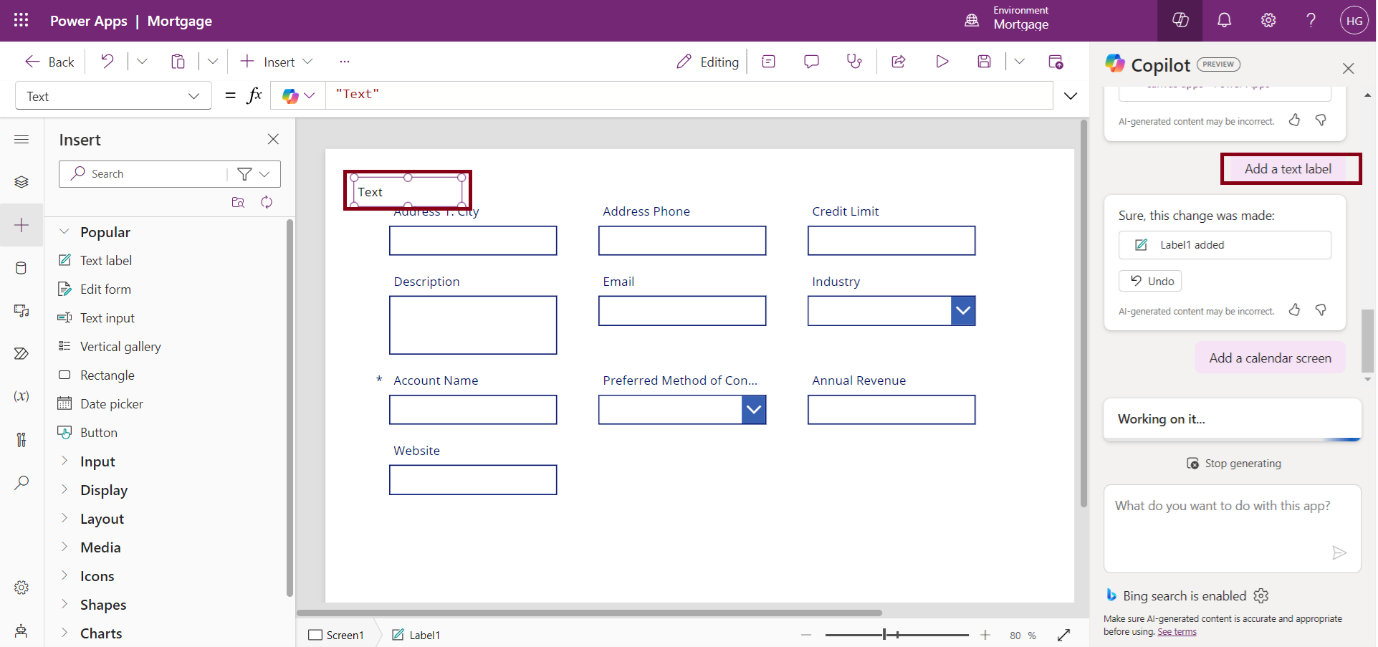
In the above Image we have added Text label using Copilot. 

Use Copilot to build and edit apps in Power Apps Studio 07

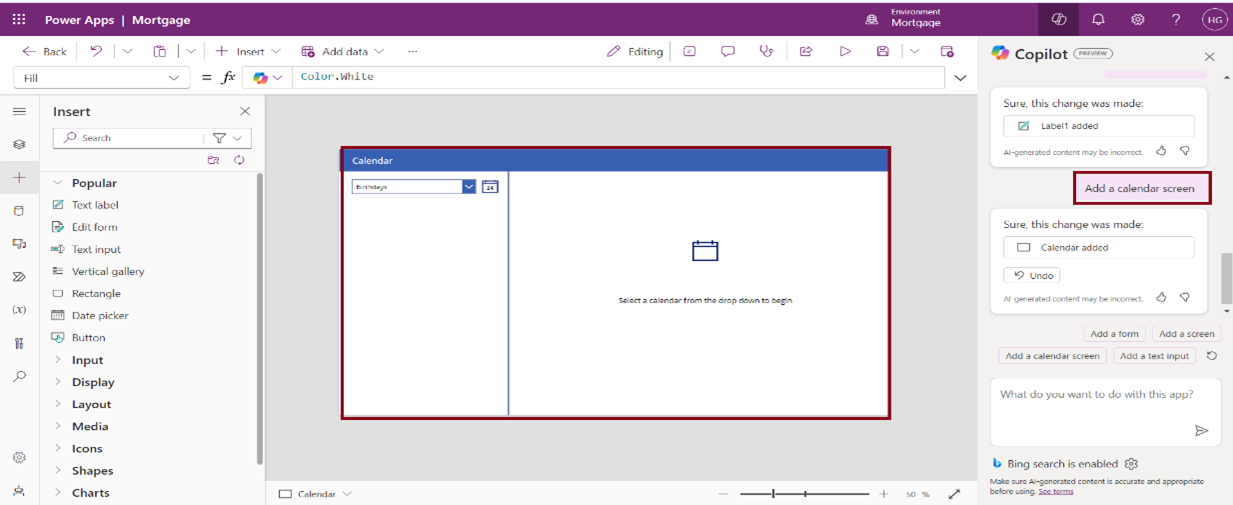
In the above Image, we have added the Calendar Screen using Copilot.

Use Copilot to build and edit apps in Power Apps Studio 08

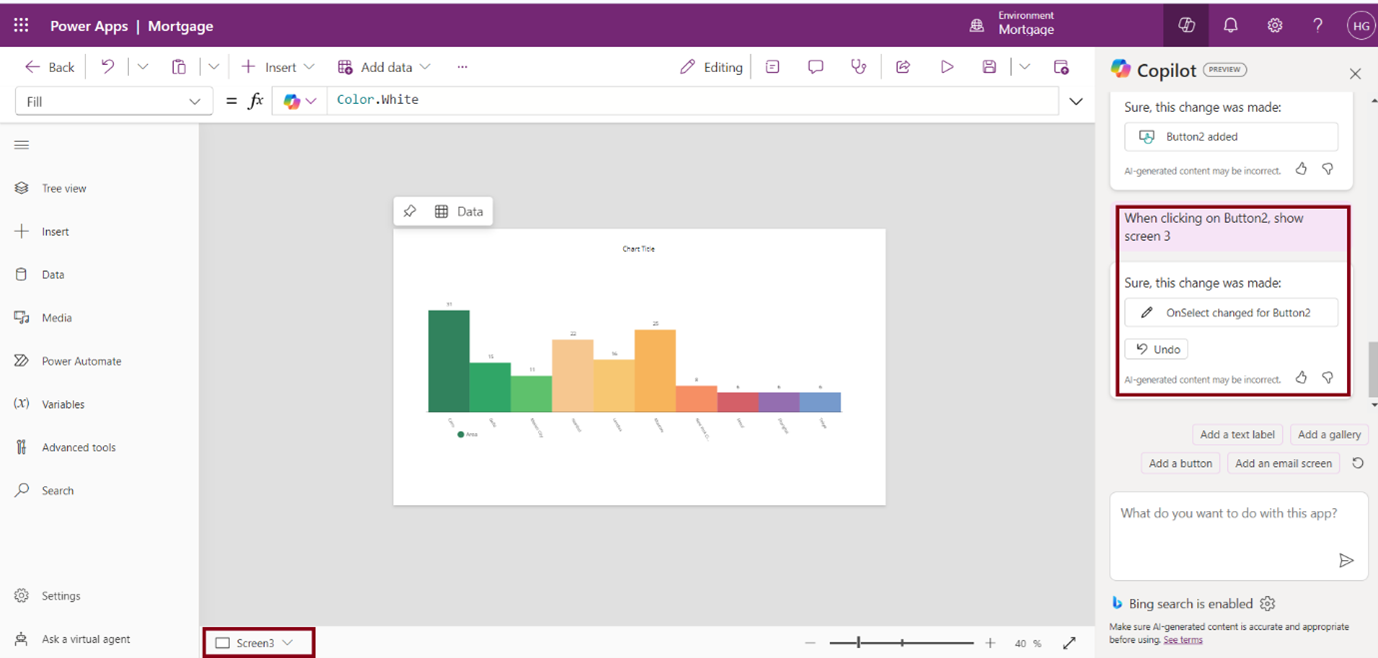
In the above image, we have added a functionality, that is clicking the button triggers Screen 3 through a Copilot command. 

Use Copilot to build and edit apps in Power Apps Studio 09

Save and test your app once Copilot completes the tasks. 

In conclusion, Copilot in Power Apps Studio revolutionizes app development by automating processes, offering intelligent recommendations, and simplifying workflows. Its intuitive interface empowers makers to build, edit, and optimize apps efficiently.

Frequently Asked Questions (FAQs):
1. How do I access Copilot in Power Apps Studio? 

You can access Copilot from the Copilot panel located on the right side of Power Apps Studio. Simply open the panel to start interacting with Copilot. 

2. Can Copilot create a complete app from scratch? 

Yes, Copilot can generate the initial structure of an app, including screens, forms, and data models, based on high-level instructions you provide. 

3. What kind of actions can Copilot perform? 

Copilot can create app layouts, modify existing apps, adjust fields, change data sources, automate workflows, and integrate external services, among other tasks. 

4. Can I make changes to suggestions provided by Copilot? 

Yes, you can review Copilot’s suggestions and either accept, reject, or modify them to better suit your app’s needs. 

Metadata Browser
  • HTML To PDF Converter
  • Data Mask for Dataverse
  • Commission 365
  • AI Autocloser
  • Flow Monitor
  • Services

    • D365 Marketing
    • D365 Sales
    • D365 Customer Service
    • D365 Field Service

    Company

    • About Us
    • Blog
    • Contact
    • Careers

    Copyright ©2026 Pascalcase Software Private Limited. All rights reserved.

    Privacy PolicyTerms of Service