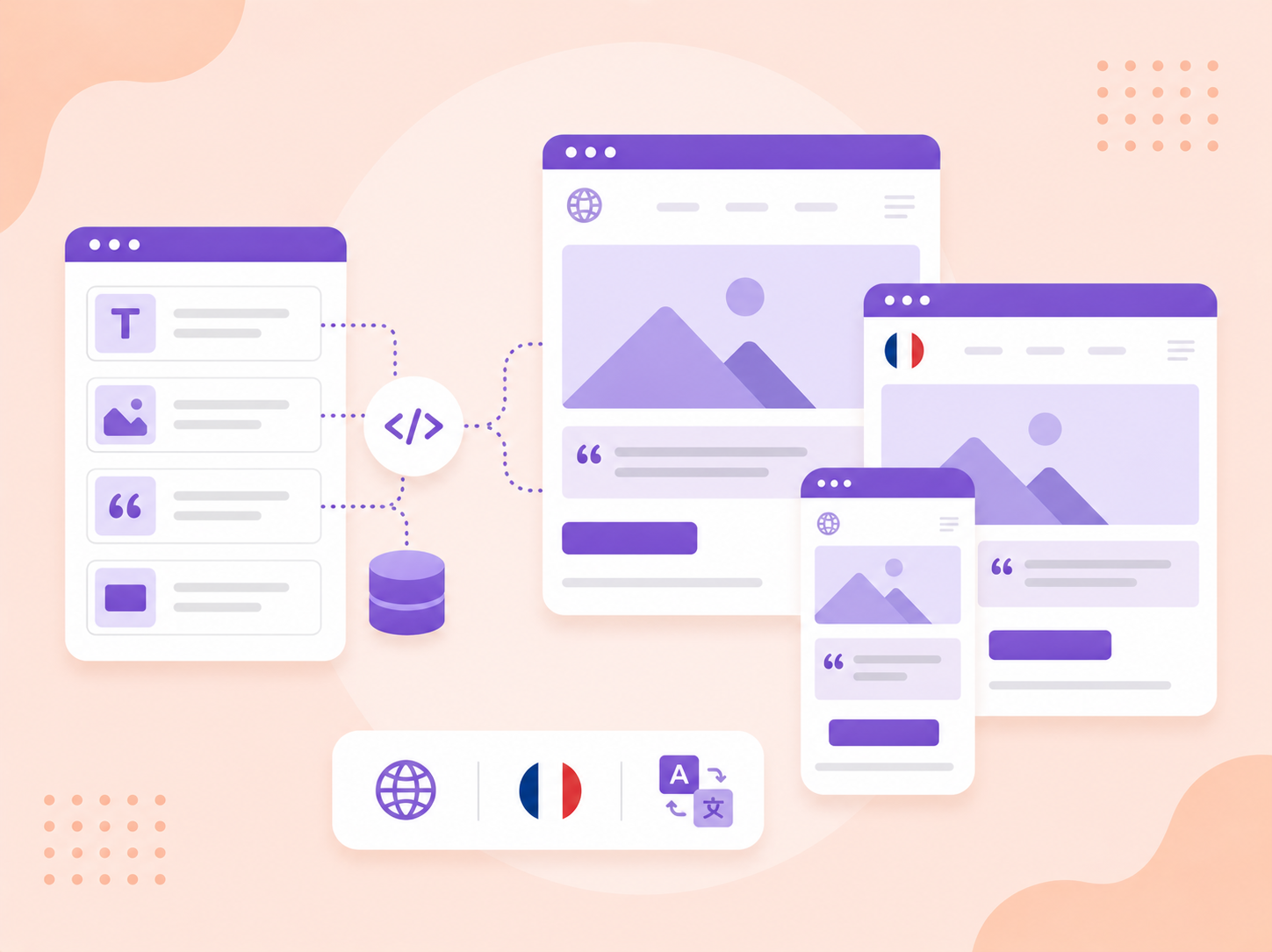
Content snippets in Power Pages are reusable pieces of text or HTML that you can create once and use in multiple places across your website. They offer a flexible way to manage and maintain content that frequently appears on different web pages, such as disclaimers, footers, or promotional messages. By using snippets, you can update content in one central location, and it will automatically reflect across all the pages where it's used, improving efficiency and consistency.
Content snippets in Power Pages are incredibly versatile and can be used in various scenarios to streamline content management. Here are several practical use cases:
Multilingual Website Management
Use Case: A global company operates its website in multiple languages.
Scenario: The Company has static elements such as legal disclaimers, product descriptions, or customer service information that need to be translated into different languages.
Solution: Create language-specific content snippets for each element, and dynamically load the correct snippet based on the user's language preferences. This ensures that all users see the same content, tailored to their preferred language
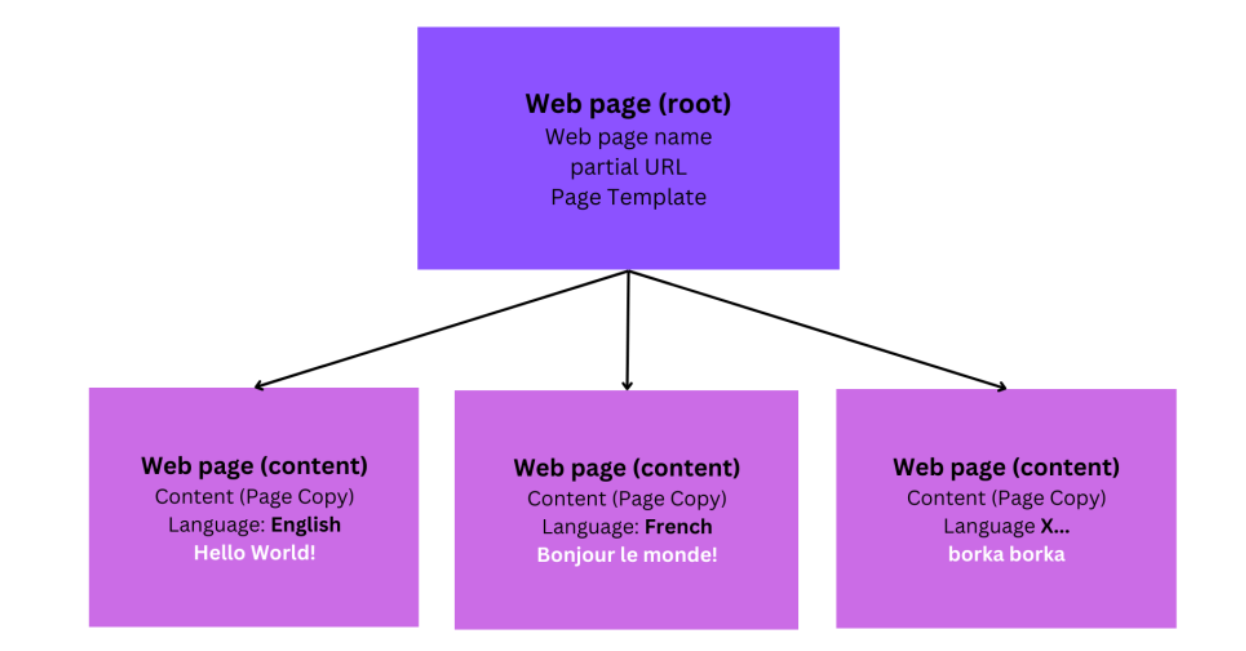
Power Pages stores web page metadata in Microsoft Data verse as follows:
A root webpage record holds important information such as the webpage name, the template it uses, the partial URL, and other related metadata. For each provisioned language in the website, there will be a corresponding webpage content record, linked to the root webpage record. The content records hold the page content for each language in the Page Copy field.
Need help with your business solution?
Our team can help you implement the right solution for your organization.
To create and use content snippets for static pages does require a little bit using pro-developer tools, but nothing that a good maker couldn’t handle. Once the content snippets are configured and placed into web pages (or web templates) maintaining, translating and updating becomes very easy.
To create and use content snippets, you typically follow these steps:
Create a Content Snippet:
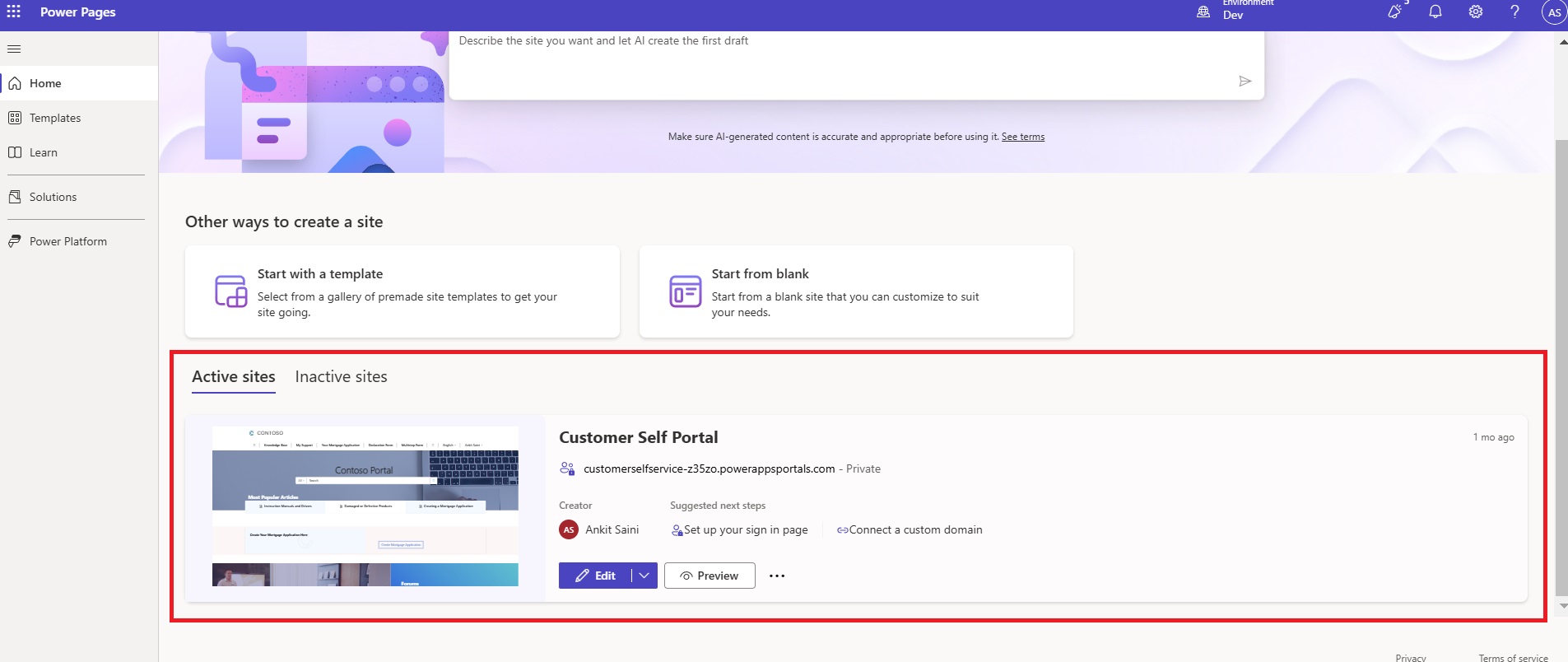
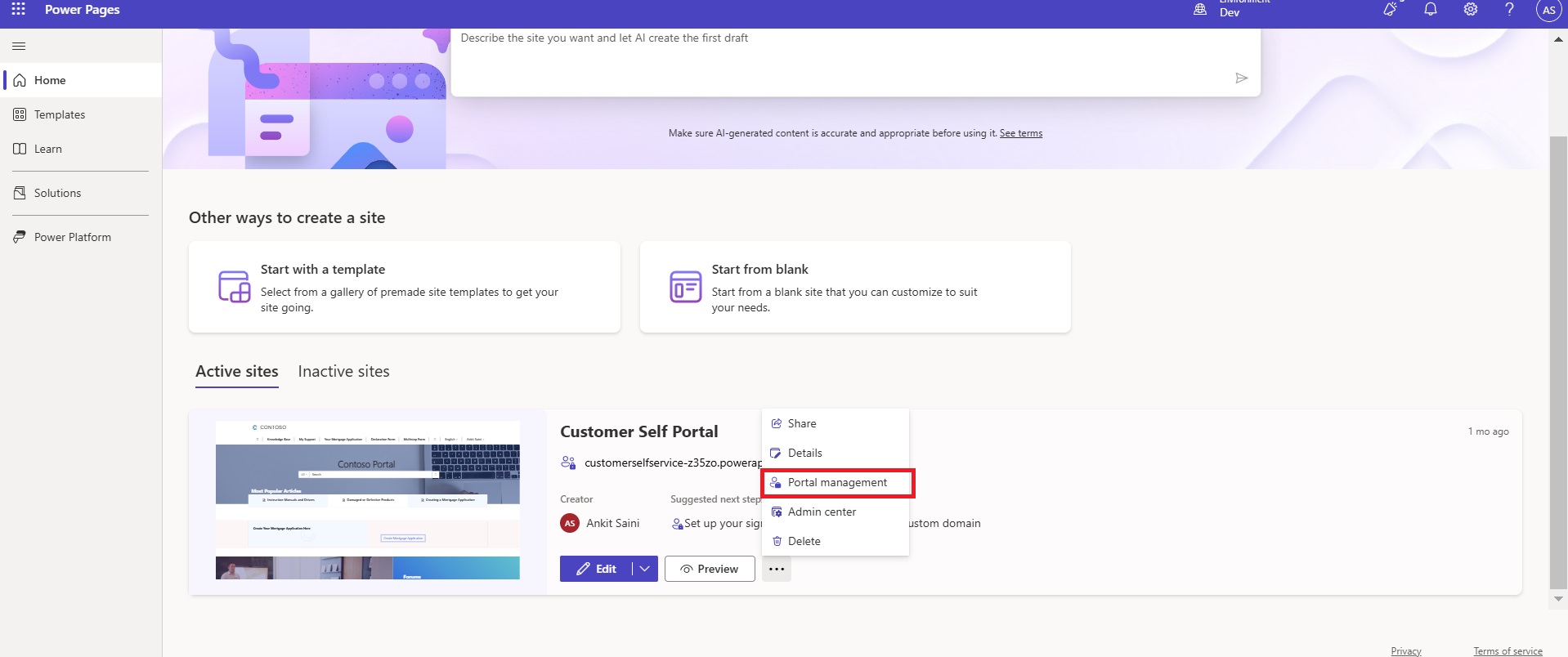
Go to Power Pages and Select your Portal.
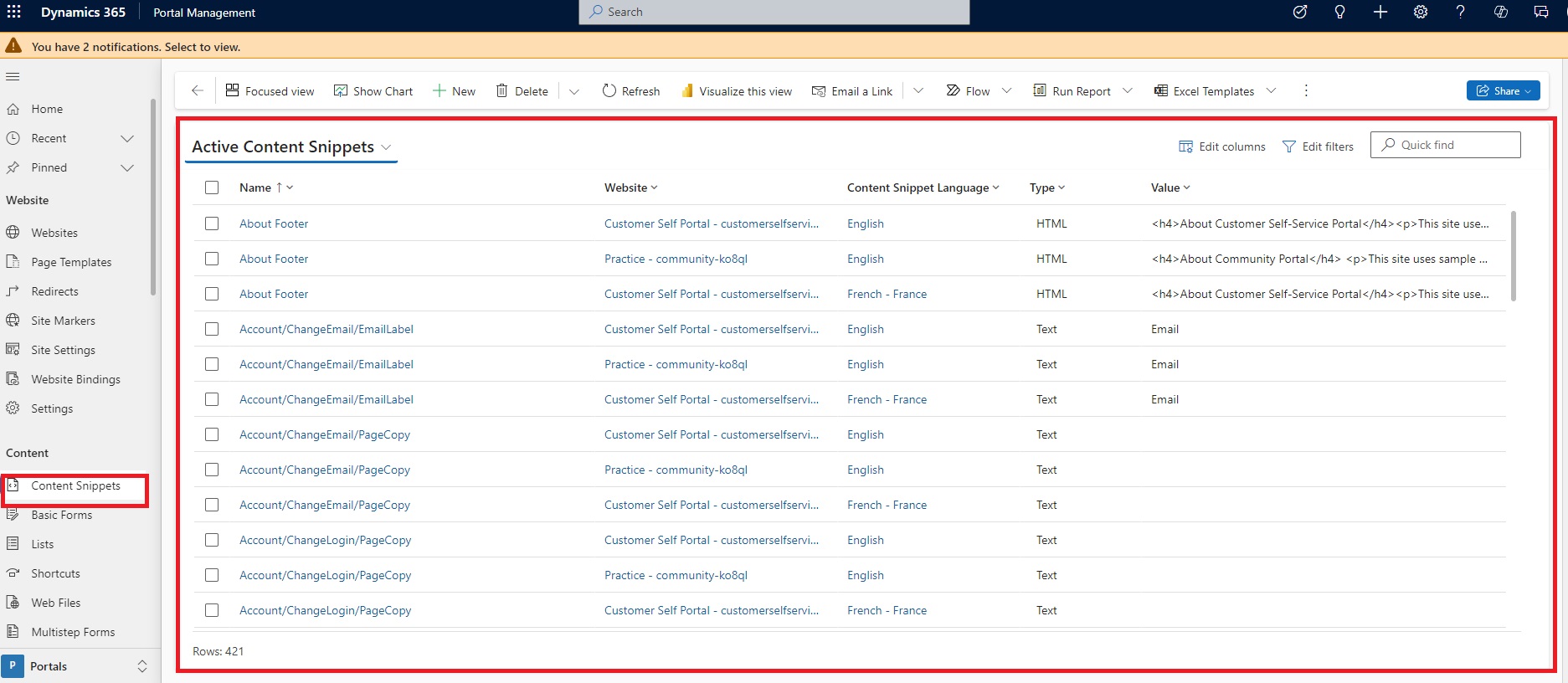
Click on Three Dots and Select Portal Management.
You will see all of the Active Content Snippets.
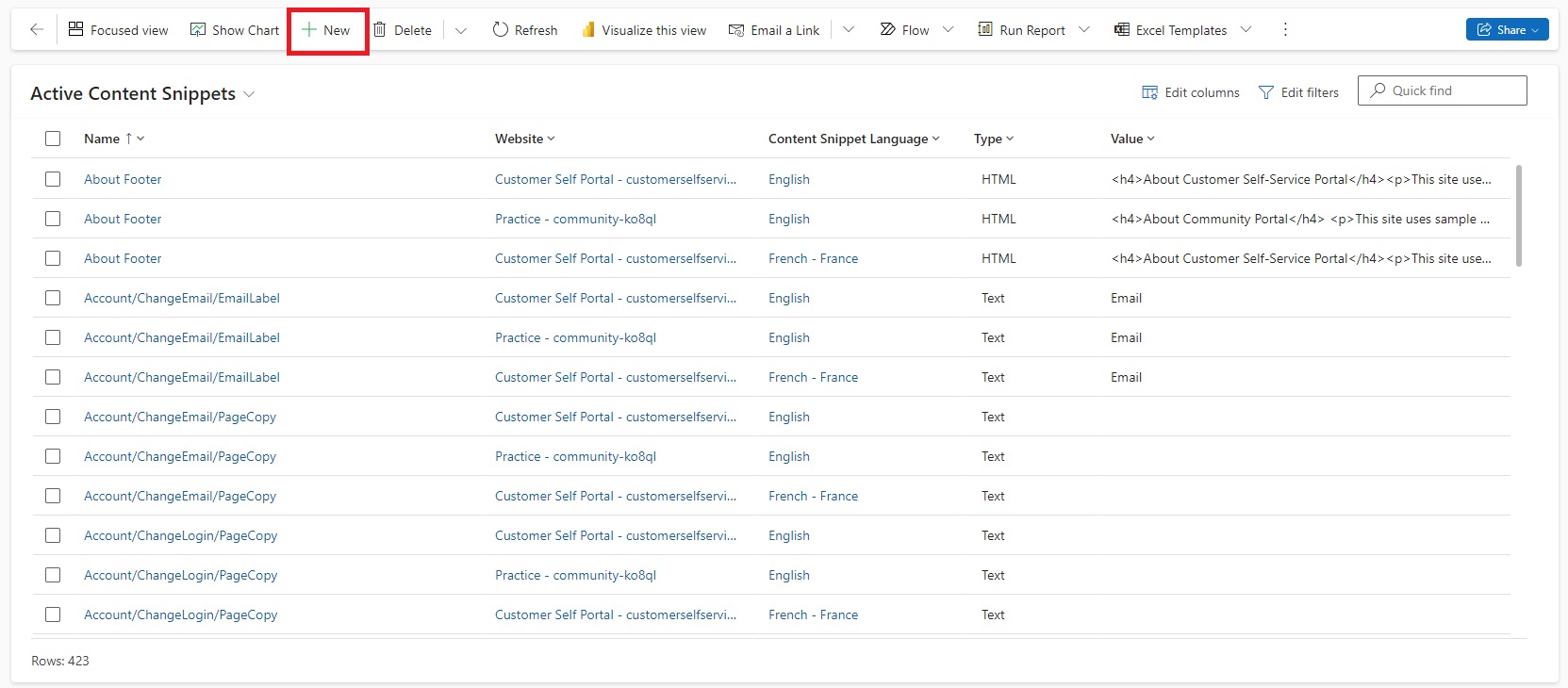
Click on New Button.
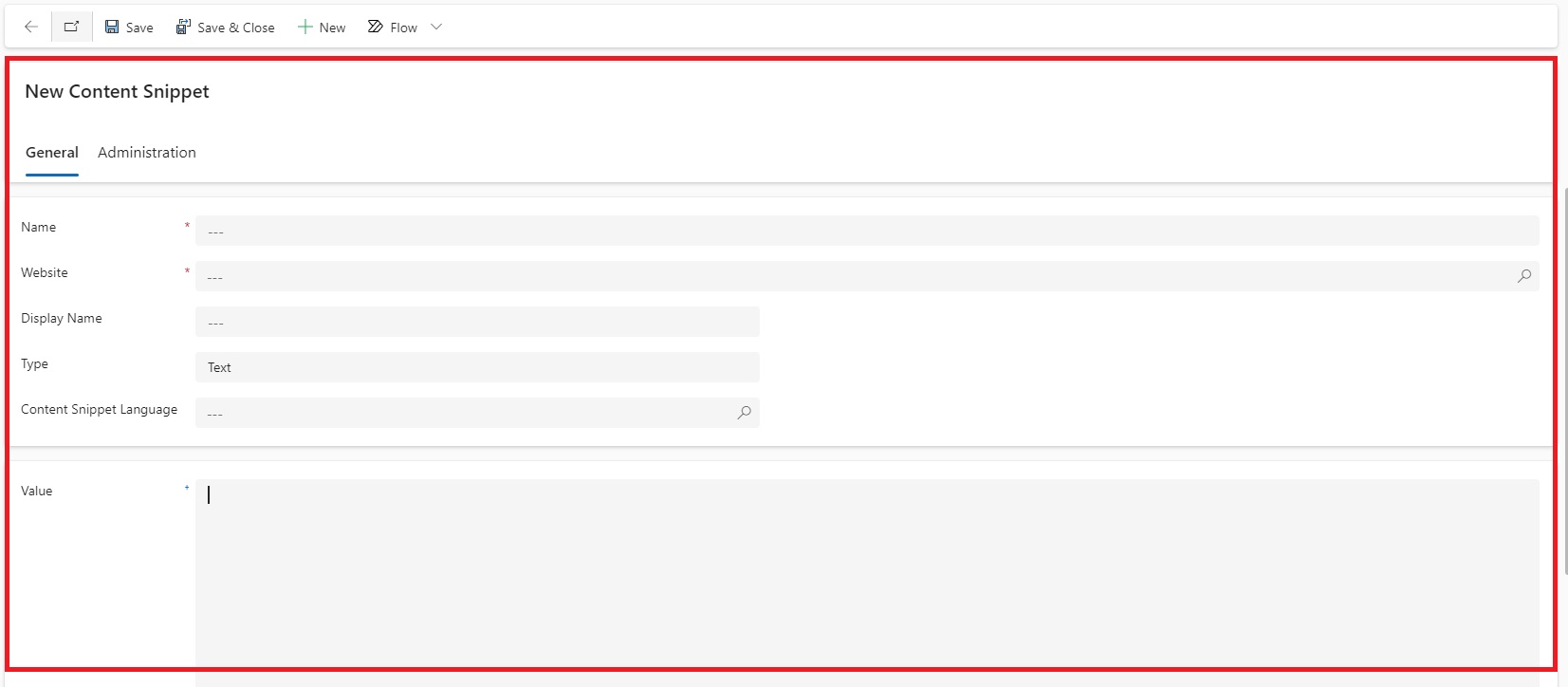
Fill the Necessary Details.
Name -: Designated Content Snippet Name.
Website -: Choose the Website (Lookup).
Display Name -: The Display Name.
Type -: Choose the Type. It can be HTML or Text.
Content Snippet Language -: Choose the Specified Language.
Value -: Provide the Value. It can be in HTML or Text.
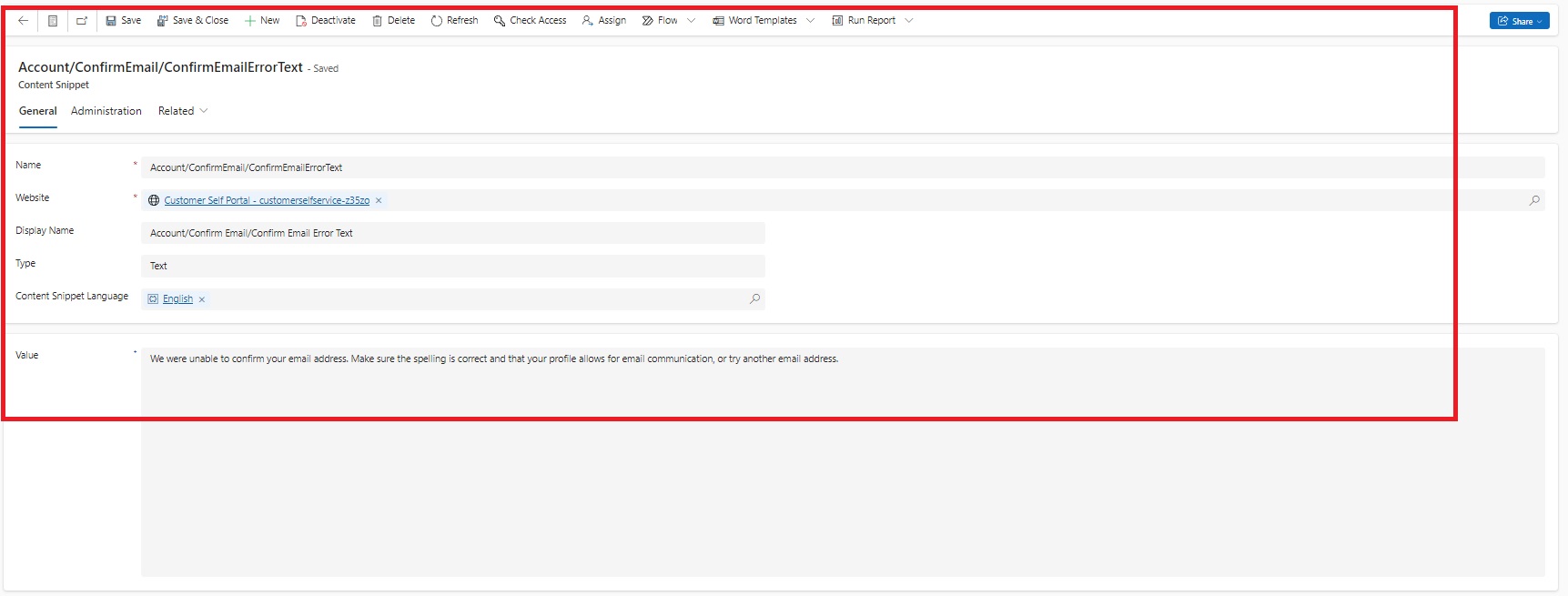
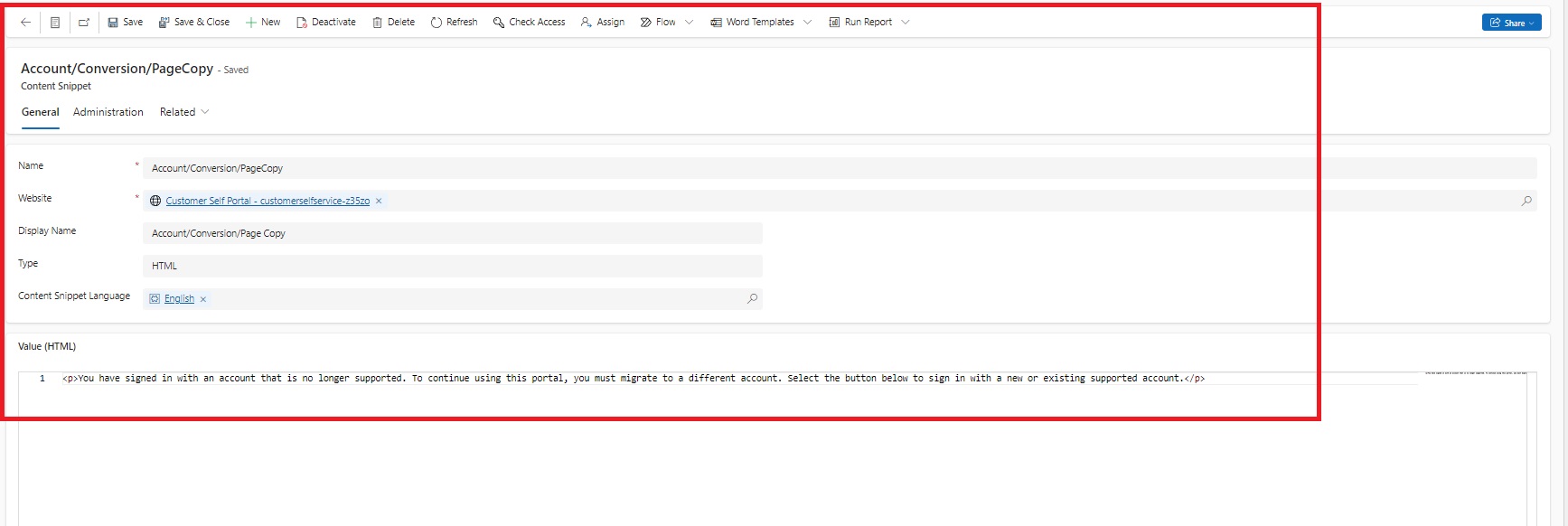
This is how your Content Snippet will look like after Filling Necessary Details.
(Text Format)
(HTML Format)
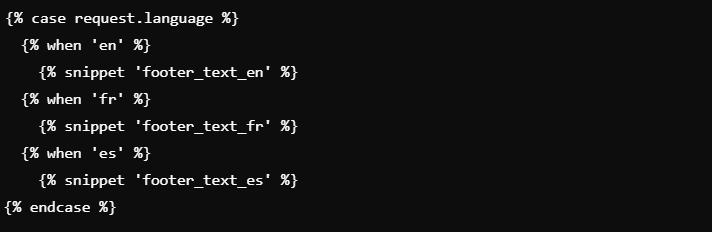
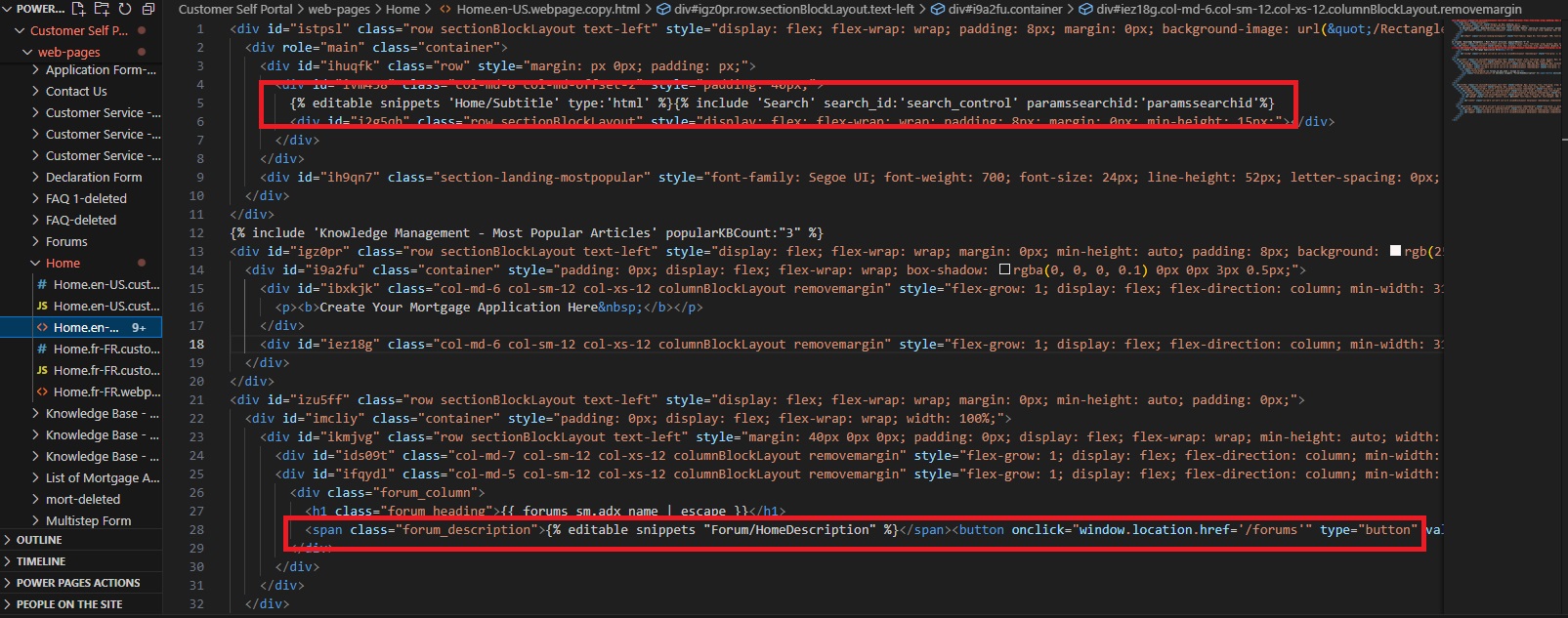
Include the Snippets in Your Page. We have to use Liquid Language.
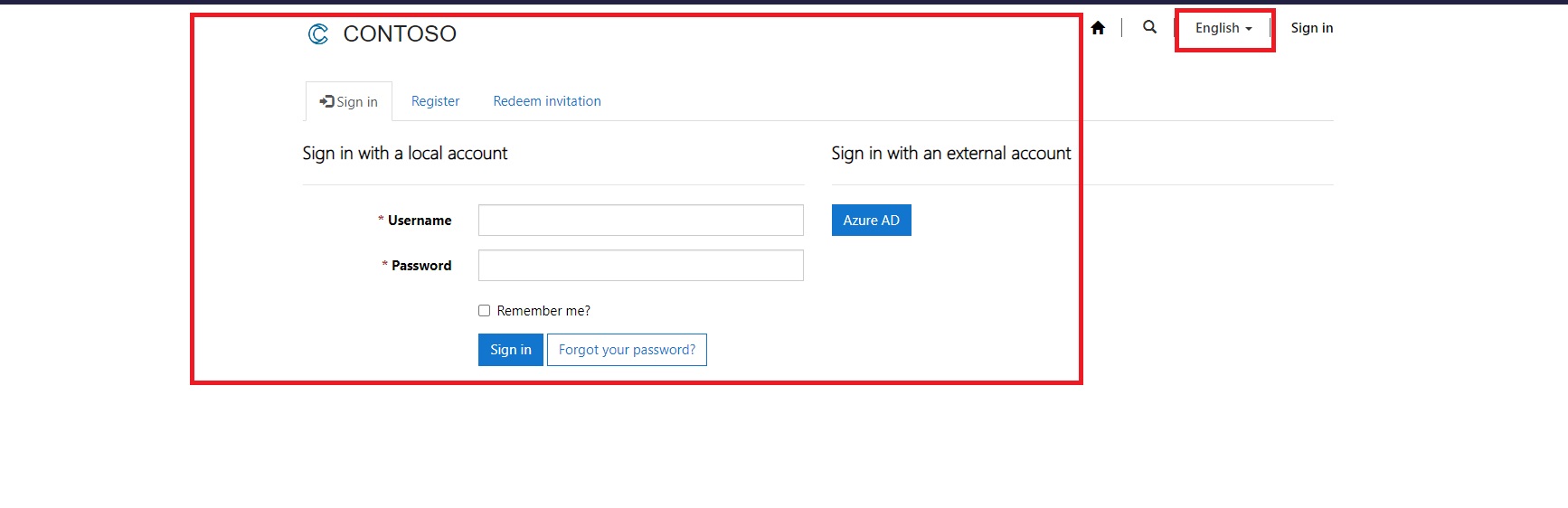
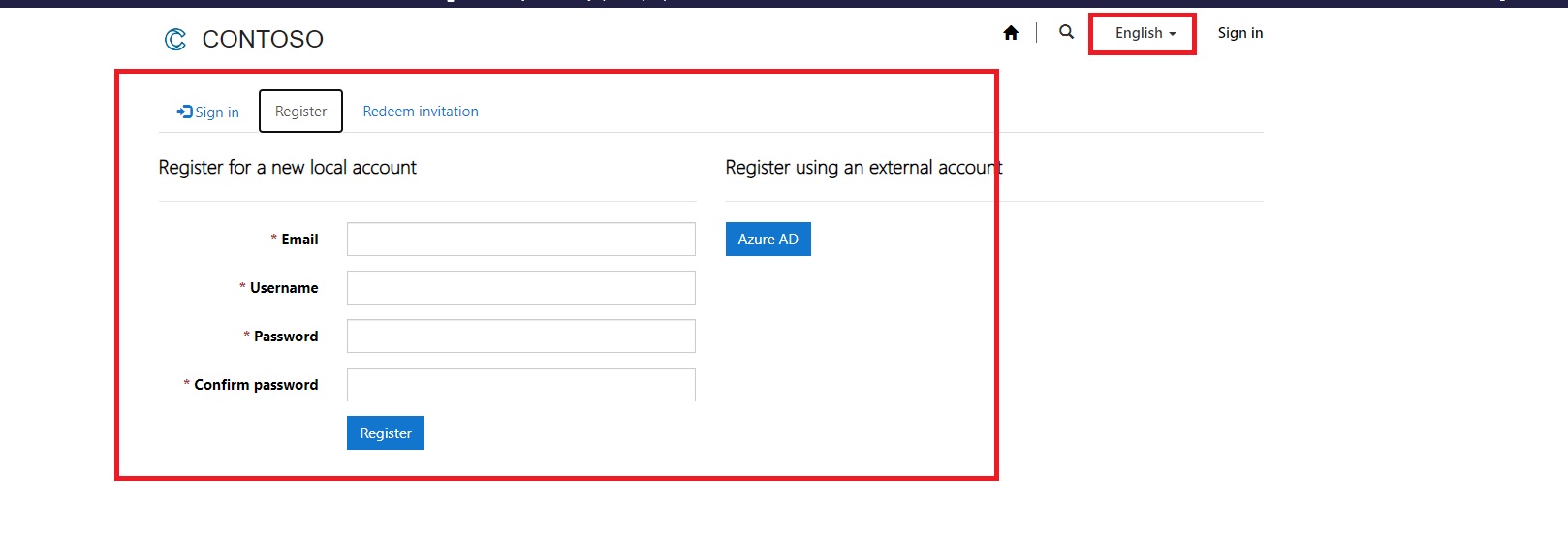
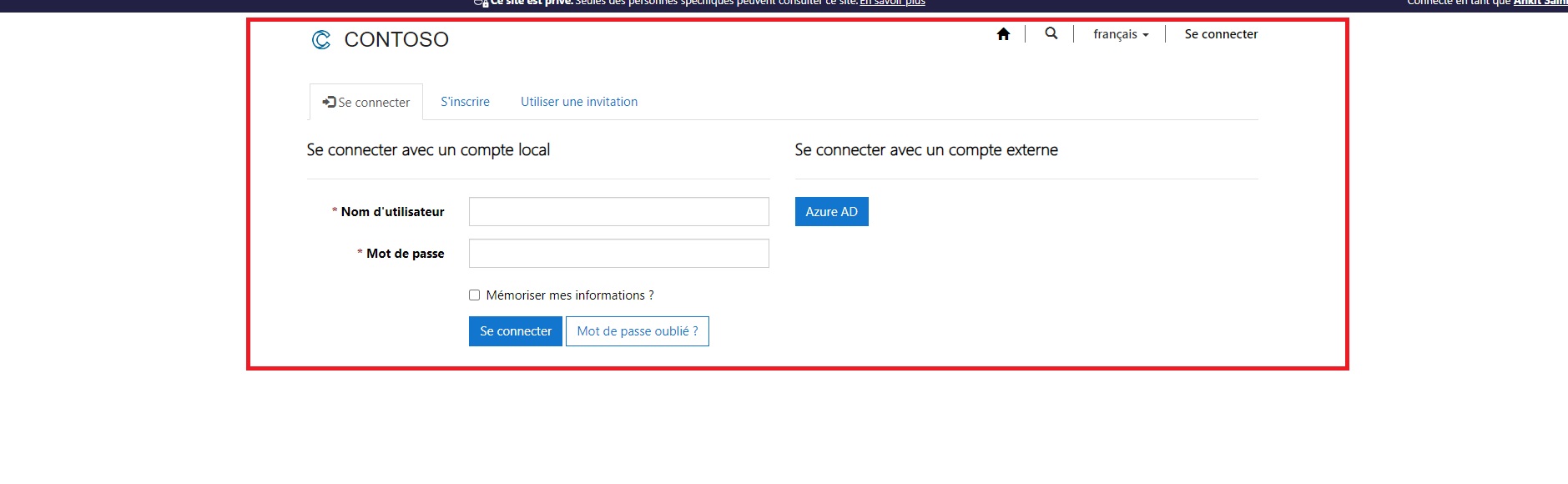
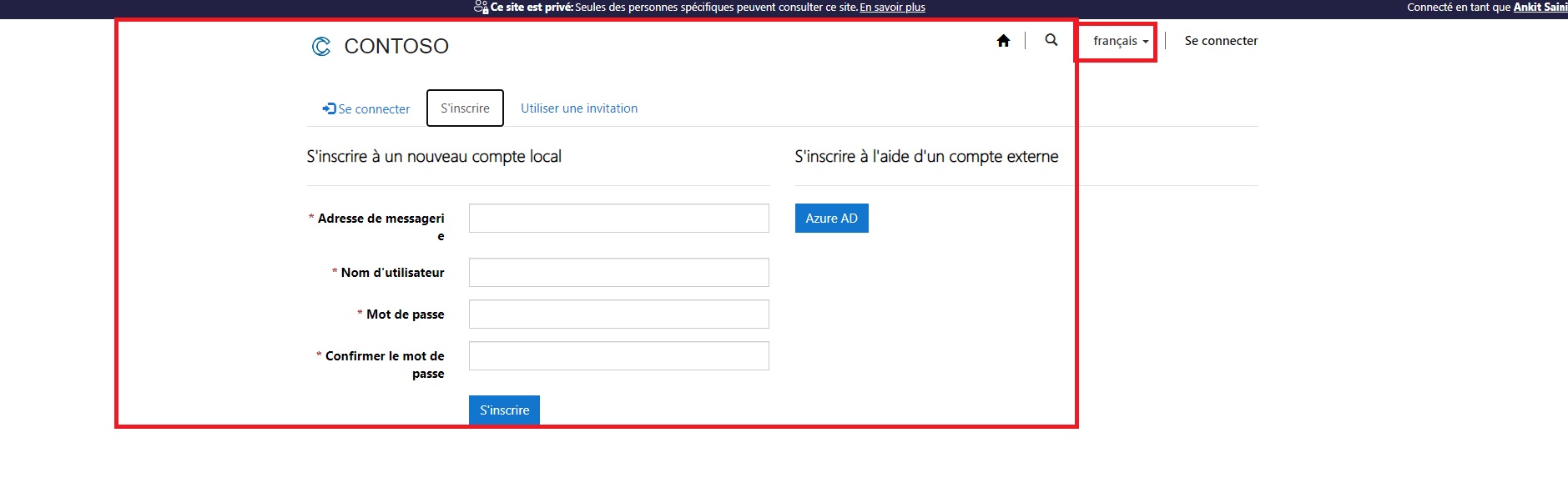
I have configured my Login and Registration Page.
This is how it looks like in English Language.
This is how it looks like in French Language.
Incorporating content snippets into your web development strategy significantly enhances the efficiency and maintainability of your site. Whether you’re managing frequently updated content, ensuring consistency across pages, or streamlining localization for multilingual audiences, content snippets offer a flexible and scalable solution. By centralizing content management and reducing redundancy, they make updating and managing large websites far more efficient. As a result, content snippets not only save time but also help deliver a seamless, error-free user experience, making them an indispensable feature in modern web development.
Frequently Asked Questions (FAQs)
1. What are content snippets?
Content snippets are reusable blocks of content, like text or code that can be inserted into multiple areas of a website. They help maintain consistency and simplify content updates.
2. Why should I use content snippets in Power Pages?
Content snippets save time by allowing you to manage content centrally. You can update snippets in one place, and changes will reflect wherever the snippet is used across your site.
3. Can I use content snippets for multilingual websites?
Yes, content snippets are ideal for multilingual websites. You can create different versions of a snippet in various languages, ensuring localized content is displayed based on user preferences.
4. How do content snippets improve content management?
They centralize frequently used content, reducing the need to update multiple pages manually. This leads to fewer errors, more consistent content, and faster updates.
5. Are content snippets customizable for dynamic content?
Yes, content snippets can be customized to display dynamic or personalized content based on user roles, regions, or other variables using logic such as Liquid in Power Pages.
6. Can non-technical users manage content snippets?
Yes, content snippets are designed to be easily managed by both technical and non-technical users, making them ideal for content editors who need to update website information without developer assistance.
7. How do I update a content snippet?
In your portal's management system, navigate to the content snippet, make the necessary changes, and save it. The updated content will automatically reflect wherever the snippet is used.
8. Are content snippets SEO-friendly?
Yes, content snippets can improve SEO by ensuring consistency in keywords, Meta Descriptions, and content across multiple pages.